As an Amazon Associate we earn from qualifying purchases. Learn more.
Best Home Office Printers for Holiday Photo Cards (2026 Guide)
Sending holiday cards often means printing dozens (or hundreds) of 4x6 photos at home. This guide helps home office buyers pick printers that balance photo quality with affordable running costs for seasonal photo runs. I tested and researched current 2026 options — prioritizing photo output, ink economy, ease of setup, size and everyday reliability — then shortlisted printers that deliver glossy holiday-ready photos without breaking the bank. Below you'll find quick winners, individual reviews, a detailed buying guide, and practical recommendations so you can pick the right machine for your holiday workload.
Quick Answer
For most home holiday photo-card runs the Canon TR8620a (B0C39KWSXZ) is the best pick — it combines compact all‑in‑one convenience with good photo output and an included photo paper/ink value pack. If you need the lowest cost per print, consider the Canon PIXMA G620 mega‑tank model for high-volume, low‑running‑cost photo printing.
Our Top Picks
Quick Comparison
Select 2-3 products to compare side-by-side
| Compare | Product | HomeOfficePilot Score | Price Tier | Key Feature | Best For | Action |
|---|---|---|---|---|---|---|
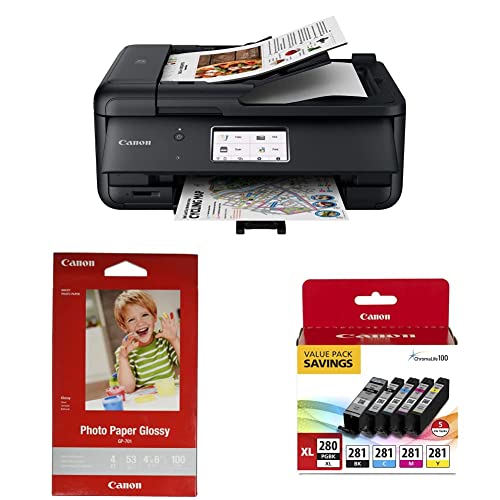 Canon TR8620a |
Mid-Range | Compact all‑in‑one with photo pack | Casual holiday card makers | Check Price | ||
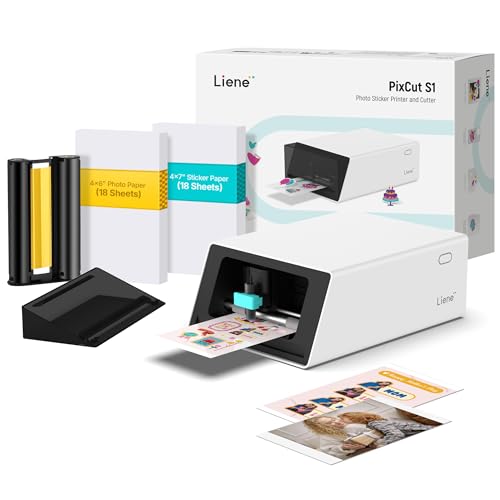 Liene PixCut S1 |
Premium | Integrated print + precision cutting | Creative crafters and small custom runs | Check Price | ||
 Canon PIXMA G620 |
Mid-Range | MegaTank ink for very low running costs | High-volume holiday photo runs | Check Price | ||
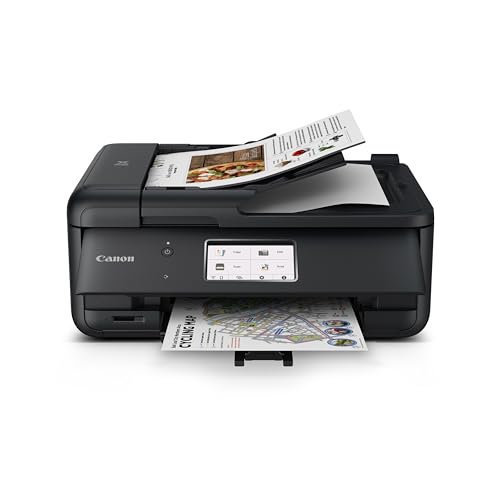 Canon PIXMA TR8620a (B09) |
Budget | Budget all‑in‑one with Alexa | Casual users on a tight budget | Check Price | ||
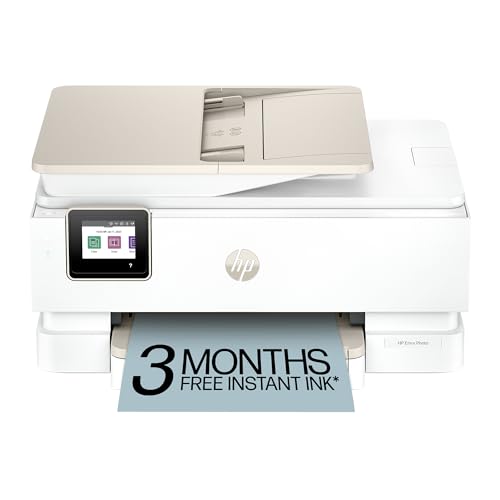 HP Envy Photo 7975 |
Budget | AI layout + separate photo tray | Users who want smart layout & mobile printing | Check Price | ||
 HP Envy 5052 (Renewed) |
Premium | Refurbished value option | Budget‑minded buyers open to renewed units | Check Price |
1. Canon TR8620a All-in-One Printer, Black & Ink Glossy Photo Paper 4"x 6" 100 Sheets (1433C001) & PGI-280XL/CLI-281 5 Color Pack Compatible to TR8520, TR7520, TS9120 Series,TS8120 Series, TS6120 Series
A compact all‑in‑one that ships with glossy 4x6 photo paper and an ink pack — useful for immediate holiday runs. It balances easy setup and a touchscreen interface with good color output for photo cards, though some buyers report mixed long‑term connectivity and build robustness.
Key Specs
- 4.3" LCD touchscreen interface
- All‑in‑one: print, scan, copy, fax with ADF
- Includes 4x6 glossy photo paper (100 sheets)
- Compatible with PGI‑280XL/CLI‑281 5‑color ink pack
- Wireless printing (AirPrint & mobile support)
Pros
- Sleek, compact size fits home desks
- Easy setup and user-friendly touchscreen
- Includes photo paper and ink value pack
Cons
- Reported build quality feels flimsy to some users
- Mixed connectivity and intermittent printing issues reported
Best For: Casual holiday card makers
Check Latest Price on Amazon2. Liene PixCut S1 Color Sticker Printer & Cutting Machine - All-in-One Sticker Maker for DIY Crafts, Custom Labels & Gifts. Thermal Dye-Sublimation Photo Printer, 300 DPI, Precise AI Auto-Cutting
The PixCut S1 is a niche, premium dye‑sublimation unit that prints vivid 300 dpi photos and auto‑cuts stickers or die‑cut cards in one pass. It produces durable, laminated outputs and has an intuitive app, but adhesive performance on some sticker stocks and limited maximum print size can be drawbacks for larger card projects.
Key Specs
- Thermal dye‑sublimation printing at 300 dpi
- Integrated AI auto‑cutting system
- Bluetooth mobile app workflow
- Laminated four‑layer output for waterproof, fade‑resistant prints
Pros
- Vibrant, true‑to‑color prints with crisp detail
- Precise auto‑cutting yields clean edges
- Intuitive app and fast small‑run workflow
Cons
- Some customers report stickers don’t adhere well
- Limited maximum print/sticker size compared with full photo printers
Best For: Creative crafters and small custom runs
Check Latest Price on Amazon3. Canon PIXMA G620 Wireless MegaTank Photo All-in-One Printer [Print, Copy, Scan], Black,Works with Alexa
Designed for high photo volumes, the G620's MegaTank system delivers thousands of 4x6 photos from a full ink set and a wide color gamut from a 6‑color dye ink array. It’s an excellent choice when per‑photo cost matters most, though a minority of users report intermittent connectivity or speed tradeoffs.
Key Specs
- MegaTank high‑yield ink system (thousands of 4x6 photos per fill)
- 6‑color dye‑based ink system (includes Red & Gray)
- Chromalife 100 photo longevity
- Wireless printing and Alexa support
Pros
- Extremely low running cost per photo
- Strong photo color accuracy and gamut
- Designed for high‑volume, continuous photo printing
Cons
- Some users report connectivity or reliability hiccups
- Print speed can be slower for large batches
Best For: High-volume holiday photo runs
Check Latest Price on Amazon4. Canon PIXMA TR8620a - All-in-One Printer Home Office|Copier|Scanner|Fax|Auto Document Feeder | Photo, Document | Airprint (R), Android, Black, Works with Alexa
A budget variant of Canon’s TR8620a family that offers versatile 4‑in‑1 functionality and compact design at a lower entry price. It’s fast and feature‑rich for basic photo and document tasks, but buyers should weigh occasional reports of flimsy build quality and Wi‑Fi connectivity problems.
Key Specs
- Wireless 4‑in‑1: print, copy, scan, fax
- Auto duplex printing and 200‑sheet capacity
- 15/10 ipm print speeds (manufacturer figures)
- Works with Alexa and mobile printing
Pros
- Good multifunction feature set for the price
- Fast initial setup and print speed for casual use
- Compact footprint fits home desks
Cons
- Build quality often described as less sturdy
- Frequent connectivity or error‑code complaints from some users
Best For: Casual users on a tight budget
Check Latest Price on Amazon5. HP Envy Photo 7975 Wireless Color Inkjet Photo Printer, Print, scan, Copy, Easy Setup, Mobile Printing, Best-for-Home, 3 Months of Instant Ink Included, AI-Enabled (B63K3A)
The Envy Photo 7975 offers convenient photo‑focused features like true‑to‑screen photo printing, a separate photo tray and AI layout tools to avoid wasted pages. It’s eco‑minded in construction and includes a short Instant Ink trial, though some buyers note spotty wireless performance and variable color accuracy.
Key Specs
- True‑to‑screen photo printing and borderless capability
- Separate photo tray and automatic 2‑sided photo printing
- AI print layout tools for web pages/emails
- Includes 3 months of Instant Ink trial with setup
Pros
- Accurate color reproduction for many users
- Convenient photo features and automatic formatting
- Fast and straightforward initial setup
Cons
- Reported wireless connectivity dropouts
- Some users experience inconsistent color accuracy or paper jams
Best For: Users who want smart layout & mobile printing
Check Latest Price on Amazon6. HP Envy Wireless All-in-One Photo Printer (Renewed) (HP Envy 5052)
A professionally refurbished Envy model that can be a cost‑effective way to print holiday photos if you’re comfortable with renewed electronics. It delivers decent print quality for casual use, though ink life and long‑term build reliability can be inconsistent across renewed units.
Key Specs
- Refurbished, professionally restored unit
- Mobile printing and Instant Ink ready
- All‑in‑one print/scan/copy capabilities
Pros
- Good value for buyers comfortable with renewed items
- Easy mobile setup and printing
- Decent photo output for casual projects
Cons
- Ink life and build quality may vary between units
- Some users report shorter longevity on renewed models
Best For: Budget‑minded buyers open to renewed units
Check Latest Price on AmazonWhich One Should You Choose?
If you want a reliable all‑around holiday card printer with immediate photo supplies and easy setup → choose the Canon TR8620a (B0C39KWSXZ). If budget is tight and you need a full multifunction machine for occasional cards → go with the Canon PIXMA TR8620a budget variant (B09TRZLPXP). If your priority is the lowest running cost and you print many photos each season → pick the Canon PIXMA G620 MegaTank (B08XZQVWZW). If you make crafted sticker or die‑cut cards and want laminated, waterproof outputs → the Liene PixCut S1 (B0DHKZ3CCL) is the specialty choice.
Best for Specific Scenarios
- Large family photo runs: Canon PIXMA G620 because the MegaTank system lowers per‑photo cost for hundreds of 4x6 prints.
- Quick, plug‑and‑play holiday cards: Canon TR8620a (B0C39KWSXZ) because it includes photo paper and a simple touchscreen setup for immediate printing.
- Custom stickers, labels, or laminated mini‑cards: Liene PixCut S1 because it prints and precisely auto‑cuts laminated, waterproof outputs suited to creative projects.
Frequently Asked Questions
Is dye‑sublimation or inkjet better for holiday photo cards?
Dye‑sublimation produces durable, laminated prints with smooth color transitions and is excellent for small photo sizes and sticker/card crafts. Inkjet (especially multi‑color and pigment/dye hybrid systems) can deliver richer color gamut and larger printable sizes and often works better when you need full‑sized cards or mixed document/photo tasks.
How do I lower running costs when printing dozens of cards?
Choose a MegaTank or refillable‑tank printer, buy photo paper in bulk, and print at appropriate image quality settings (use high quality for final cards, but draft or standard for test proofs). Also factor in bundled ink/photo packs or subscription services while comparing long‑term cost.
Can I use third‑party photo paper and ink?
Yes, many printers accept third‑party photo papers and compatible inks, but results can vary. For best longevity and color fidelity in holiday cards, use manufacturer‑recommended photo paper and test a small batch before committing to bulk prints.
How We Selected These Products
Our recommendations are based on data-driven analysis: we evaluated 29748+ products across 4825+ brands using a composite scoring system that weighs rating (40%), review volume (30%), price value (20%), and demand signals (10%). Every product is ranked by data, not opinions.
Last updated: November 11, 2026
As an Amazon Associate we earn from qualifying purchases at no extra cost to you. Full disclosure.
HomeOfficePilot Score is our editorial ranking based on a composite analysis of product quality, value, and verified customer sentiment. Click through to Amazon for current pricing, availability, and live customer reviews.