As an Amazon Associate we earn from qualifying purchases. Learn more.
Best Inkjet Printers for Photo Projects & Portfolios (2026 Guide)
If you print photos, portfolios, or gallery proofs, color accuracy and paper compatibility matter more than raw speed. This guide looks at printers and photo papers that deliver faithful color, handle thicker/specialty sheets, and let you manage ink costs. You’ll find a professional desktop photo printer, a versatile home-office all-in-one, and several paper options from budget to heavyweight satin finishes. Products were selected based on color systems, paper compatibility, ink strategy, and real customer feedback about durability, value, and ease of use.
Quick Answer
The Canon imagePROGRAF PRO-310 is the best choice for photo projects and portfolios thanks to its 9-color LUCIA PRO II pigment system and Chroma Optimizer for accurate, gallery-quality color. For budget-conscious or home-office users, the Canon PIXMA TR8620a and economical KOALA photo paper offer solid results without the premium ink costs.
Our Top Picks
Quick Comparison
Select 2-3 products to compare side-by-side
| Compare | Product | HomeOfficePilot Score | Price Tier | Key Feature | Best For | Action |
|---|---|---|---|---|---|---|
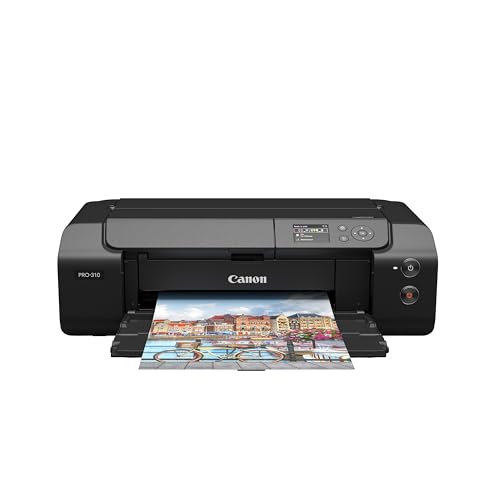 Canon imagePROGRAF PRO-310
|
Premium | 9-color LUCIA PRO II pigment system | Professional photo & fine art prints | Check Price | ||
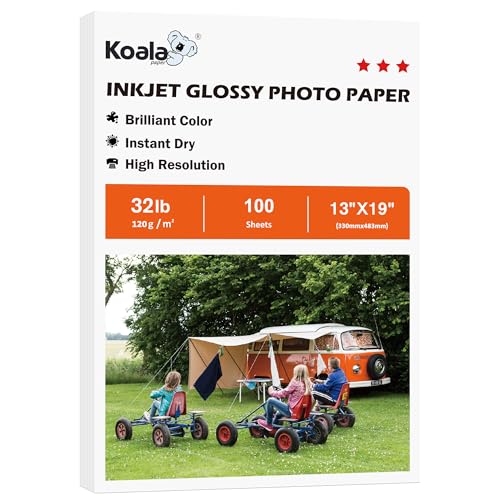 KOALA Double-Side Glossy 13x19
|
Budget | Double-sided glossy, 13x19 sheets | High-volume, low-cost photo projects | Check Price | ||
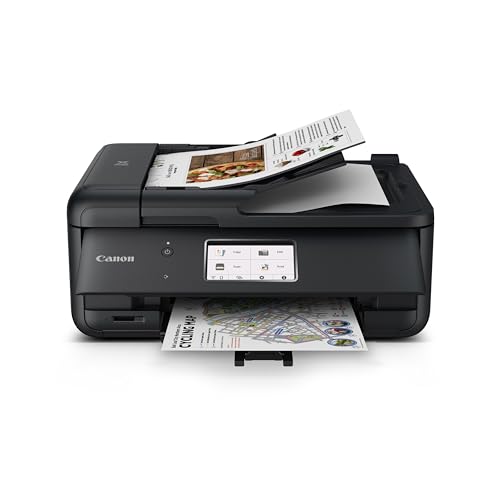 Canon PIXMA TR8620a
|
Premium | Compact 4-in-1 with voice and smart reorder | Home office photo + document needs | Check Price | ||
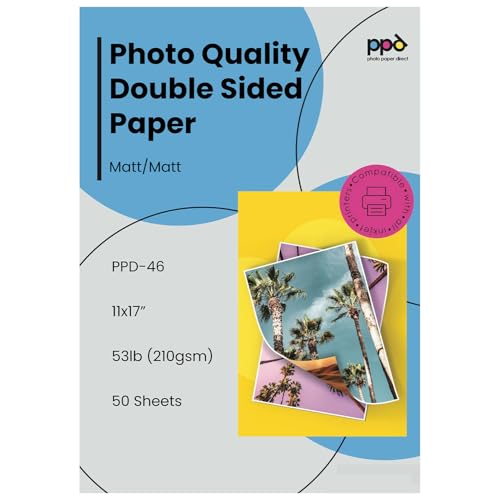 PPD Matte 11x17 210gsm
|
Mid-Range | Heavyweight 210gsm matte, double-sided | Matte portfolios & brochures | Check Price | ||
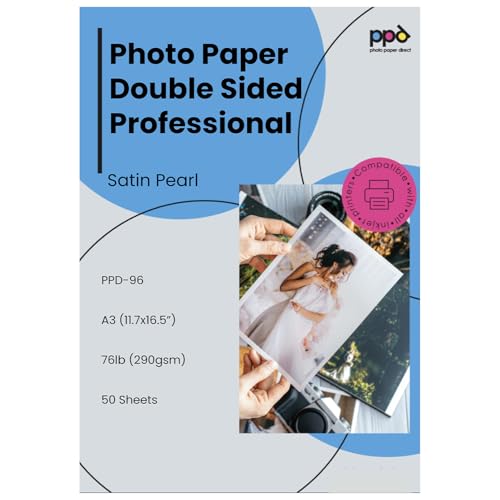 PPD Satin Pearl 11x17 290gsm
|
Mid-Range | Luxury satin-pearl, heavyweight 290gsm | Premium brochures & gallery prints | Check Price | ||
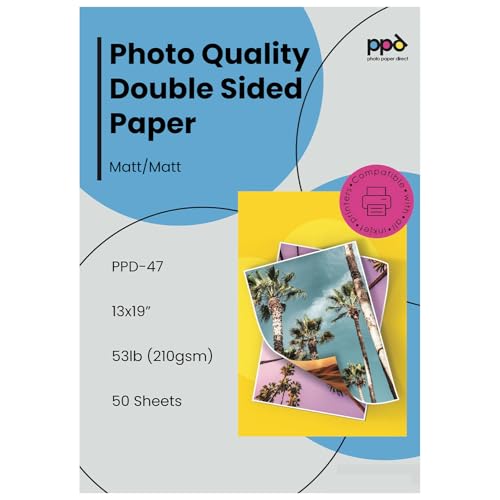 PPD Matte 13x19 210gsm
|
Budget | Tabloid 13x19 matte, 210gsm | Large-format matte prints | Check Price |
1. Canon imagePROGRAF Professional 13" PRO-310 Wireless Inkjet Photo Printer with 3.0-Inch Color LCD Monitor, 9 Color Pigment-Based Ink System, Black
The PRO-310 is a compact pro-level photo printer built for accurate color and deep blacks. Its 9-color + Chroma Optimizer pigment ink set and matte black deliver gallery-quality prints and strong gloss uniformity on fine art and photo papers.
Key Specs
- 9-color + Chroma Optimizer pigment-based LUCIA PRO II ink system
- 13" / wide desktop format
- 3.0-inch color LCD for status and previews
- Anti-clogging system and skew correction
Pros
- Exceptional color accuracy and deep blacks for portfolios
- Designed for fine art and glossy/photo paper compatibility
- Controls for gloss uniformity and scratch resistance
Cons
- Premium hardware with higher ongoing ink usage
- Larger footprint than compact home printers
Best For: Professional photo & fine art prints
Check Latest Price on Amazon2. Koala Double Side Thin Glossy Photo Paper 13x19 Inches 120gsm 100 Sheets Compatible with Inkjet Printer and Dye Ink 32LB
This economical 13x19 double-sided glossy paper gives vibrant color and fast dry times for dye-ink printers. It’s a strong budget pick for multi-page photo booklets or flyers when weight and ultra-thick stock aren’t required.
Key Specs
- 13 x 19 inches, 120gsm (thin)
- Double-sided flat glossy smooth finish
- Optimized for dye-based ink (not pigment)
- 100 sheets per pack
Pros
- Great color pop and glossy finish at a low price
- Prints on both sides for booklets and spreads
- Fast drying with generally good ink absorption
Cons
- Thin 120gsm stock feels fragile for heavy-handling projects
- Only compatible with dye inks; some users report smearing
Best For: High-volume, low-cost photo projects
Check Latest Price on Amazon3. Canon PIXMA TR8620a - All-in-One Printer Home Office|Copier|Scanner|Fax|Auto Document Feeder | Photo, Document | Airprint (R), Android, Black, Works with Alexa
A versatile all-in-one that handles photos and documents, the TR8620a is easy to set up and supports AirPrint, ADF scanning, and voice controls. It’s a sensible choice if you need copy/scan/fax alongside occasional photo printing.
Key Specs
- Wireless 4-in-1: print/copy/scan/fax with ADF
- Voice assistant integration and smart reorder support
- Auto 2-sided printing and 200-sheet capacity
- Designed for home/office photo and document work
Pros
- Easy initial setup and flexible connectivity options
- Good print speed for everyday photo/doc work
- Multi-function features (ADF, duplex, SD slot)
Cons
- Build quality reported as flimsy by some users
- Connectivity and occasional error codes reported
Best For: Home office photo + document needs
Check Latest Price on Amazon4. PPD Double Sided Photo Paper, Matte Brochure Paper 11 x 17 for Inkjet Printer, 210 gsm, 9 mil Tabloid Size for Magazine, Flyer, Presentation, Program, Instant Dry & Water Resistant (50 Sheets)
A solid midweight matte brochure paper that handles both dye and pigment inks. At 210gsm it offers a professional feel without being overly rigid, with instant-dry and water-resistant coatings for clean handling.
Key Specs
- 11 x 17 inches, 210 gsm (9 mil)
- Double-sided matte finish
- Instant-dry and water resistant
- Compatible with dye and pigment inkjet printers
Pros
- Good color reproduction with a refined matte look
- Durable enough for handouts and portfolios
- Instant-dry finish reduces smudging for most inks
Cons
- Some users report occasional smearing with certain inks
- Perceived thickness varies between users
Best For: Matte portfolios & brochures
Check Latest Price on Amazon5. PPD Double Sided Photo Paper, Satin Pearl Brochure Paper 11 x 17 for Inkjet Printer, 290 gsm, 10.7 mil Thick for Magazine, Flyer, Presentation, Program, Instant Dry & Water Resistant (50 Sheets)
This 290gsm satin-pearl paper offers a low-glare, premium finish that enhances color depth and image detail. It’s built for brochure-grade or gallery-style prints where tactile weight and low reflection matter.
Key Specs
- 11 x 17 inches, 290 gsm (10.7 mil)
- Satin pearl double-sided finish with low glare
- Instant-dry and water resistant
- Compatible with pigment and dye inks
Pros
- Luxurious feel and low-glare result for displays
- Excellent color depth and image detail
- Substantial weight that holds up to handling
Cons
- Heavier stock can be stiffer to feed on some printers
- Some buyers report mixed smearing behavior with specific inks
Best For: Premium brochures & gallery prints
Check Latest Price on Amazon6. PPD Double Sided Photo Paper, Matte Brochure Paper 13 x 19 for Inkjet Printer, 210 gsm, 9 mil Thick for Magazine, Flyer, Presentation, Program, Instant Dry & Water Resistant (50 Sheets)
A tabloid-size matte photo paper that brings the same 210gsm weight to 13x19 projects. It’s a practical choice when you need bigger spreads or prints for mockups and layouts without stepping up to ultra-heavy stock.
Key Specs
- 13 x 19 inches, 210 gsm (9 mil)
- Double-sided matte finish
- Instant-dry and water resistant
- Broad compatibility with inkjet printers
Pros
- Large sheet size for spreads and portfolios
- Solid matte finish with good color reproduction
- Good value for larger-format printing
Cons
- Mixed feedback on smearing with certain ink setups
- Some users expected thicker stock for heavy-duty use
Best For: Large-format matte prints
Check Latest Price on AmazonWhich One Should You Choose?
If budget is tight → Canon PIXMA TR8620a. It’s a flexible all-in-one that handles photos and documents and keeps initial costs and complexity lower than a dedicated pro printer. If you need compact or multi-function use (scan/copy/fax + occasional photo prints) → Canon PIXMA TR8620a. If premium image fidelity and gallery-quality portfolio prints are your priority → Canon imagePROGRAF PRO-310, which offers the best color accuracy and pigment-based longevity among the options.
Best for Specific Scenarios
- Fine art & portfolio proofs: Canon imagePROGRAF PRO-310 because its 9-color pigment set and Chroma Optimizer deliver gallery-quality color and depth.
- Brochures and premium prints: PPD Satin Pearl 11x17 (B072JCCWBV) because the heavy 290gsm satin finish gives low glare and a professional feel.
- Photo booklets and budget runs: KOALA Double Side Glossy 13x19 (B0F633KS73) because it’s double-sided and low-cost for multi-page layouts.
Frequently Asked Questions
Should I use pigment or dye inks for a professional portfolio?
Pigment inks are generally better for professional portfolios because they offer improved longevity, deeper blacks, and more consistent color on a range of fine-art and archival papers. Dye inks can be vibrant and less expensive but may fade faster and be less predictable on heavy or textured stock.
How do I choose the right paper finish and weight?
Pick the finish by the final presentation: gloss for punchy, reflective color; satin/pearl for reduced glare with strong color; matte for a non-reflective, refined look. Weight (gsm) affects feel and durability—210gsm is a good professional baseline, while 290gsm and up is ideal for covers and gallery-grade prints. Confirm your printer can handle the chosen thickness.
Are third-party or refill inks a good way to save money?
Third-party inks and refill systems can lower per-print cost but may cause color shifts, reduced longevity, or void warranties in some cases. If savings matter, compare high-capacity OEM cartridges or tank systems first, and test any third-party ink on non-critical prints to confirm color and archival performance.
How We Selected These Products
Our recommendations are based on data-driven analysis: we evaluated 29748+ products across 4825+ brands using a composite scoring system that weighs rating (40%), review volume (30%), price value (20%), and demand signals (10%). Every product is ranked by data, not opinions.
Last updated: August 11, 2026
As an Amazon Associate we earn from qualifying purchases at no extra cost to you. Full disclosure.
HomeOfficePilot Score is our editorial ranking based on a composite analysis of product quality, value, and verified customer sentiment. Click through to Amazon for current pricing, availability, and live customer reviews.