As an Amazon Associate we earn from qualifying purchases. Learn more.
Best All-in-One Inkjet Printers for Photo Gifts (2026 Guide)
If you print photo gifts or graduation pictures at home, you need an all-in-one inkjet that produces rich, color-accurate photos, handles glossy photo paper, and keeps ink costs reasonable. This 2026 guide tests and compares popular all-in-one inkjets for photo-quality prints, ease of setup, connectivity, and ongoing value. Products were chosen from mainstream home-office models with a focus on photo output and real-customer feedback on quality, durability, and ink systems so you can pick the right printer for keepsake prints and occasional photo batches.
Quick Answer
For photo gifts and graduation prints, the Canon TR8620a (ASIN B0C39KWSXZ) is the best overall — it balances compact design, easy setup, and strong photo output using Canon’s photo inks and included glossy paper. For tight budgets choose the HP DeskJet Plus 4158 (B08NY1QVDZ); for best long-term ink value choose the Canon MegaTank G3270 (B0BSMSYM9N).
Our Top Picks
Quick Comparison
Select 2-3 products to compare side-by-side
| Compare | Product | HomeOfficePilot Score | Price Tier | Key Feature | Best For | Action |
|---|---|---|---|---|---|---|
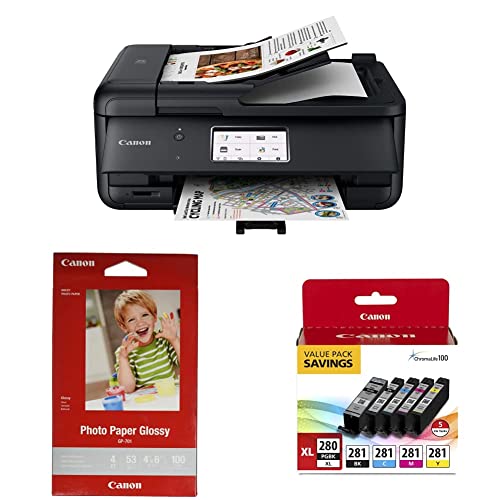 Canon TR8620a
|
Premium | 4.3" touchscreen + photo paper bundle | Home photo gifts & compact home offices | Check Price | ||
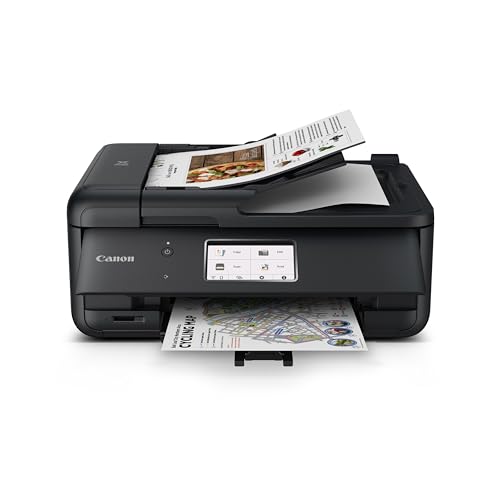 Canon PIXMA TR8620a
|
Mid-Range | Alexa + Smart Reorders | Users who want convenience and solid photo results | Check Price | ||
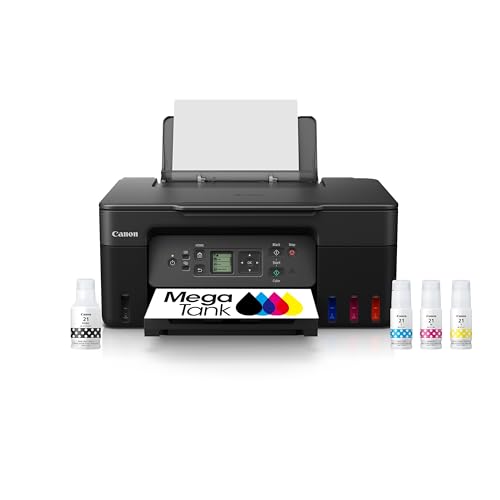 Canon MegaTank G3270
|
Premium | High-capacity refillable ink tank | High-volume printing with low ink cost | Check Price | ||
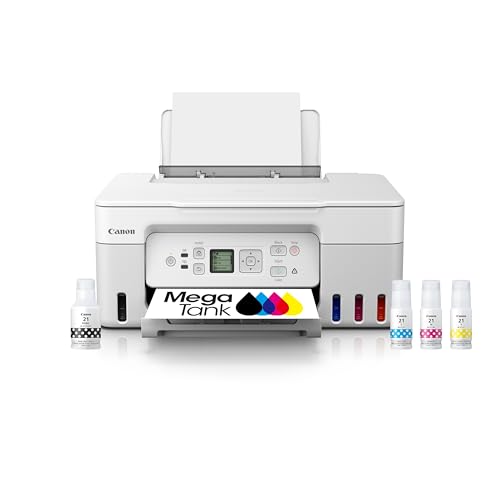 Canon MegaTank G3270 (White)
|
Premium | Same MegaTank system in white finish | Users wanting low-cost ink and a lighter-colored design | Check Price | ||
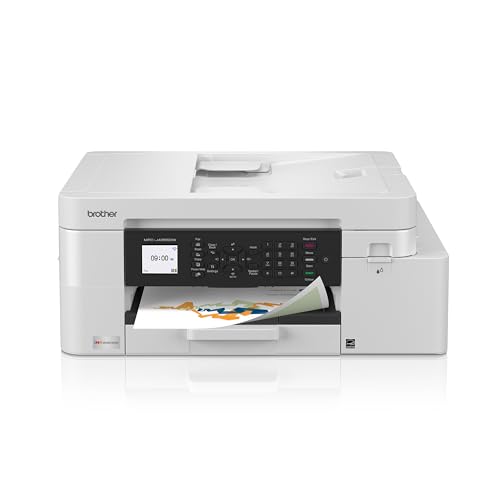 Brother INKvestment 4355
|
Mid-Range | High-yield cartridge system + ADF | Productivity-focused home offices that print photos occasionally | Check Price | ||
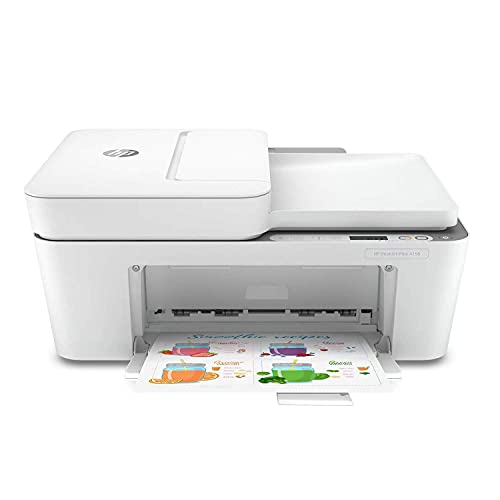 HP DeskJet Plus 4158
|
Budget | Compact, Instant Ink compatible | Budget-conscious users printing occasional photos | Check Price | ||
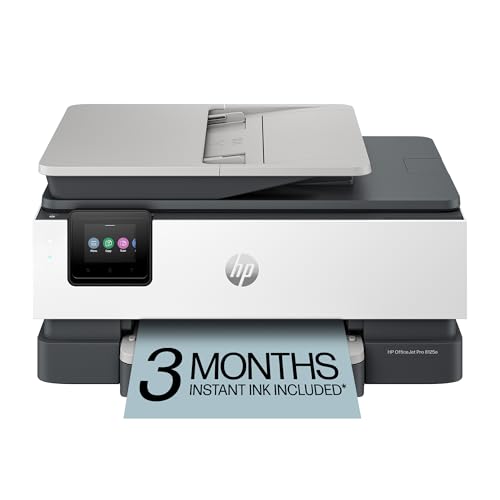 HP OfficeJet Pro 8125e
|
Budget | AI-enabled formatting + 225-sheet tray | Home offices printing mixed documents and occasional photos | Check Price |
1. Canon TR8620a All-in-One Printer, Black & Ink Glossy Photo Paper 4"x 6" 100 Sheets (1433C001) & PGI-280XL/CLI-281 5 Color Pack Compatible to TR8520, TR7520, TS9120 Series,TS8120 Series, TS6120 Series
The Canon TR8620a is a compact, photo-focused all-in-one that ships with glossy 4x6 paper and works with Canon’s ChromaLife100 system for longer-lasting prints. It’s easy to set up and offers a user-friendly touchscreen, making it a strong choice for printing graduation photos and small photo gifts at home.
Key Specs
- 4.3" LCD touchscreen
- Auto document feeder, copier, scanner, fax
- Includes 4"x6" glossy photo paper (100 sheets)
- Compatible with PGI-280XL/CLI-281 ink pack
Pros
- Very good photo output with Canon photo inks
- Includes glossy photo paper to start printing right away
- Sleek, compact footprint fits small desks
Cons
- Some customers report flimsy build quality
- Connectivity and intermittent printing errors reported by some users
Best For: Home photo gifts & compact home offices
Check Latest Price on Amazon2. Canon PIXMA TR8620a - All-in-One Printer Home Office|Copier|Scanner|Fax|Auto Document Feeder | Photo, Document | Airprint (R), Android, Black, Works with Alexa
This PIXMA variant of the TR8620a emphasizes value and convenience — Alexa integration and Smart Reorders help keep ink stocked while the printer delivers reliable photo printing for gifts. It’s a balanced mid-range pick with fast speeds and a 200-sheet capacity for mixed document and photo use.
Key Specs
- Alexa integration & Smart Reorders
- 15 / 10 ipm print speed (black/color)
- 200-sheet capacity (100 cassette + 100 rear feed)
- Auto 2-sided printing, EPEAT Silver
Pros
- Smart reordering and voice integration simplify ink supply
- Good mix of document and photo features
- Fast for an all-in-one of this class
Cons
- Reports of flimsy build quality from some users
- Wi‑Fi setup and intermittent error codes reported
Best For: Users who want convenience and solid photo results
Check Latest Price on Amazon3. Canon MegaTank G3270 All-in-One Wireless Inkjet Printer. for Home Use, Print, Scan and Copy
The MegaTank G3270 focuses on ink value and low running costs — Canon includes enough ink for up to years of typical home use and very high page yields. It's a smart pick if you print many photos or gift prints and want to avoid frequent cartridge replacements.
Key Specs
- Up to 6,000 B/W and 7,700 color pages per ink set
- Wireless print/copy/scan
- 1.35" square LCD display
- Single-sided printing
Pros
- Outstanding ink value: large page yields reduce cost per photo
- Easy setup and straightforward refill system
- Solid photo color consistency for many prints
Cons
- Some users report desaturated color on certain images
- Mixed reports of wireless connectivity reliability
Best For: High-volume printing with low ink cost
Check Latest Price on Amazon4. Canon MegaTank G3270 All-in-One Wireless Inkjet Printer. for Home Use, Print, Scan and Copy,White
This white MegaTank G3270 shares the same refillable ink advantages as the standard model but offers a different finish to match home decor. It’s ideal when bulk printing and low ink cost matter more than ultra-premium photo color rendering.
Key Specs
- High page yields (up to 7,700 color)
- Wireless print/copy/scan
- 1.35" LCD control
- Single-sided printing
Pros
- Low running costs thanks to refillable tanks
- Good value for frequent photo printing
- Easy to set up and maintain
Cons
- Some prints can look less saturated than expected
- Wireless and speed behavior varies by user setup
Best For: Users wanting low-cost ink and a lighter-colored design
Check Latest Price on Amazon5. Brother INKvestment 4355 Wireless Color Inkjet All-in-One Printer with 1.8 Color Display and Manual Feed Slot | Includes Refresh Subscription Trial(1) (MFC-J4355DW)
Brother’s INKvestment 4355 is aimed at productivity with high-yield cartridges, a 20-page ADF, and cloud app connectivity while still producing solid color prints for gifts. It’s a good hybrid if you need both document throughput and decent photo performance.
Key Specs
- Includes high-yield cartridges (up to 1,800 B/W yield)
- 150-sheet paper tray, 20-page ADF
- Wireless, Wi‑Fi Direct, Brother Mobile Connect
- Print speeds up to 20 ppm black / 19 ppm color
Pros
- Fast and efficient for mixed document/photo use
- Good connectivity options and cloud printing
- High-yield ink reduces frequency of replacements
Cons
- Print quality for photos is mixed across user reports
- Some users experience Wi‑Fi and setup hiccups
Best For: Productivity-focused home offices that print photos occasionally
Check Latest Price on Amazon6. HP DeskJet Plus 4158 All-in-One Inkjet Printer, Scanner, Copy, Mobile Print, Instant Ink Ready, Wireless Printers for Home and Office, Dual-band Wi-Fi, 7FS76A (Renewed)
The DeskJet Plus 4158 is a compact budget pick that fits small spaces and supports mobile printing and Instant Ink; it’s a workable entry-level option for casual photo gifts. Expect modest photo quality and watch ink usage — some users report the printer uses ink quickly.
Key Specs
- Compact all-in-one: print/scan/copy
- Dual-band Wi‑Fi and mobile print
- Instant Ink ready
- Designed for small spaces
Pros
- Small footprint is great for limited desk space
- Renewed units often look and perform like new
- Simple mobile printing setup
Cons
- Connectivity can be unreliable for some users
- Ink runs fast and photo quality is only average
Best For: Budget-conscious users printing occasional photos
Check Latest Price on Amazon7. HP OfficeJet Pro 8125e Wireless All-in-One Color Inkjet Printer, Print, scan, Copy, ADF, Duplex Printing Best-for-Home Office, 3 Month Instant Ink Trial Included, AI-Enabled (405T6A)
The OfficeJet Pro 8125e emphasizes productivity with a large paper capacity, AI print formatting, and security features while still delivering competent color prints. It fits users who print many documents but also want acceptable photo output for gifts.
Key Specs
- Print speeds up to 20 ppm black / 10 ppm color
- 225-sheet input tray, ADF, duplex printing
- 2.7" color touchscreen and HP AI Print features
- Includes 3 months Instant Ink trial
Pros
- Strong document handling and productive feature set
- Easy setup and useful touchscreen interface
- Sustainable design with recycled plastic components
Cons
- Ink can run out quickly for heavy photo use
- Some users report Wi‑Fi connectivity issues
Best For: Home offices printing mixed documents and occasional photos
Check Latest Price on AmazonWhich One Should You Choose?
If photo quality and a compact, ready-to-print kit matter most → choose Canon TR8620a (B0C39KWSXZ). If you want the lowest upfront spend for occasional gifts → choose HP DeskJet Plus 4158 (B08NY1QVDZ). If you print lots of photos and want the lowest ink cost per print → choose Canon MegaTank G3270 (B0BSMSYM9N). If you need high productivity and mixed document/photo work → consider Brother INKvestment 4355 (B0FGCCWV6T) or HP OfficeJet Pro 8125e (B0CT8ZJ7ZC).
Best for Specific Scenarios
- One-off graduation photo packages: Canon TR8620a (B0C39KWSXZ) because it includes glossy paper and produces pleasing photo color with easy setup.
- Regular family photo prints without high ink bills: Canon MegaTank G3270 (B0BSMSYM9N) because refillable tanks dramatically lower running costs.
- Small home office that also prints occasional gifts: Brother INKvestment 4355 (B0FGCCWV6T) since it balances productivity features and reasonable color output.
Frequently Asked Questions
Do these all-in-one inkjets print borderless photos?
Most models listed support borderless photo printing at common sizes (4x6, 5x7, etc.), but capabilities vary by model and paper type. Check the individual printer’s paper settings and use recommended photo paper for true borderless output.
Which option has the lowest long-term cost for photo prints?
Refillable tank models like the Canon MegaTank G3270 reduce cost per page substantially compared with cartridge-based systems. High-yield cartridge systems (Brother INKvestment) and subscription services can also lower ongoing costs, depending on your monthly print volume.
How can I get the most accurate colors for graduation photos?
Use manufacturer-recommended photo paper, choose photo mode in the printer driver or app, and avoid heavy color enhancement filters unless desired. For the most accurate results, soft-proof images on your monitor with basic color-correction or use presets provided by the printer's software.
How We Selected These Products
Our recommendations are based on data-driven analysis: we evaluated 29748+ products across 4825+ brands using a composite scoring system that weighs rating (40%), review volume (30%), price value (20%), and demand signals (10%). Every product is ranked by data, not opinions.
Last updated: June 26, 2026
As an Amazon Associate we earn from qualifying purchases at no extra cost to you. Full disclosure.
HomeOfficePilot Score is our editorial ranking based on a composite analysis of product quality, value, and verified customer sentiment. Click through to Amazon for current pricing, availability, and live customer reviews.