As an Amazon Associate we earn from qualifying purchases. Learn more.
How to Choose a Label Printer for Weekend Markets (2026)
Long checkout lines, last-minute price changes, and damp weather are the reality of weekend markets — and a slow or clumsy labeling setup makes everything worse. This guide helps artisans, food vendors, and pop-up shop owners choose a label printer that speeds up pricing, barcode, and ingredient-tag printing without adding bulk. I tested and compared three compact printers by looking at portability, print speed, label durability, battery life, and ease of use — the exact things that matter when you’re under a tent and customers are in a line. Below are practical reviews and a buying guide to match the tool to your weekend market workflow.
Quick Answer
For most weekend-market vendors the Brother P-Touch PTD220 (B0DD1VJW2F) is the best all-around pick: portable, simple QWERTY workflow and tape options for durable waterproof labels. If you want Bluetooth app control and wider tape widths choose the NIIMBOT B21 (B0CXXN4R3G); for the most flexible mobile thermal printing pick the Nemonic (B0D97N8HWR).
Our Top Picks
Quick Comparison
Select 2-3 products to compare side-by-side
| Compare | Product | HomeOfficePilot Score | Price Tier | Key Feature | Best For | Action |
|---|---|---|---|---|---|---|
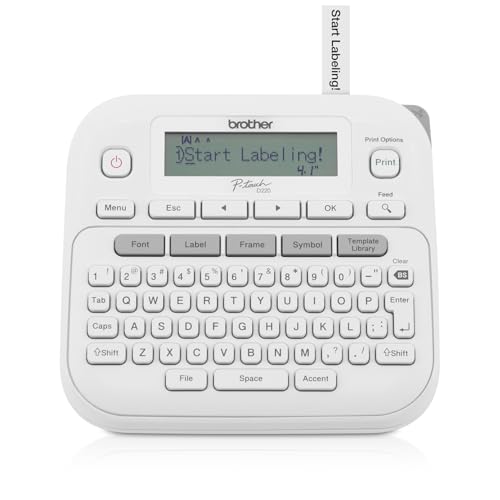 Brother P-Touch PTD220
|
Budget | Built-in QWERTY + tape variety | Vendors needing quick, durable tags | Check Price | ||
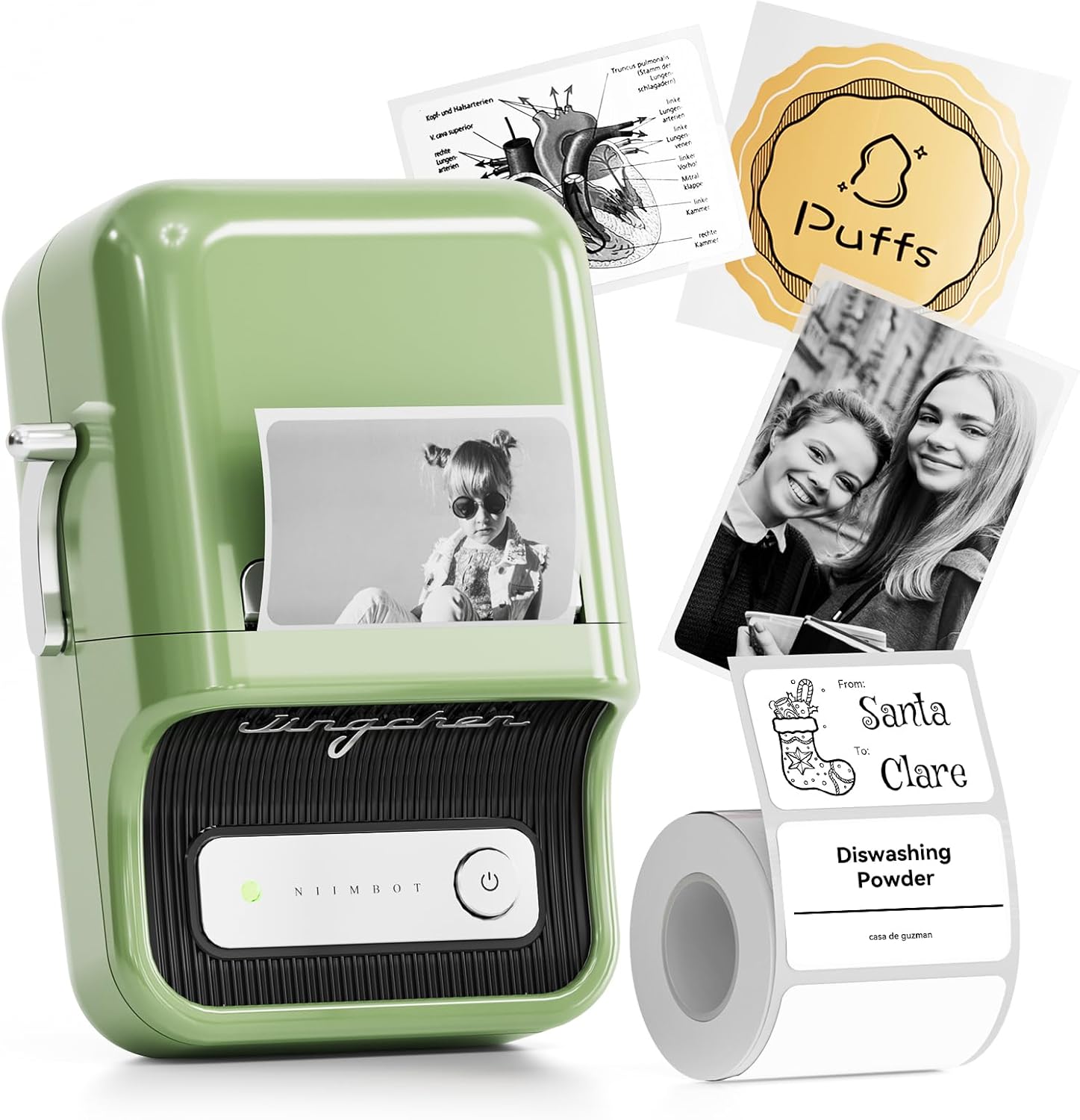 NIIMBOT B21
|
Mid-Range | Wider 48mm thermal labels | Vendors needing wider price or ingredient labels | Check Price | ||
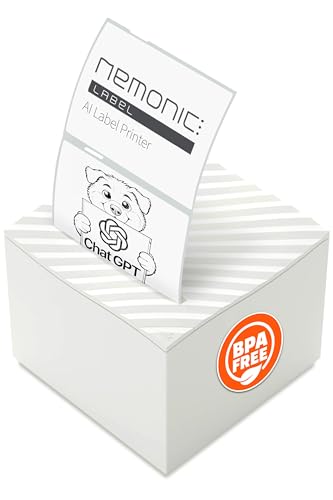 Nemonic (MANGOSLAB)
|
Premium | Large-format thermal + long battery | Vendors needing flexible, high-resolution mobile prints | Check Price |
1. Brother P-Touch Label Maker, PTD220, Thermal, Inkless Printer for Home & Office, Portable & Lightweight, QWERTY Keyboard, One-Touch Keys & 25 Pre-Set Label Templates Label Memory (Renewed Premium)
The PTD220 solves market-speed labeling with a familiar QWERTY keyboard, instant templates and laminate TZe tapes that resist water and wear. It’s a straightforward, battery-powered unit that gets price tags and shelf labels out fast and durable for outdoor conditions.
Key Specs
- Prints on Brother TZe laminated tapes (≈12mm / 1/2")
- Powered by 6 AAA batteries or optional AC adapter
- Stores up to 30 label layouts
- 14 fonts, 99 frames, 600+ symbols
Pros
- Easy QWERTY input for fast, on-the-spot label creation
- Laminated tape options provide waterproof, durable labels
- Compact and lightweight for stall setups
Cons
- Display can be hard to read in bright outdoor light
- Requires AAA batteries (battery life varies with use)
Best For: Vendors needing quick, durable tags
Check Latest Price on Amazon2. NIIMBOT B21 Label Maker, 2 Inch Portable Thermal Label Printer, Label Maker Machine with Tape, Compatible with Android, iOS & PC,Labeling for Home Storage Office and Small Business,Green
The NIIMBOT B21 speeds up market labeling by using thermal rolls and a Bluetooth app so you can design multiple labels on your phone and print quickly. Its wider printable width and automatic label alignment let you produce visible price tags, ingredient lists, and QR codes without ribbons or cartridges.
Key Specs
- Supports label widths 20–50mm (effective width 48mm)
- Bluetooth for iOS/Android and PC compatibility (driver for PC)
- 1500 mAh rechargeable battery (approx. 4 hours active use)
- Includes app with 30+ fonts and 1500+ symbols
Pros
- Fast, inkless thermal printing reduces consumable cost
- Wide label support produces larger price and ingredient tags
- Bluetooth app workflow speeds batch printing
Cons
- Value-for-money opinions are mixed among users
- Not recommended for tablet use and PC needs a driver
Best For: Vendors needing wider price or ingredient labels
Check Latest Price on Amazon3. Nemonic AI | Label Printer | Sticky Note | Compatible with CHATGPT | Inkless Bluetooth Thermal Label Printer for Small Business | Portable Wireless
Nemonic solves high-volume mobile labeling by offering 1–4 inch thermal printing, Bluetooth/USB connectivity and a feature-rich app that supports templates and scan-and-print workflows. It’s the most flexible option for printing barcode stickers and shipping-style labels at a busy market stall.
Key Specs
- Print width range 1–4 inches; 203 DPI resolution
- Bluetooth and USB connectivity; mobile and PC compatible
- Auto/full-cut options and inkless thermal printing
- Rechargeable battery rated up to 35 hours (manufacturer claim)
Pros
- Very flexible label sizes for varied market needs
- Long battery life for multi-day events
- Auto-cut and high-res printing for professional tags
Cons
- Some users report mixed Bluetooth/connectivity reliability
- App quality and label results vary by material (e.g., transparent)
Best For: Vendors needing flexible, high-resolution mobile prints
Check Latest Price on AmazonWhich One Should You Choose?
If budget is tight → Brother P-Touch PTD220 (B0DD1VJW2F). It’s compact, fast to use with its QWERTY keyboard, and prints laminated waterproof tapes ideal for outdoor markets. If you want an app-driven balance of speed and label size → NIIMBOT B21 (B0CXXN4R3G). Its wider thermal labels and Bluetooth app let you batch-print price tags and ingredient labels quickly. If premium flexibility and the largest label sizes matter → Nemonic (B0D97N8HWR). It prints 1–4" labels, offers auto-cut and high resolution, and suits vendors running many SKUs or shipping from the stall.
Best for Specific Scenarios
- Busy food stall with allergens: Brother P-Touch PTD220 because laminated tape resists spills and you can quickly add allergen symbols with built-in templates.
- Clothing or craft vendor needing clear price tags: NIIMBOT B21 because its 48mm width prints readable price and care labels and Bluetooth batching saves time.
- Pop-up that prints shipping labels or many barcodes: Nemonic because of its larger print area, 203 DPI resolution and auto-cut for professional shipping or barcode sticker needs.
Frequently Asked Questions
Do I need a printer with a keyboard or is Bluetooth/app control better for markets?
Keyboard units (like the Brother PTD220) are fastest for on-the-spot edits without a phone — ideal if you change prices frequently at the stall. Bluetooth/app control is better for batch printing, complex templates, QR codes or when you want to design labels on a phone or tablet before opening.
Which label type lasts longest in outdoor market conditions?
Laminated TZe-style tapes are most durable and waterproof for outdoor use. Direct thermal paper is convenient and cheap but can fade faster in heat and sunlight; choose thermal receipts only if you don’t need long-term durability.
How can I speed up labeling during peak hours?
Plan label templates ahead and save them (many devices support label memory). Use batch-printing from an app or PC for common SKUs, keep extra charged batteries or a power bank, and use an auto-cut or peel-and-stick workflow to reduce handling time between customers.
How We Selected These Products
Our recommendations are based on data-driven analysis: we evaluated 29748+ products across 4825+ brands using a composite scoring system that weighs rating (40%), review volume (30%), price value (20%), and demand signals (10%). Every product is ranked by data, not opinions.
Last updated: June 28, 2026
As an Amazon Associate we earn from qualifying purchases at no extra cost to you. Full disclosure.
HomeOfficePilot Score is our editorial ranking based on a composite analysis of product quality, value, and verified customer sentiment. Click through to Amazon for current pricing, availability, and live customer reviews.