As an Amazon Associate we earn from qualifying purchases. Learn more.
How to Set Up a Mobile Printing Station for Pop-Up Markets (2026)
Setting up a mobile printing station for pop-up markets means building a compact, reliable kit that handles receipts, price tags, shipping labels and instant photos while running on limited power and patchy Wi‑Fi. This guide shows a complete setup — sheltering your gear, powering printers, choosing wired or wireless connectivity, and selecting media types for different use-cases. Products were chosen for portability, connectivity options (Bluetooth, Wi‑Fi, Wi‑Fi Direct, USB), and cost of consumables. You’ll get role-based product picks, pro/con notes from real user feedback, and a step-by-step buying guide to assemble a market-ready printing kit.
Quick Answer
For a balanced mobile printing station that covers receipts, shipping labels, and occasional 4x6 photos, the Canon PIXMA TR4720 is the best overall pick for 2026 thanks to its all-in-one connectivity and compact footprint. For ultra-portable labeling pick the Nelko P21 label maker; for highest-quality instant photos choose the Liene 4x6" photo printer.
Our Top Picks
Quick Comparison
Select 2-3 products to compare side-by-side
| Compare | Product | HomeOfficePilot Score | Price Tier | Key Feature | Best For | Action |
|---|---|---|---|---|---|---|
 Canon PIXMA TR4720
|
Mid-Range | 4-in-1 with mobile printing | Versatile market printing & occasional photos | Check Price | ||
 Brother Work Smart 1360
|
Mid-Range | Productivity features (duplex + ADF) | Higher-volume stall printing & duplex forms | Check Price | ||
 Nelko P21 Label Maker
|
Budget | Pocket-sized Bluetooth labeler (inkless) | Price tags, shelf labels, quick tags | Check Price | ||
 Liene 4x6" Photo Printer
|
Premium | Thermal dye-sublimation 4x6 photos | High-quality instant photos at booth | Check Price | ||
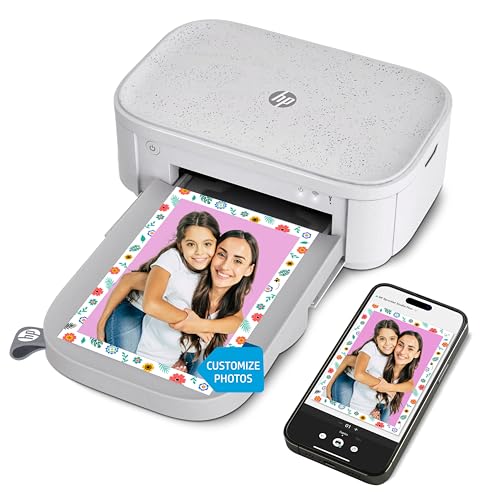 HP Sprocket Studio Plus
|
Mid-Range | Instant 4x6 prints with editing app | Compact photo booth with editing features | Check Price | ||
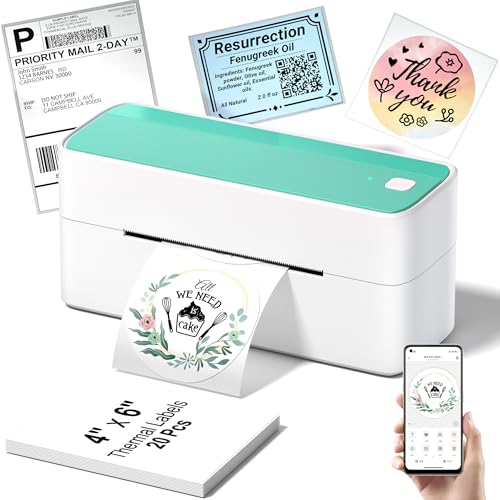 Phomemo 241BT Label Printer
|
Mid-Range | Fast, inkless 4x6 label printing | Shipping labels and receipts at market | Check Price | ||
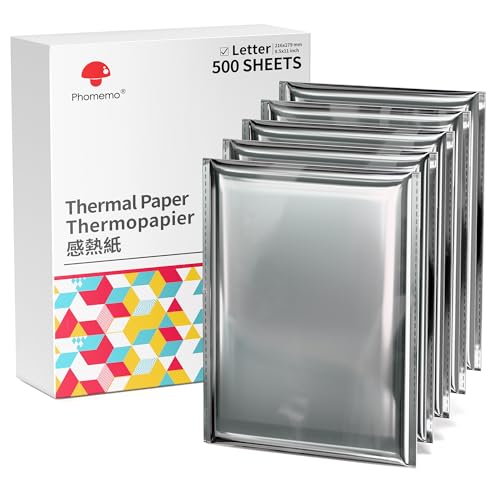 Phomemo Letter Thermal Paper
|
Budget | Large pack US Letter thermal paper | High-volume receipt or form printing | Check Price | ||
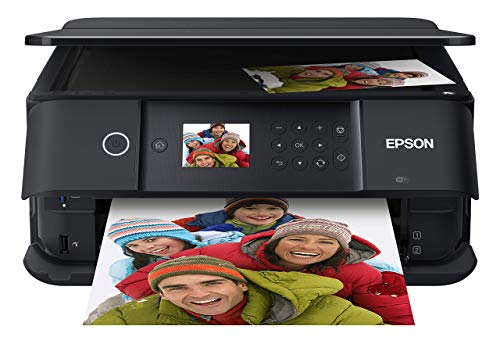 Epson XP-6100
|
Premium | 5-color inks for superior photos | High-quality, larger photo prints and documents | Check Price |
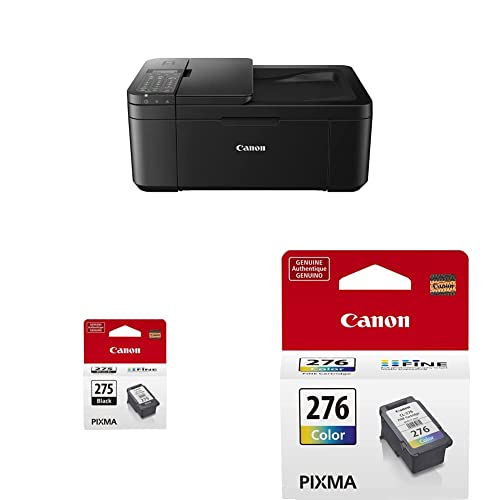
1. Canon PIXMA TR4720 All-in-One Wireless Printer Home use, with Auto Document Feeder, Mobile Printing and Built-in Fax, Black PG-275 Black Ink Tank, CL-276 Color Ink Cartridge
A compact all-in-one that combines printing, scanning, copying and fax with mobile app setup and ADF. It’s a practical centerpiece for a stall that needs document/receipt printing and occasional color flyers, but quality and build feel are mixed among users.
Key Specs
- Functions: Print, copy, scan, fax
- Connectivity: Wireless mobile printing (Canon PRINT app)
- Paper handling: Auto Document Feeder
- Included inks: Starter PG-275/CL-276 cartridges
Pros
- Versatile 4-in-1 functionality for multiple stall tasks
- Compact footprint fits a small market table
- Generally praised for value for money
Cons
- Mixed reports on print quality and ink consumption
- Some users report flaky wireless setup and flimsy plastic parts
Best For: Versatile market printing & occasional photos
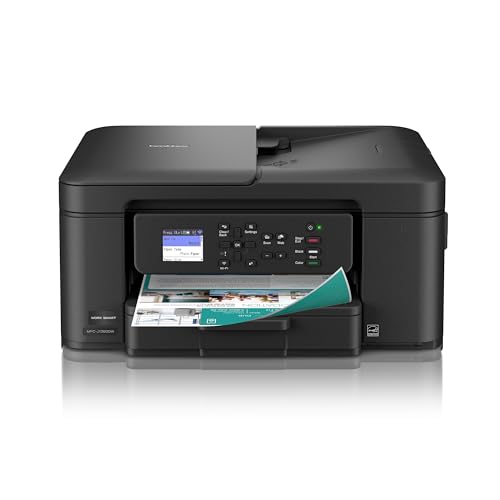
Check Latest Price on Amazon2. Brother Work Smart 1360 Wireless Color Inkjet All-in-One Printer with Automatic Duplex Printing and 1.8 Color Display | Includes Refresh Subscription Trial(1) (MFC-J1360DW) (Uses LC501 Series Inks)
A productivity-focused AIO with automatic duplex, ADF and cloud app connections that make it strong for printing invoices, two-sided flyers and batch jobs at markets. Customers like setup and print quality, though wireless reliability and long-term durability have mixed reports.
Key Specs
- Automatic duplex (2-sided) printing
- 20-sheet single-sided ADF and 150-sheet tray
- Connectivity: Wireless, Wi‑Fi Direct, AirPrint, Mopria
- Display: 1.8" color display; supports Brother Mobile Connect app
Pros
- Fast, productivity-oriented features like duplex and ADF
- Robust cloud app connectivity for on-the-go workflows
- Transparent ink monitoring (Page Gauge)
Cons
- Some users report connectivity drops over time
- Long-term reliability has varied in reports
Best For: Higher-volume stall printing & duplex forms
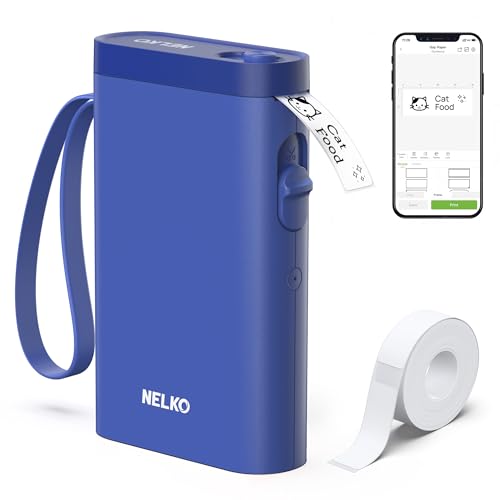
Check Latest Price on Amazon3. Nelko Label Maker Machine with Tape, P21 Bluetooth Label Printer, Wireless Mini Label Makers with Multiple Templates for School Office Home, Blue
A very compact, Bluetooth thermal label maker that slips in a pocket and prints clear mono labels without ink. Ideal for price tags and quick product labeling at markets; praised for size, ease of use and value, though it’s limited to predefined tape widths and mobile-only app control.
Key Specs
- Printing tech: Direct thermal (inkless), 203 DPI
- Connectivity: Bluetooth to iOS/Android (app required)
- Label widths: Fixed options like 12x40mm, 14x75mm
- Battery: Built-in rechargeable battery (charger not included)
Pros
- Extremely portable and lightweight for market use
- High-quality, sharp labels without ink
- Easy app templates for quick price tags and barcodes
Cons
- Limited to mobile app (not PC) and some Android 14 incompatibilities
- Fixed tape lengths and no continuous tape support
Best For: Price tags, shelf labels, quick tags
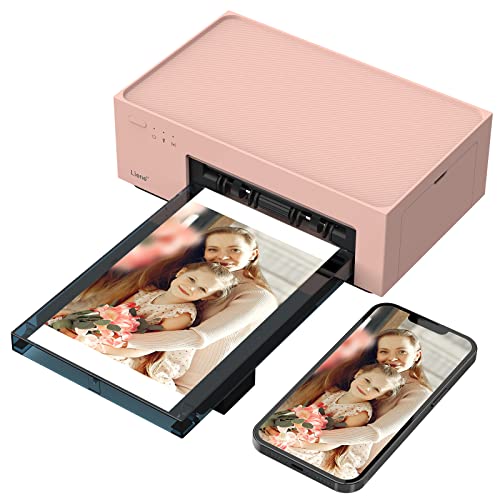
Check Latest Price on Amazon4. Liene 4x6'' Photo Printer, Photo Printer (100 Sheets), Full-Color Photo, Portable Instant Photo Printer for iPhone, Thermal Dye Sublimation, Wi-Fi Picture Printer w/ 100 Sheets Paper & 3 Cartridges
A premium portable 4x6 dye‑sublimation photo printer with built-in Wi‑Fi hotspot and a generous paper/cartridge bundle. It delivers laminated, water-resistant photos — excellent for photo booths and keepsakes — though it's larger and more consumable-dependent than label/thermal options.
Key Specs
- Print tech: Thermal dye-sublimation for 4x6 prints
- Connectivity: Built-in hotspot Wi‑Fi (no external network needed)
- Included media: 100 sheets + 3 color cartridges
- Multi-device: Up to 5 simultaneous connections
Pros
- Excellent, durable photo quality with laminated finish
- Stable dedicated hotspot avoids public Wi‑Fi hassles
- Comes with paper and cartridges to start printing
Cons
- Premium consumable costs and larger footprint
- No record of extensive long-term durability reviews
Best For: High-quality instant photos at booth
Check Latest Price on Amazon5. HP Sprocket Studio Plus 4x6" Wireless Instant Photo Printer, 10 Sheets + Cartridge, Wi-Fi, Premium Dye Sublimation, Compact Home Use, Prints Vibrant Color Pictures, Editing App for Fun Creative Photos
A user-friendly 4x6 dye‑sublimation printer that integrates with the HP Sprocket app for fun edits and instant prints. Users praise image quality and ease of use but some report connectivity and cartridge durability issues over time.
Key Specs
- Print size: 4x6", dye-sublimation with laminated surface
- Connectivity: Wi‑Fi and app-based printing
- Included consumables: 10 sheets + cartridge
- Features: App editing with stickers, filters and frames
Pros
- Vibrant, durable photos with quick output
- Friendly editing app for creative prints
- Compact and straightforward setup
Cons
- Consumables can be pricey and cartridges have reported failures
- Some users experience Wi‑Fi connection issues
Best For: Compact photo booth with editing features
Check Latest Price on Amazon6. Phomemo Bluetooth Thermal Shipping Label Printer, 241BT Wireless Thermal Label Printer for Shipping Packages, Inkless Thermal Shipping Label Printer, Compatible with iPhone, Android, Green
A reliable inkless thermal label printer that handles 1–4.6 inch widths and integrates with major shipping platforms via companion apps. It’s fast and economical for shipping labels or batch receipts, though some users report occasional Bluetooth or driver setup quirks.
Key Specs
- Printing tech: Direct thermal, 203 DPI, up to 150 mm/s
- Label widths: 1" to 4.6" compatible
- Connectivity: Bluetooth (app), USB driver for PC
- Compatibility: Works with shipping platforms like Etsy, Shopify
Pros
- No-ink operation keeps consumable costs low
- High print speed and good label clarity
- Broad label-width compatibility for shipping needs
Cons
- Bluetooth printing often requires the vendor app; pairing can be inconsistent
- Black-and-white only (color requires specialty paper)
Best For: Shipping labels and receipts at market
Check Latest Price on Amazon7. Phomemo Thermal Printer Paper 8.5 x 11 Inch, Advanced Thermal Printing US Letter Paper, Compatible with D810, M08F-Letter, M832, M834, A285M Portable Printer, Size 8.5" x 11", 5 Ream Case - 500 Sheets
A bulk pack of 8.5x11 thermal paper intended for letter-sized thermal printers — useful for invoice, contract or batch receipt printing at events. Generally praised for compatibility and print clarity, customers vary on paper thickness and perceived value.
Key Specs
- Size: 8.5" x 11" thermal direct paper, 500 sheets (5 reams)
- One-sided thermal coating; preserves prints up to ~10 years if stored properly
- Compatibility: Works with many letter thermal printers (check model list)
- Usage: Inkless thermal, align ends to avoid offset prints
Pros
- Economical for large-volume thermal printing
- Clear, high-contrast thermal results
- Compact packaging for storage and transport
Cons
- One-sided printing only; paper thickness and durability are debated
- Needs dark, dry storage to preserve prints long-term
Best For: High-volume receipt or form printing
Check Latest Price on Amazon8. Epson Expression Premium XP-6100 Wireless Color Photo Printer with Scanner and Copier, Black, Medium
A compact premium photo-capable AIO with 5-color inks for sharp 4x6 and larger photos plus fast speeds and wireless connectivity. It’s great for a market booth doing higher-quality photo orders or promotional prints, though ink costs and need for genuine cartridges are considerations.
Key Specs
- Print tech: 5-color ink system for up to 8x10 photos
- Speed: 4x6 photos fast (manufacturer claims), wireless printing incl. Wi‑Fi Direct
- Media: Dedicated photo and DVD trays; USB and memory card slots
- Ink: Uses genuine Epson cartridges (individual color replacement)
Pros
- Superior photo output and color accuracy
- Compact size with strong connectivity options
- Individual ink cartridges reduce waste
Cons
- Requires genuine Epson cartridges which raise running costs
- Mixed reports on connectivity hiccups and setup complexity
Best For: High-quality, larger photo prints and documents
Check Latest Price on AmazonWhich One Should You Choose?
If you need a versatile stall centerpiece that prints documents, labels and occasional color flyers → Canon PIXMA TR4720 (B0BWDF7HVM). If budget and extreme portability for price tags is most important → Nelko P21 Label Maker (B0CTY8YTCZ). If your priority is high-quality, instant 4x6 photos for customers → Liene 4x6" Photo Printer (B09PG13BQN). For higher-volume shipping labels and receipts → Phomemo 241BT (B0DNHMFNRG). If you want premium photo capability with larger print sizes and better color control → Epson XP-6100 (B07PDNS5CZ).
Best for Specific Scenarios
- Quick price-tagging and shelf labels: Nelko P21 Label Maker because it’s pocket-sized, fast and runs inklessly for low consumable cost.
- Printing shipping labels at checkout: Phomemo 241BT Label Printer because it prints 4x6 labels fast, supports common shipping widths and avoids ink costs.
- Instant event photos and keepsakes: Liene 4x6" Photo Printer because dye-sublimation gives laminated, water-resistant prints and a built-in hotspot for reliable mobile connections.
Frequently Asked Questions
Can these printers run from a battery or power bank at a pop-up market?
Many compact labelers and photo printers have internal batteries or can run from a high-capacity USB power bank. Larger inkjet AIOs usually require AC power or a DC-to-AC inverter with adequate continuous wattage. Always check a printer’s power draw and use an inverter or battery rated for the printer’s startup surge.
Which printers are best for printing shipping labels quickly?
Direct thermal label printers like the Phomemo 241BT are optimized for 4x6 shipping labels — they’re fast, inkless and compatible with major shipping platforms. Pair them with recommended thermal label stock for best results.
How do I choose between thermal labels, inkjet flyers, and dye-sublimation photos?
Match media to purpose: thermal labels for price tags, receipts and shipping labels (low running cost); inkjet AIOs for multi-purpose color flyers and documents; dye-sublimation 4x6 printers for durable, high-quality photo keepsakes. Consider ongoing consumable costs and protection (thermal prints need shade and dry storage to last).
How We Selected These Products
Our recommendations are based on data-driven analysis: we evaluated 29748+ products across 4825+ brands using a composite scoring system that weighs rating (40%), review volume (30%), price value (20%), and demand signals (10%). Every product is ranked by data, not opinions.
Last updated: May 26, 2026
As an Amazon Associate we earn from qualifying purchases at no extra cost to you. Full disclosure.
HomeOfficePilot Score is our editorial ranking based on a composite analysis of product quality, value, and verified customer sentiment. Click through to Amazon for current pricing, availability, and live customer reviews.