As an Amazon Associate we earn from qualifying purchases. Learn more.
Rollo vs Brother vs Zebra: Best Barcode Label Printers (2026)
If you manage inventory, ship frequently, or run on-the-go scanning operations, label choice matters as much as the printer. This head-to-head compares label rolls commonly used with Rollo, Brother and Zebra printers, with emphasis on barcode readability, SDK support for integration and roll options for high-volume scanning. I selected products based on compatibility notes, roll size and core options, customer feedback about print quality and jams, and our internal product scoring to highlight real-world tradeoffs for 2026 buyers.
Quick Answer
For most inventory scanning needs the Anylabel 2" x 1" Direct Thermal Label (ASIN B07XB9NK1D) is the best overall pick thanks to wide printer compatibility, large roll counts and strong print clarity; choose Aegis Adhesives (ASIN B071JTL67Z) if you need the cheapest Brother-compatible cartridge solution, or AveneMark (ASIN B08JG84FY4) if you want the best mid-range value.
Our Top Picks
Quick Comparison
Select 2-3 products to compare side-by-side
| Compare | Product | HomeOfficePilot Score | Price Tier | Key Feature | Best For | Action |
|---|---|---|---|---|---|---|
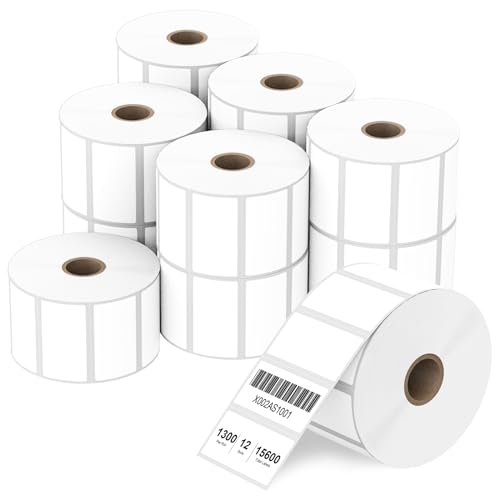 Anylabel 2x1 Thermal
|
Premium | Wide Zebra & Rollo compatibility | High-volume sellers needing broad compatibility | Check Price | ||
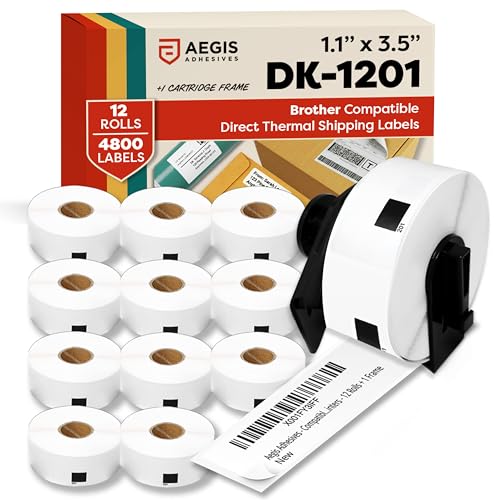 Aegis DK-1201 Rolls
|
Budget | Includes reusable cartridge frame | Brother QL users on a tight budget | Check Price | ||
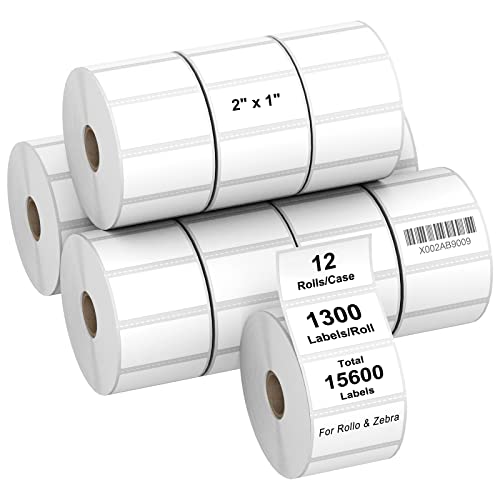 AveneMark 2x1 Labels
|
Mid-Range | Smooth, tidy rolls to reduce jams | Sellers wanting mid-range value and good roll handling | Check Price |
1. 2" x 1" Direct Thermal Label, Paper for Barcodes Postage Address Perforated & Compatible with Rollo, Zebra, Munbyn, Nelko Printers(12 Rolls, 1300 Labels/Roll)
Large 12-roll packs and broad compatibility with Zebra and Rollo printers make this a reliable choice for inventory barcode labels. Labels are perforated, marketed as waterproof and oil-proof, and come with FSC certification and BPA/BPS-free paper.
Key Specs
- Size: 2" x 1" (51mm x 25mm)
- Count: 1300 labels/roll, 12 rolls (15,600 total)
- Perforated rolls for easy tear
- Compatible with Zebra desktop models and Rollo; FSC certified; BPA/BPS-free
Pros
- Broader Zebra and Rollo compatibility than the Aegis Brother-only option
- Perforated, waterproof and oil-resistant claims are stronger than many budget labels
- Very large pack size gives lower frequency of reordering for high-volume scanning
Cons
- Some users report printer jams with certain printers
- Adhesion feedback is mixed — not universally sticky on all surfaces
Best For: High-volume sellers needing broad compatibility
Check Latest Price on Amazon2. Aegis Adhesives - Compatible Labels Replacement for Brother DK-1201 (1.1" X 3.5) Address & Barcode, Use with QL Label Printers - 12 Rolls + 1 Frame
Aegis offers a low-cost, Brother-compatible direct thermal roll set that includes a reusable cartridge frame for QL printers. It's the most wallet-friendly choice and aims to mimic OEM performance for address and barcode labels.
Key Specs
- Size: 1 1/7" x 3 1/2" (29mm x 88.9mm)
- Count: 400 labels/roll, 12 rolls (4,800 total) + reusable frame
- Direct thermal, replacement for Brother DK-1201
- Designed to reduce jams and misfeeds in QL printers
Pros
- Much lower-priced option aimed at Brother QL users compared with third-party 2x1 packs
- Comes with a reusable cartridge frame for easy loading—more portable than loose rolls
- Advertised to reduce jams and misfeeds versus some loose-roll alternatives
Cons
- Adhesive quality is mixed — some report labels falling off certain surfaces
- Compatibility and print fit are inconsistent on some Brother models according to users
Best For: Brother QL users on a tight budget
Check Latest Price on Amazon3. AveneMark 12 Rolls 2" x 1" Direct Thermal Labels for Barcodes Postage Address Shipping Labels Compatible with Rollo & Zebra Desktop Printers Adhesive - 1300 Labels/Roll
AveneMark balances price and performance with 12 smooth rolls of 2" x 1" labels advertised as smudge-, water- and oil-resistant. Customers often praise the value, though compatibility and occasional single-feed issues are reported.
Key Specs
- Size: 2" x 1" (51mm x 25mm)
- Count: 1300 labels/roll, 12 rolls (15,600 total)
- Smudge-proof, water and oil resistant; smooth rolls for consistent feeding
- Compatible with Zebra and Rollo desktop printers
Pros
- Better perceived value than higher-priced premium packs while keeping many durability features
- Smoothly wound rolls reduce printer jams compared with some cheaper options
- Many customers report strong adhesion compared with other third-party 2x1 labels
Cons
- Some users report Rollo compatibility issues or single-label feed behavior
- Print quality reports are mixed — occasional illegible prints for fine barcodes
Best For: Sellers wanting mid-range value and good roll handling
Check Latest Price on AmazonWhich One Should You Choose?
If you want the most reliable all-around label pack for barcode readability and broad printer compatibility, pick the Anylabel 2" x 1" Direct Thermal labels (ASIN B07XB9NK1D). Its large pack size, perforation and advertised waterproofing give it an edge for heavy scanning environments.
If budget is tight and you run Brother QL printers that use cartridge frames, choose Aegis Adhesives DK-1201-compatible rolls (ASIN B071JTL67Z) — they come with a reusable frame and are the cheapest way to get cartridge-style convenience.
If you want the best mid-range balance of roll handling, adhesion and cost-per-label, go with AveneMark 2" x 1" labels (ASIN B08JG84FY4). They’re often praised for smooth rolls that reduce jams and good adhesive performance for most shipping and inventory surfaces.
Best for Specific Scenarios
- High-volume warehouse scanning: Anylabel (B07XB9NK1D) because the large pack size and broad Zebra/Rollo compatibility minimize downtime and reorders.
- Mobile or pop-up shipping with Brother QL printers: Aegis (B071JTL67Z) because the reusable cartridge frame and cartridge form factor are easiest to load and carry.
- Growing ecommerce sellers who want value: AveneMark (B08JG84FY4) because smooth rolls and balanced adhesion reduce jams while keeping costs moderate.
Frequently Asked Questions
Will these labels work with my Rollo, Brother or Zebra printer?
Check the label size and roll format first. Anylabel and AveneMark list compatibility with many Zebra and Rollo desktop models (2" x 1" loose rolls). Aegis is specifically designed as a Brother DK-1201 replacement in cartridge form. Match the roll core/cartridge type and label width to your specific printer model before buying.
Are these labels waterproof and durable enough for warehouse scanning?
Many third-party labels advertise water and oil resistance and smudge-proof coatings, but durability varies. For wet or outdoor environments choose labels explicitly marked as water-resistant and test a small batch in your conditions to confirm barcode readability after handling.
Do label choices affect SDK integration for scanning apps?
Labels themselves don’t change SDK behavior, but using the exact label size and printer model supported by your SDK reduces formatting issues and misfeeds. Confirm your printer’s SDK supports the target label dimensions and templates used by your inventory app.
How We Selected These Products
Our recommendations are based on data-driven analysis: we evaluated 29748+ products across 4825+ brands using a composite scoring system that weighs rating (40%), review volume (30%), price value (20%), and demand signals (10%). Every product is ranked by data, not opinions.
Last updated: August 09, 2026
As an Amazon Associate we earn from qualifying purchases at no extra cost to you. Full disclosure.
HomeOfficePilot Score is our editorial ranking based on a composite analysis of product quality, value, and verified customer sentiment. Click through to Amazon for current pricing, availability, and live customer reviews.