As an Amazon Associate we earn from qualifying purchases. Learn more.
Inkjet vs Laser vs Thermal Label Printers: Which Is Best for Shipping? (2026 Comparison)
If you ship packages regularly you know label choice affects speed, costs and package durability. This head-to-head compares three popular label packs for shipping in 2026: MFLABEL half-sheet labels (laser/inkjet), 9527 direct thermal 4x6 fanfold stacks, and BESTEASY full-sheet laser/inkjet labels. You’ll learn how each performs for label durability, printing speed, running costs and compatibility with major shipping workflows (Amazon FBA, common thermal printers and desktop laser/inkjet setups). Products were selected from high-rated Amazon listings, customer feedback and the features sellers mention most: adhesion, print clarity, size and printer compatibility.
Quick Answer
For most sellers who need reliable, full-sheet labels that print clearly on laser and inkjet machines, the MFLABEL Half Sheet Shipping Labels (ASIN B09W5K62F6) are the best overall choice. If you prioritize speed, low running cost and 4x6 thermal-label workflows for high-volume shipping, the 9527 Product fanfold 4x6 Direct Thermal labels (ASIN B0CRCYN7NG) are the better pick.
Our Top Picks
Quick Comparison
Select 2-3 products to compare side-by-side
| Compare | Product | Rating | Price Tier | Key Feature | Best For | Action |
|---|---|---|---|---|---|---|
 MFLABEL Half Sheet
|
(25K+ ratings) | Premium | High-volume 8.5x5.5 half-sheet labels | Sellers using laser/inkjet printers | Check Price | |
 9527 4x6 Thermal
|
(6.7K+ ratings) | Budget | Fanfold 4x6 stacks for thermal printers | High-volume thermal-label workflows | Check Price | |
 BESTEASY Full Sheet
|
(8.1K+ ratings) | Mid-Range | 1-up full-sheet FBA size labels | Sellers needing single-label-per-sheet (FBA) | Check Price |
1. MFLABEL Half Sheet Shipping Labels - 1000 Sheets (2000 Labels) 8.5" x 5.5" Self-Adhesive Address Labels for Laser & Inkjet Printers, Packaging Labels for Shipping Includes Free Fragile Stickers
Large matte half-sheet labels designed for laser and inkjet printers with a no-jam, smudge-resistant surface and strong adhesive. Good fit for Amazon FBA and mixed packaging types; customers praise print quality and value but note mixed feedback on paper thickness and occasional adhesion issues.
Key Specs
- Pack: 1000 full-size sheets (2 labels per sheet) = 2000 labels
- Label size: 8.5" x 5.5" (half-sheet)
- Compatible with: laser & inkjet printers
- Includes 96 free 2"x3" Fragile stickers
- Matte, smudge-resistant surface; designed for no-jam printing
Pros
- Better print clarity on inkjet/laser than 9527 (thermal)
- Stronger adhesive claims compared with BESTEASY's mixed stickiness
- High pack count (2000 labels) suitable for busy small businesses
Cons
- Some customers report thin paper thickness compared to premium sheets
- Adhesion and corner peeling reported by a minority of users
Best For: Sellers using laser/inkjet printers
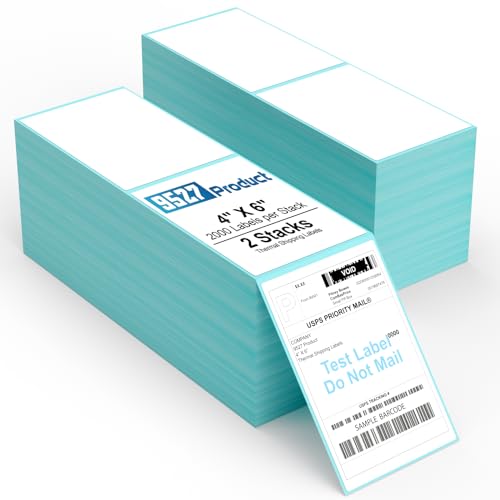
Check Latest Price on Amazon2. 9527 Product Fanfold 4 x 6 Direct Thermal Labels with Blue Background Paper Perforated Shipping Labels for Thermal Printers, 2000 Label per Stack, 2 Stacks 4000 Label
Direct thermal 4x6 labels sold as two fanfold stacks (4000 total) that fit common shipping printers. These are fast to print and save ink/toner costs; customers like their value and adhesion, though print contrast sometimes varies depending on printer settings.
Key Specs
- Pack: 2 stacks, 2000 labels per stack (4000 labels total)
- Label size: 4" x 6" (standard thermal shipping size)
- Material: direct thermal (no ribbon/ink needed)
- Perforated stacks for easy peel
- Compatible with Zebra, Dymo 4XL, Brother and other direct thermal printers
Pros
- Much lower running cost than laser/inkjet sheets (no toner/ink)
- Faster throughput in thermal printers vs feeding sheets
- Better for 4x6 shipping-label workflows than full-sheet options
Cons
- Thermal print contrast can be inconsistent on some printers/custom settings
- Not compatible with laser/inkjet printers (thermal-only)
Best For: High-volume thermal-label workflows
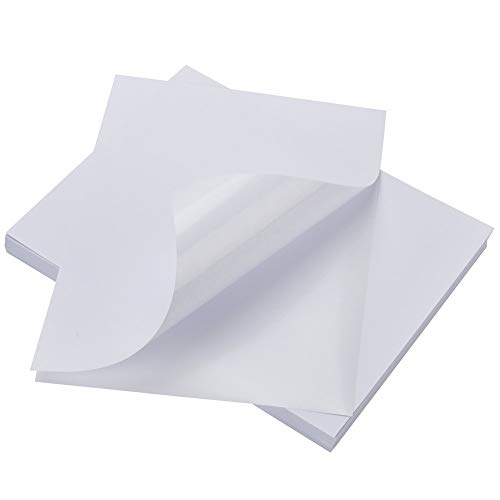
Check Latest Price on Amazon3. BESTEASY Sticker Paper 8.5" x 11" Full Sheet Label Stickers for Laser & Inkjet Printers, Self-Adhesive Paper Shipping Labels (1-up 1000 Labels)
Full-sheet 8.5x11 labels sold as 1-up (FBA-sized) sheets that print well on laser and inkjet printers. Customers like the value and compatibility with templates, though stickiness and perceived flimsy paper thickness receive mixed feedback.
Key Specs
- Pack: 1000 sheets = 1000 labels (1 per sheet)
- Label size: full-sheet 8.5" x 11" (1-up FBA size)
- Compatible with: laser & inkjet printers
- White matte finish, permanent self-adhesive
- Designed for clear text and image printing
Pros
- Works well with Avery templates and FBA label size workflows
- Good print quality on laser/inkjet like MFLABEL
- Considered best value by many buyers for single-label needs
Cons
- Many users report the paper feels thin compared with premium sheets
- Adhesion is mixed—some report labels don't stick strongly to rough cardboard
Best For: Sellers needing single-label-per-sheet (FBA)
Check Latest Price on AmazonWhich One Should You Choose?
If you want the most reliable sheet labels for laser and inkjet printing and the best all-round performance for mixed packaging, buy MFLABEL Half Sheet Shipping Labels (ASIN B09W5K62F6). They offer strong print quality, large quantity and extras like fragile stickers—ideal for Amazon FBA and office printers.
If budget and running costs matter most and you have (or will buy) a thermal printer, choose the 9527 4x6 Direct Thermal Labels (ASIN B0CRCYN7NG) for faster throughput and the lowest ongoing cost per label. If you need single full-sheet FBA-sized labels at a good price and value, the BESTEASY Full Sheet Labels (ASIN B084V49HG3) are the best value compromise.
Best for Specific Scenarios
- Small business using desktop laser/inkjet: MFLABEL Half Sheet — excellent print clarity and tear-resistant pack size for batch prepping orders.
- High-volume warehouse shipping: 9527 4x6 Thermal — fastest printing, lowest running cost and stacks designed for continuous thermal printers.
- Occasional seller or FBA-focused single-label prints: BESTEASY Full Sheet — good template compatibility and value for one-label-per-sheet workflows.
Frequently Asked Questions
Are thermal labels waterproof?
Direct thermal labels are not inherently waterproof; they react to heat to form the image and can fade or smudge with water or abrasion. For shipments exposed to moisture, use a clear label sleeve, polybag, or a thermal transfer label (requires ribbon) designed for water resistance.
Can I use inkjet/laser labels in a thermal printer?
No. Thermal printers require direct thermal material or thermal transfer media. Inkjet/laser full-sheet labels like MFLABEL and BESTEASY are intended for desktop printers and won’t work correctly in thermal machines.
What label size is best for major shipping platforms?
Most shipping platforms and fulfillment workflows standardize on 4x6 thermal labels for packing slips and shipping labels. If you use ShipStation, many marketplaces or a thermal printer, choose 4x6 thermal stacks. For FBA or single large label needs, 1-up/full-sheet and half-sheet sizes are common and supported by template systems.
How We Selected These Products
Our recommendations are based on data-driven analysis: we evaluated 29748+ products across 4825+ brands using a composite scoring system that weighs rating (40%), review volume (30%), price value (20%), and demand signals (10%). Every product is ranked by data, not opinions.
Last updated: April 17, 2026
As an Amazon Associate we earn from qualifying purchases at no extra cost to you. Full disclosure.
Ratings and review counts reflect data at time of writing and may have changed. Click through to Amazon for current information.