As an Amazon Associate we earn from qualifying purchases. Learn more.
Complete Mobile Shipping Label Setup for Pop-Up & Market Sellers (2026)
Setting up a complete mobile shipping-label kit for pop-up booths, farmers markets, or on-the-road sellers means more than just a printer. You need a portable thermal printer, the right label rolls and adhesives, durable protective boxes or pouches, and reliable power so you never miss a sale. This guide tests and compares three Phomemo thermal label makers (selected for portability, battery life and app support) and walks through supplies, power options, and packing ideas so you can print barcodes, address tags and price labels from your phone or laptop without a full workstation. Read on to learn which model fits your workflow and how to build a full mobile kit.
Quick Answer
For an end-to-end mobile shipping label setup, the Phomemo Thermal Label Maker M110 (B0BR6X1VMT) is the easiest, most portable starter pick; it’s compact, app-driven, and great for small-label and price tags. For wider shipping labels and more heavy-duty mobile use, choose the Phomemo M220 (B09FKTKY6G) for larger label widths, longer battery life, and PC/USB support.
Our Top Picks
Quick Comparison
Select 2-3 products to compare side-by-side
| Compare | Product | Rating | Price Tier | Key Feature | Best For | Action |
|---|---|---|---|---|---|---|
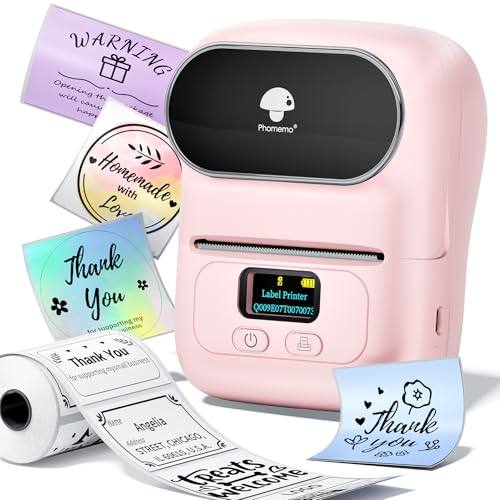 Phomemo M110
|
(400+ ratings) | Budget | Ultra-compact Bluetooth thermal printing | Market sellers needing compact labeling | Check Price | |
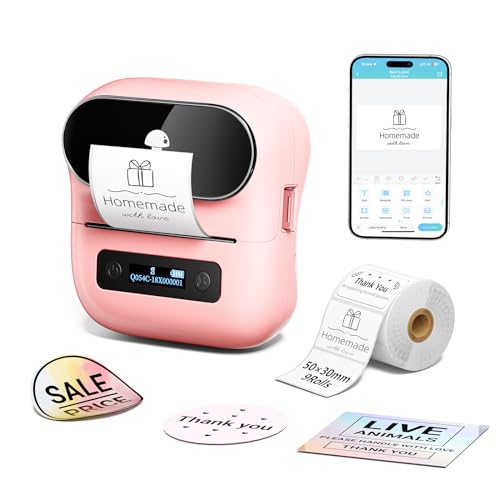 Phomemo M220 (USB/Bluetooth)
|
(3.1K+ ratings) | Mid-Range | Supports wider labels and USB/PC use | Sellers needing larger labels and PC support | Check Price | |
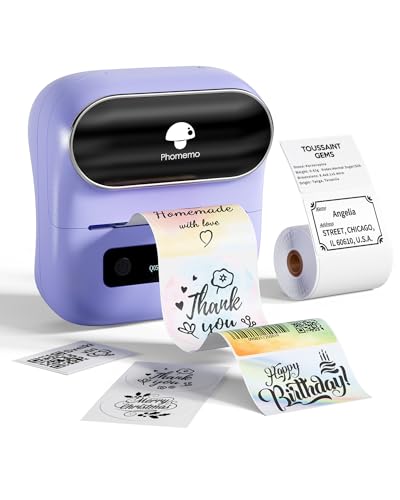 Phomemo M220 (Purple)
|
(3.1K+ ratings) | Mid-Range | Flagship M220 features with color option | Sellers wanting same M220 features in color | Check Price |
1. Phomemo Thermal Label Maker - M110 Barcode Label Printer Portable Bluetooth Labeler Maker Machine for for Small Business, Address, Logo, Clothing, Mailing, with 40x30mm Label, Pink
The M110 is a lightweight, app-driven thermal labeler that excels at small labels, price tags and quick on-the-go labeling. Customers praise its ease of use, compact size and battery longevity, though it’s not designed for full 4x6 shipping labels and some users report mixed print clarity on smaller text or barcode density.
Key Specs
- Bluetooth mobile connection (Print Master app)
- Label width range: 20mm–50mm; includes 40×30mm roll
- OCR feature for converting images to text
- Lightweight, pocketable design
Pros
- Very easy to set up and use via app
- Compact and highly portable for pop-up stalls
- Long battery life and considered good value
Cons
- Not intended for 4×6 shipping labels
- Print clarity and functionality reported mixed by some users
Best For: Market sellers needing compact labeling
Check Latest Price on Amazon2. Phomemo M220 Bluetooth Label Maker Machine,Label Printer for Small Business, Office, Home & School, Portable Label Maker with 700+ Templates,400+ Fonts,6000+ Icons, Compatible with Phone, PC
The M220 is a more capable, mid-range thermal printer built for flexibility — it prints wider label sizes, connects via Bluetooth or USB, and includes a larger 2200mAh battery for extended mobile use. It’s ideal for sellers who need more label variety and occasional desktop integration, though some users report intermittent Bluetooth issues and mixed print quality in edge cases.
Key Specs
- Print width: 0.78"–3.14" (20–80mm)
- 2200mAh rechargeable battery — ~36+ rolls per charge
- Bluetooth and USB connectivity; PC driver available
- Fully featured Print Master app with 700+ templates
Pros
- Wide label compatibility and high template options
- Long battery life suitable for busy market days
- Can plug into a laptop for bulk label jobs
Cons
- Bluetooth connectivity quality varies by device
- Some customers report occasional pixelated prints
Best For: Sellers needing larger labels and PC support
Check Latest Price on Amazon3. Phomemo M220 Label Maker, Bluetooth Thermal Label Maker Machine for Barcode, Address, Home, Mailing, Small Business,Clothing, Portable Wireless Printer with 1 Rolls Label, Purple
This variant of the M220 packs the same core strengths — Bluetooth 4.2, wider label widths, strong battery life and an advanced app — with a different color option. It’s robust for addressing, barcodes and small shipping jobs, but it cannot print standard 4×6 shipping labels and some reviewers note occasional connectivity or print consistency concerns.
Key Specs
- Bluetooth 4.2 and USB connection support
- Support for 0.78"–3.14" width labels (not 4×6)
- 2200mAh battery with auto-sleep to extend runtime
- Print Master app: QR, barcode, images, fonts
Pros
- Good balance of portability and print width
- Battery and sleep mode help multi-hour use
- Rich app feature set for labels and barcodes
Cons
- Cannot produce full 4×6 shipping labels
- Some users experience connectivity or print glitches
Best For: Sellers wanting same M220 features in color
Check Latest Price on AmazonWhich One Should You Choose?
If budget is tight → Phomemo M110 (B0BR6X1VMT). It’s the most compact and cost-friendly way to add labeling to a pop-up stall — excellent for price tags, small address labels and inventory stickers, though note it’s not built for full 4×6 shipping labels. If you need portable versatility → Phomemo M220 (B09FKTKY6G). It supports wider label widths, has stronger battery life and USB/PC support for batch jobs. If you want the same core features in a different finish → Phomemo M220 (B0BVZZPMRN). It offers the M220 feature set in a color option and the same mid-range balance between portability and capability.
Best for Specific Scenarios
- Farmers market or craft fair price tags: Phomemo M110 because it’s pocketable, fast to start from a phone, and ideal for small adhesive labels.
- Mixed sales + shipping from a van or stall: Phomemo M220 (B09FKTKY6G) because it prints wider labels, supports USB for laptop-driven shipping and has longer battery life.
- Inventory & barcode tagging for pop-up shops: Either M220 variant because of barcode support, template options and durable label materials for scanning.
Frequently Asked Questions
Can these Phomemo printers print 4×6 shipping labels?
No. The M110 and the M220 models listed support narrower roll widths (up to ~3.14"/80mm) and cannot print standard 4×6 shipping labels. If you need full 4×6 thermal shipping labels on the go, look for a dedicated mobile 4×6 thermal printer (not in this set) or use a mobile label service or parcel pickup that provides labels.
How long will the battery last during a market day?
Battery life varies by model and print volume. The M220 models advertise a 2200mAh battery rated for roughly 36+ small rolls per full charge in normal use; the M110 is noted by users for long-lasting battery performance for light tagging. For all-day markets, bring a 10,000–20,000mAh power bank or a spare charger to be safe.
What label supplies should I pack for mobile selling?
Bring spare rolls matching the printer’s supported widths (narrow rolls for price tags, wider address rolls for parcels), waterproof/smudge-proof thermal labels for shipping, a small roll of clear packing tape, a sharp cutter or scissors, and a protective case for the printer. Keep a USB cable and a power bank that supports device charging while printing.
How We Selected These Products
Our recommendations are based on data-driven analysis: we evaluated 29748+ products across 4825+ brands using a composite scoring system that weighs rating (40%), review volume (30%), price value (20%), and demand signals (10%). Every product is ranked by data, not opinions.
Last updated: May 15, 2026
As an Amazon Associate we earn from qualifying purchases at no extra cost to you. Full disclosure.
Ratings and review counts reflect data at time of writing and may have changed. Click through to Amazon for current information.