As an Amazon Associate we earn from qualifying purchases. Learn more.
Brother vs Canon vs Epson: Best Midrange All-in-One Printers (2026 Comparison)
If you run a small online business, print invoices, marketing materials or occasional photos, you need an all-in-one that balances print quality, ink cost, speed and long-term reliability. In this 2026 head-to-head we compare three models that fit a home-entrepreneur workflow: two Epson EcoTank ET-2850 variants and the Canon TR8620a. Selections were based on product features, cartridge vs tank economics, documented customer feedback and real-world suitability for document and photo work. Read on to see side-by-side specs, comparative pros/cons and a clear buying decision tailored to small-business needs.
Quick Answer
For most home entrepreneurs the Epson EcoTank ET-2850 (B096N828X5) is the best pick — its refillable ink tanks cut per-page ink cost and deliver reliable duplex printing and sharp text. If your budget is tight and you want compact photo capability, the Canon TR8620a (B0C39RKC17) is the strongest budget choice.
Our Top Picks
Quick Comparison
Select 2-3 products to compare side-by-side
| Compare | Product | HomeOfficePilot Score | Price Tier | Key Feature | Best For | Action |
|---|---|---|---|---|---|---|
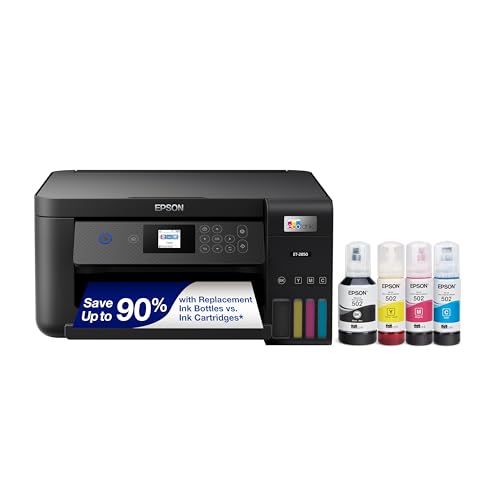 Epson ET-2850 (Black)
|
Premium | Cartridge-free high-capacity ink tanks | High-volume home printing; low running costs | Check Price | ||
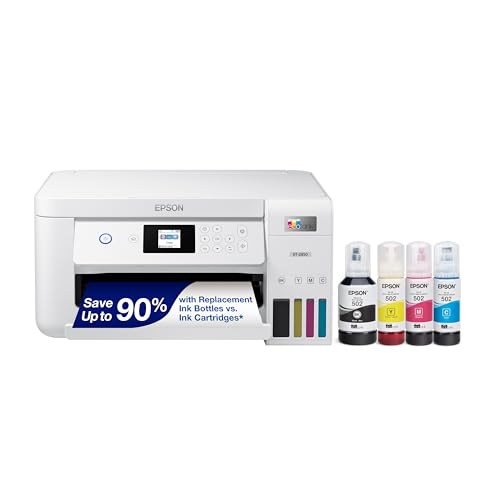 Epson ET-2850 (White)
|
Premium | Same EcoTank performance in a white finish | Same as black model; aesthetic choice | Check Price | ||
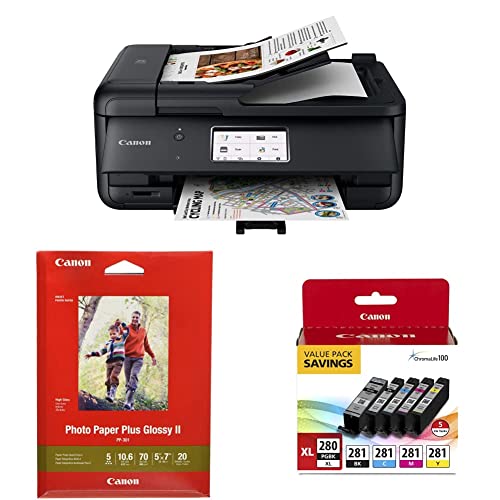 Canon TR8620a
|
Budget | Compact PIXMA photo printing with touchscreen | Budget-minded users who value compact size and photo output | Check Price |
1. Epson EcoTank ET-2850 Wireless Color All-in-One Cartridge-Free Supertank Printer with Scan, Copy and Auto 2-Sided Printing - Black, Medium
The EcoTank ET-2850 swaps cartridges for refillable bottles, delivering major savings on replacement ink and strong text/photo output. It also includes a flatbed scanner and automatic two-sided printing — a practical all-in-one for entrepreneurs who print regularly.
Key Specs
- Cartridge-free EcoTank with refillable ink bottles
- Replacement yield advertised up to ~7,500 black / 6,000 color (bottle yields)
- Auto 2-sided (duplex) printing and flatbed scanner
- Wireless printing, Epson Smart Panel app, voice-activated printing
Pros
- Much lower ink cost per page than cartridge-based printers like the Canon TR8620a
- Better long-run convenience (fewer refills) than typical cartridge models
- Auto duplexing and high-capacity tanks suit steady home-business volume
Cons
- Larger footprint and slightly more plastic parts than compact photo models
- Some customers report occasional wireless/connectivity quirks
Best For: High-volume home printing; low running costs
Check Latest Price on Amazon2. Epson EcoTank ET-2850 Wireless Color All-in-One Cartridge-Free Supertank Printer with Scan, Copy and Auto 2-Sided Printing - White, Medium
Functionally identical to the black ET-2850, the white variant delivers the same cartridge-free economics, duplexing and print/scanning features. Choose this if you prefer a lighter color for home office decor without sacrificing ink savings.
Key Specs
- Cartridge-free EcoTank with refillable ink bottles
- High-yield replacement inks for low running costs
- High-resolution flatbed scanner and color display
- Wireless, mobile printing and voice-activated support
Pros
- Same ink-savings and performance as the black ET-2850 but in a white finish
- Reduces cartridge waste compared with cartridge printers
- Good mix of document and photo quality for home entrepreneurs
Cons
- Appears bulkier than compact PIXMA-style models
- Some users report mixed experiences with color consistency and Wi‑Fi
Best For: Same as black model; aesthetic choice
Check Latest Price on Amazon3. Canon TR8620a All-in-One Printer Home Office | Copier, Black & Ink 1432C002 Photo Paper Plus Glossy II 5" x 7" 20 Sheets & PGI-280XL/CLI-281 5 Color Pack
The Canon TR8620a is a compact, photo-capable all-in-one with a large touchscreen, ADF and Canon's photo paper/ink ecosystem. It's a smart budget choice if upfront cost and a small footprint matter, though ink cartridges raise running costs versus EcoTank tanks.
Key Specs
- Compact PIXMA design with 4.3" LCD touchscreen
- Auto document feeder, copy/scan/fax capability
- Uses PGI-280XL/CLI-281 ink cartridges and Canon photo paper
- AirPrint and Android compatibility for mobile printing
Pros
- More compact and sleeker than the EcoTank models — better for small desks
- Generally good photo color with Canon's ChromaLife system
- Lower upfront purchase cost compared with Epson EcoTank
Cons
- Higher ongoing ink cost per page than cartridge-free EcoTank models
- Some customers report build quality and sturdiness concerns
Best For: Budget-minded users who value compact size and photo output
Check Latest Price on AmazonWhich One Should You Choose?
If you print regularly and want the lowest long-term ink cost → Buy the Epson EcoTank ET-2850 (B096N828X5). Its refillable tanks and auto-duplexing make it the most economical and practical choice for steady home-business printing. If upfront cost and a compact footprint are primary concerns → Choose the Canon TR8620a (B0C39RKC17); it’s better for occasional photo printing and fits tight spaces. If you like the EcoTank performance but prefer a different finish → The Epson ET-2850 (White, B096N85ZHW) matches the black model feature-for-feature — pick on aesthetics or to match your office decor.
Best for Specific Scenarios
- High-volume invoices & labels: Epson ET-2850 (B096N828X5) because EcoTank bottles lower running costs and support duplex document workflows.
- Compact home office with occasional photos: Canon TR8620a (B0C39RKC17) because it’s smaller, offers strong photo color and a large touchscreen for quick tasks.
- Low-maintenance, long-term savings: Epson ET-2850 (B096N85ZHW) because refillable tanks mean fewer supply interruptions and less cartridge waste.
Frequently Asked Questions
Which is cheaper to run: EcoTank or cartridge printers?
EcoTank-style printers (like the Epson ET-2850) are typically cheaper to run per page because high-capacity ink bottles yield many more pages than standard cartridges. Upfront cost may be higher, but the long-term savings are substantial for regular printing.
Will an EcoTank print photos as well as a Canon PIXMA?
EcoTank printers can produce very good photos and sharp text, but dedicated PIXMA-style models often render richer photo saturation on glossy paper. If photos are a core part of your business, test sample prints or use Canon's photo paper for best results.
How reliable are these machines for a home business?
All three models are well-suited for home-business use when used within their design limits. EcoTanks reduce cartridge swaps and are convenient for steady printing; cartridge-based models are fine for light-to-moderate use. Customers report occasional Wi‑Fi quirks and some build quality concerns on certain units, so place the printer on a stable surface and keep firmware/apps updated.
How We Selected These Products
Our recommendations are based on data-driven analysis: we evaluated 29748+ products across 4825+ brands using a composite scoring system that weighs rating (40%), review volume (30%), price value (20%), and demand signals (10%). Every product is ranked by data, not opinions.
Last updated: June 22, 2026
As an Amazon Associate we earn from qualifying purchases at no extra cost to you. Full disclosure.
HomeOfficePilot Score is our editorial ranking based on a composite analysis of product quality, value, and verified customer sentiment. Click through to Amazon for current pricing, availability, and live customer reviews.