As an Amazon Associate we earn from qualifying purchases. Learn more.
Best Label Maker for Teachers & Classrooms (2026 Guide)
Teachers, classroom aides, and homeschool parents looking to tame clutter and speed up labeling will find this 2026 guide tailored to your needs. You’ll learn which label makers are durable, easy to use, and built for repeated classroom use — from laminated name tags and cubby labels to pantry and supply bins. I tested and compared devices based on durability, tape options (waterproof/laminated), footprint, battery/portability, ease of use, and software templates — plus real customer feedback on sturdiness and value for money — to recommend the best choices for everyday school workflows.
Quick Answer
For most teachers the NIIMBOT B1 Label Maker (ASIN B0BQBJM424) is the best overall — it combines thermal, no-ink printing with wide label sizes, robust templates and batch printing for fast classroom labeling. If you need a budget kid-friendly option, the EazeID D210S (B0DM4WKJPL) is a solid pick.
Our Top Picks
Quick Comparison
Select 2-3 products to compare side-by-side
| Compare | Product | HomeOfficePilot Score | Price Tier | Key Feature | Best For | Action |
|---|---|---|---|---|---|---|
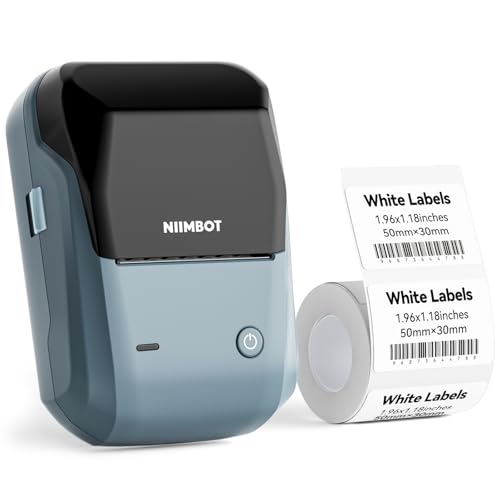 NIIMBOT B1 (Blue)
|
Budget | Thermal printing, 20–50 mm widths | Teachers needing fast batch labels | Check Price | ||
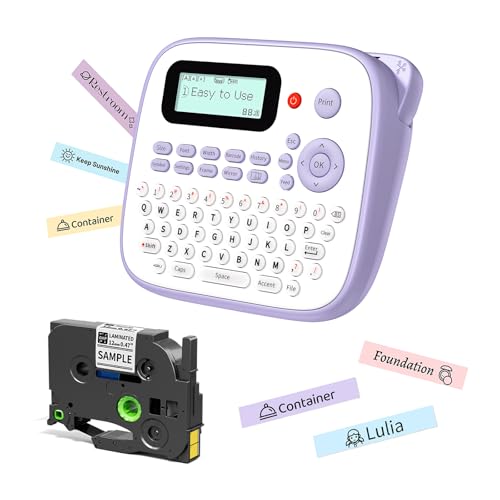 EazeID D210S (Purple)
|
Budget | Waterproof laminated 12mm tapes | Elementary classrooms & student labels | Check Price | ||
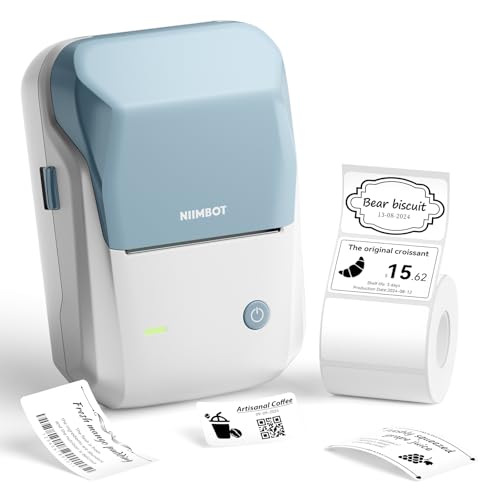 NIIMBOT B1 (Sky Blue)
|
Budget | Automatic label identification | Teachers who want varied label types | Check Price | ||
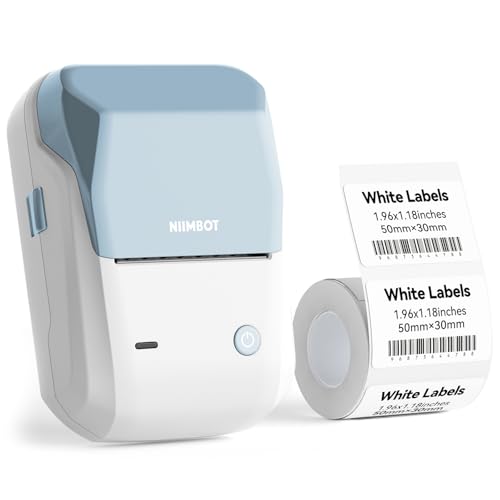 NIIMBOT B1 (Blue White)
|
Premium | 500+ templates and proofreading | Teachers who print varied, polished labels | Check Price | ||
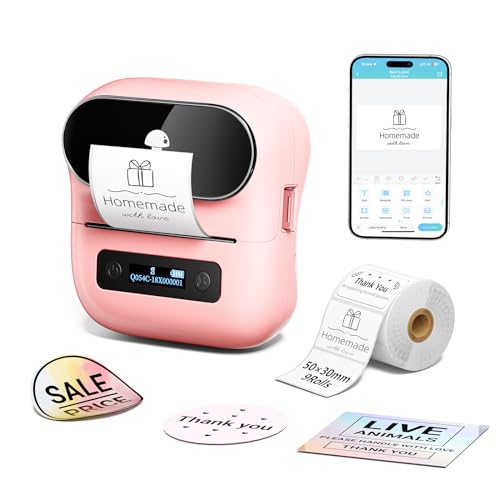 Phomemo M220
|
Premium | Wide label sizes & long battery | Portable use and varied label sizes | Check Price |
1. NIIMBOT B1 Label Maker Machine with Tape, 2 Inch Portable Sticker Printer for Home School & Small Business, Compatible with Phones & PC, Blue
A compact thermal label printer built for quick classroom workflows: connect by Bluetooth or USB, use the mobile app for templates, and print laminated or transparent labels without ink. It’s praised for ease of use, fast print speed and strong label quality that holds up on storage bins and jars.
Key Specs
- Thermal printing, no ink required
- Print width: 20–50 mm (1–2 inch)
- Bluetooth + USB (phone & PC support)
- Built-in templates (500+), automatic paper rewind
Pros
- Easy Bluetooth/PC editing with many templates
- No-ink thermal printing keeps running costs low
- Fast batch printing for many labels
Cons
- Not recommended for use with iPad/tablet devices
- Advanced PC driver setup needed for some features
Best For: Teachers needing fast batch labels
Check Latest Price on Amazon2. Label Maker Machine with-Tape Waterproof, Purple Desktop Label Maker for Teachers Kids Classroom, Portable Labeler with Multiple Symbols &Fonts for Home Office School Use, D210S
Designed with classrooms and kids in mind, the D210S prints on laminated 12mm tapes that are waterproof and fade-resistant — perfect for name tags, lunch boxes and cubby labels. It’s simple to operate, includes playful fonts and symbols, and can run on AAA batteries or USB power.
Key Specs
- Uses 12 mm laminated BZ tape (waterproof)
- Power: 6×AAA batteries or Type-C cable
- 800+ symbols, 100+ frames, 16 fonts
- Prints up to 4 lines of text
Pros
- Kid-friendly design encourages student involvement
- Waterproof, fade-resistant laminated labels
- Multiple symbols and fonts for cheerful name tags
Cons
- Mixed reports on long-term durability and battery life
- Some users find occasional inconsistent print quality
Best For: Elementary classrooms & student labels
Check Latest Price on Amazon3. NIIMBOT B1 Label Maker with Tapes,2 Inch Portable Thermal Label Printer for Home Office School Small Business, Address, Clothing, Crafts, Retail,Support Smartphones & PC,Sky Blue
A close sibling to the top pick with the same thermal engine and app-driven editing; this model emphasizes quick label recognition and energy-saving auto power-off. Teachers will appreciate rapid printing for classroom bins, clothing tags and event labels.
Key Specs
- Print width 20–50 mm, thermal no-ink printing
- Auto label identification and auto power-off
- Mobile app with fonts, borders and symbols
- PC driver available for desktop use
Pros
- Fast setup with mobile app and immediate prints
- Good print quality for small graphics and text
- Energy-saving auto power-off options
Cons
- Not optimized for iPad/tablet use
- Some users report mixed opinions on long-term value
Best For: Teachers who want varied label types
Check Latest Price on Amazon4. NIIMBOT B1 Label Maker Machine with Tape, 2 Inch Portable Sticker Printer for Home School & Small Business, Compatible with Phones & PC, Blue White
The premium-flavored B1 package builds on the B1 platform with expanded template bundles and extras in the box, aimed at teachers who want polished, professional-looking labels for displays, storage and classroom resources. Batch printing and proofreading tools save time during prep days.
Key Specs
- Thermal printing supports continuous/gap/transparent paper
- Built-in 500+ industry templates
- Automatic paper rewind and proofreading function
- USB + Bluetooth connectivity
Pros
- Robust template and proofreading workflow for batch jobs
- Automatic paper handling reduces wasted tape
- Well-suited to producing polished classroom signage
Cons
- Requires app or PC driver to access full feature set
- Some buyers report unclear instructions at first setup
Best For: Teachers who print varied, polished labels
Check Latest Price on Amazon5. Phomemo M220 Bluetooth Label Maker Machine,Label Printer for Small Business, Office, Home & School, Portable Label Maker with 700+ Templates,400+ Fonts,6000+ Icons, Compatible with Phone, PC
A versatile portable thermal printer that handles a wide range of widths (0.78"–3.14") and has a long-lasting rechargeable battery — great for teachers who need labels for art supplies, outdoor equipment or occasional large-format signage. The app and PC tools offer tons of templates and icons.
Key Specs
- Print width: 0.78"–3.14" (wide range)
- Bluetooth + USB, compatible with phone/PC
- 2200 mAh rechargeable battery (many rolls per charge)
- 700+ templates, 400+ fonts, 6000+ icons
Pros
- Supports large and small label formats for varied tasks
- Long battery life for mobile labeling around school
- Feature-rich app with extensive templates and icons
Cons
- Some users report occasional Bluetooth pairing issues
- A few reports of pixelated prints with certain designs
Best For: Portable use and varied label sizes
Check Latest Price on AmazonWhich One Should You Choose?
If budget is tight → EazeID D210S (B0DM4WKJPL). It’s designed for kids, prints waterproof laminated 12mm labels, and is ideal for name tags, cubbies and beginner users. If you need portable → Phomemo M220 (B09FKTKY6G). Its rechargeable battery and wide label-size support make it perfect for teachers who move between rooms or need large-format labels. If premium quality and batch work matter → NIIMBOT B1 (B0BQBJM424 or premium B0CKZ6V5FF). These balance template power, fast thermal printing, and features like automatic rewind and proofreading for faster prep days.
Best for Specific Scenarios
- Elementary classroom name tags & cubbies: EazeID D210S because its laminated 12mm waterproof tape and kid-friendly symbols make durable, attractive name labels students can handle.
- Supply room and art storage: Phomemo M220 because it prints wider labels and runs on a rechargeable battery — great for large bins, paint sets and outdoor equipment.
- Library, file and bulk prep: NIIMBOT B1 (B0BQBJM424) because the thermal printing, batch-printing templates and automatic paper handling speed up multi-item labeling tasks.
Frequently Asked Questions
Are laminated labels safe for student items and frequent handling?
Yes. Laminated thermal labels are waterproof, fade-resistant and stand up to stickers, crayons and repeated handling. For items that touch food or skin frequently, choose tapes labeled food-safe or cleanable, and avoid adhesives on delicate fabrics.
What label width should I buy for classroom use?
Common classroom needs: 12 mm (narrow) for name tags and smaller supplies, 20–24 mm for file folders and small bins, and 36–50 mm (1–2 inch) for storage bins and shelf signage. Pick a printer that supports the widths you use most.
Do thermal label printers need ink or ribbons?
No — thermal label printers heat specially coated tape to form text and graphics, so they don’t use ink or ribbons. That lowers consumable cost, but you must buy compatible thermal rolls (transparent, laminated or black-on-white) for the printer model.
How We Selected These Products
Our recommendations are based on data-driven analysis: we evaluated 29748+ products across 4825+ brands using a composite scoring system that weighs rating (40%), review volume (30%), price value (20%), and demand signals (10%). Every product is ranked by data, not opinions.
Last updated: August 15, 2026
As an Amazon Associate we earn from qualifying purchases at no extra cost to you. Full disclosure.
HomeOfficePilot Score is our editorial ranking based on a composite analysis of product quality, value, and verified customer sentiment. Click through to Amazon for current pricing, availability, and live customer reviews.