As an Amazon Associate we earn from qualifying purchases. Learn more.
Best Compact Wireless Printers for Pop-Up Sellers (2026 Guide)
If you sell at pop-up markets, craft fairs or events, you need a compact wireless printer that can handle receipts, quick invoices and on-the-spot paperwork without hogging counter space. This guide tests and compares the leading compact Brother monochrome laser printers available in 2026 for speed, connectivity, paper handling and durability at events. You’ll learn which models are best for high-volume ticketing, short-run receipts, or copying and scanning on-site, and how each balances size, value, and functionality. Products were selected for compact footprints, wireless/mobile features, practical paper handling and real-world user feedback.
Quick Answer
For pop-up sellers who need compact, fast black-and-white printing, the Brother DCP-L2640DW is the best overall thanks to its ADF, duplex and strong connectivity. If budget and portability matter, the Brother HL-L2405W gives reliable, compact monochrome printing at a lower price point.
Our Top Picks
Quick Comparison
Select 2-3 products to compare side-by-side
| Compare | Product | HomeOfficePilot Score | Price Tier | Key Feature | Best For | Action |
|---|---|---|---|---|---|---|
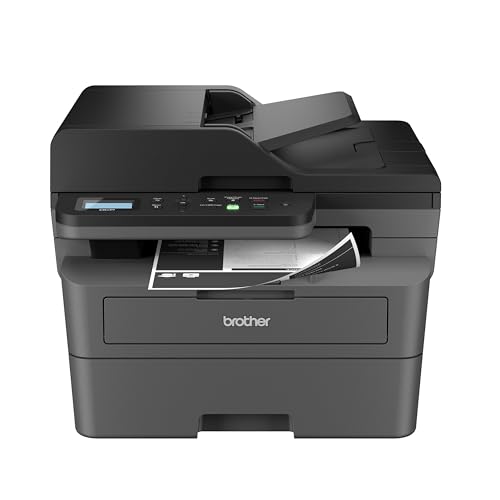 Brother DCP-L2640DW
|
Premium | 50-page ADF + duplex printing | High-volume pop-up sellers needing scanning | Check Price | ||
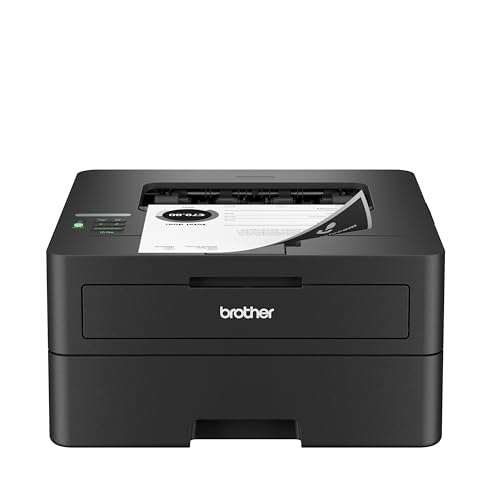 Brother HL-L2460DW
|
Mid-Range | Balanced speed and efficiency | Value-focused stall owners needing speed | Check Price | ||
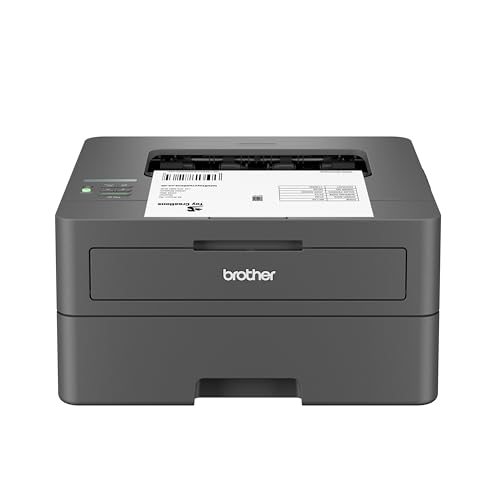 Brother HL-L2405W
|
Budget | Compact, budget-friendly footprint | Tight budgets and small counters | Check Price | ||
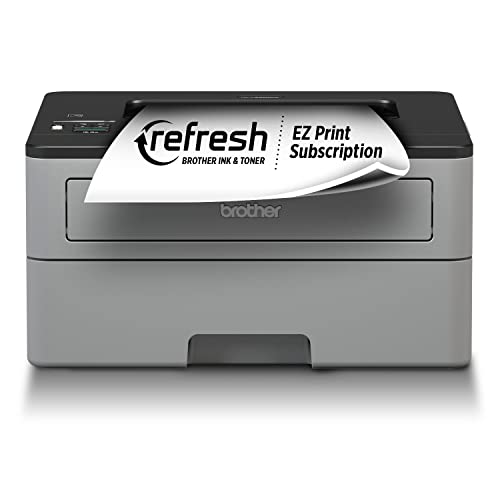 Brother HL-L2350DW
|
Premium | Automatic duplex + 250-sheet tray | Owners who want fast duplex printing | Check Price | ||
 Brother HLL2390DW
|
Mid-Range | Flatbed copy and scan | On-site copying and simple scans | Check Price |
1. Brother DCP-L2640DW Wireless Compact Monochrome Multi-Function Laser Printer with Copy and Scan, Duplex, Mobile, Black & White | Includes Refresh Subscription Trial(1), Works with Alexa
A compact multi-function laser designed for productivity, the DCP-L2640DW blends fast monochrome printing with scanning and copying in a small footprint. It offers the most flexible paper handling in this group — a 50-page ADF, duplex printing and dual-band wireless — making it ideal when you need reliable on-site document workflows.
Key Specs
- Print speed up to 36 ppm
- 50-page automatic document feeder (ADF)
- Automatic duplex (two-sided) printing
- Dual-band wireless and Ethernet
Pros
- Very fast black-and-white output for quick transaction queues
- Built-in ADF and scanner for copying receipts and forms
- Flexible connectivity including 5GHz Wi‑Fi and Ethernet
Cons
- Monochrome only — not suitable for color photos
- Some users report occasional wireless setup or duplex scan hiccups
Best For: High-volume pop-up sellers needing scanning
Check Latest Price on Amazon2. Brother HL-L2460DW Wireless Compact Monochrome Laser Printer with Duplex, Mobile Printing, Black & White Output | Includes Refresh Subscription Trial(1), Works with Alexa
The HL-L2460DW delivers a strong mix of speed, duplex printing and a 250-sheet tray in a compact package. It’s a solid all-around choice for sellers who need consistent, high-speed monochrome prints without extra scanning features.
Key Specs
- Print speed up to 36 ppm
- Automatic duplex printing
- 250-sheet input capacity
- Dual-band wireless, Ethernet, USB
Pros
- Consistent, crisp black-and-white output ideal for receipts and forms
- Good paper capacity reduces refills during busy events
- Strong value for performance in its class
Cons
- Connectivity experiences can be mixed depending on network
- No scanner or ADF for copying on-site
Best For: Value-focused stall owners needing speed
Check Latest Price on Amazon3. Brother HL-L2405W Wireless Compact Monochrome Laser Printer with Mobile Printing, Black & White Output | Includes Refresh Subscription Trial(1), Works with Alexa
The HL-L2405W is the most budget-friendly compact laser here, offering dependable monochrome printing in a small form factor. It’s straightforward to use for single-sided receipts and invoices and fits easily on a limited event table.
Key Specs
- Print speed up to 30 ppm
- 250-sheet paper tray
- Dual-band wireless and USB connection
Pros
- Affordable and compact for constrained event spaces
- Low running cost for black-and-white printing
- Easy to use with mobile devices
Cons
- One-sided printing only (no duplex)
- Some users report occasional Wi‑Fi connection issues
Best For: Tight budgets and small counters
Check Latest Price on Amazon4. Brother Compact Monochrome Laser Printer, HL-L2350DW, Wireless Printing, Duplex Two-Sided Printing, Includes 4 Month Refresh Subscription Trial and Amazon Dash Replenishment Ready
The HL-L2350DW focuses on fast, efficient two-sided printing with a 250-sheet tray in a compact shell. It’s a dependable, higher-tier monochrome unit for sellers who prioritize print speed and low per-page cost.
Key Specs
- Print speed up to 32 ppm
- Automatic duplex (two-sided) printing
- 250-sheet input capacity
- Wireless and USB connectivity
Pros
- Fast, consistent output well-suited for continuous printing
- Duplex saves paper when producing invoices or multi-page receipts
- Compact footprint fits small booths
Cons
- No scanning or copying features
- Some feedback notes occasional connectivity inconsistency
Best For: Owners who want fast duplex printing
Check Latest Price on Amazon5. Brother Compact Monochrome Laser Printer, HLL2390DW, Convenient Flatbed Copy & Scan, Wireless Printing, Duplex Two-Sided Printing, Amazon Dash Replenishment Enabled
The HLL2390DW adds a flatbed scanner for easy copying at events while keeping a fast print engine. If you need occasional scans or copies of documents at a pop-up table, this model blends that convenience with a compact design.
Key Specs
- Print speed up to 32 ppm
- Flatbed scan glass and copy function
- Automatic duplex printing
- 250-sheet paper capacity
Pros
- Flatbed scanner simplifies copying receipts or forms
- Good balance of speed and multifunction convenience
- Wireless printing from mobile devices
Cons
- Bulkier than single-function compact models
- Mixed reports on long-term sturdiness
Best For: On-site copying and simple scans
Check Latest Price on AmazonWhich One Should You Choose?
If budget is tight → choose the Brother HL-L2405W for compact, low-cost monochrome printing. If you need the best mix of speed, features and on-site copying/ scanning → choose the Brother DCP-L2640DW. If you want the best value for steady, high-speed black-and-white printing with a good tray size → choose the Brother HL-L2460DW.
Best for Specific Scenarios
- Busy weekend market seller: Brother HL-L2460DW because its speed and 250-sheet tray reduce downtime and keep lines moving.
- Mobile vendor who needs copies and scans: Brother DCP-L2640DW because the ADF and built-in scanner let you copy receipts and customer documents quickly.
- Tight counter space & low budget: Brother HL-L2405W because it’s compact, affordable and reliable for single-sided receipts and invoices.
Frequently Asked Questions
Can these compact printers print color photos for event customers?
No — the models reviewed here are monochrome laser printers, which excel at black-and-white receipts, invoices and forms. For color photos at events look for dye-sublimation or small inkjet/photo printers designed for color photo output.
Are these printers truly portable for a pop-up table?
They’re compact and can fit on tight counters, but they are not battery-powered mobile printers. You’ll need access to power at events; their lightweight, small footprints make them easy to carry between venues.
How can I avoid Wi‑Fi connectivity issues at crowded events?
Use the 5GHz band where available to avoid 2.4GHz congestion, set up a dedicated hotspot or wired Ethernet when possible, and test printing from mobile devices before opening. Models with dual-band Wi‑Fi (listed in specs) give more reliable options in busy environments.
How We Selected These Products
Our recommendations are based on data-driven analysis: we evaluated 29748+ products across 4825+ brands using a composite scoring system that weighs rating (40%), review volume (30%), price value (20%), and demand signals (10%). Every product is ranked by data, not opinions.
Last updated: June 27, 2026
As an Amazon Associate we earn from qualifying purchases at no extra cost to you. Full disclosure.
HomeOfficePilot Score is our editorial ranking based on a composite analysis of product quality, value, and verified customer sentiment. Click through to Amazon for current pricing, availability, and live customer reviews.