As an Amazon Associate we earn from qualifying purchases. Learn more.
How to Reduce Wrist Pain from Typing (2026): Products That Help
Wrist pain from long typing sessions is one of the most common complaints as students and remote workers ramp up fall workloads. If your wrists feel sore, numb, or fatigued after a day at the keyboard, small gear changes and quick posture fixes can make a big difference. This guide reviews five wrist-support and workstation accessories — from budget cooling pads to premium gel rests and a lap desk — chosen for comfort, durability, and real-world functionality. Read on to learn how each product reduces wrist strain, which features matter, and the easy adjustments you can make right now.
Quick Answer
To reduce wrist pain from typing, combine ergonomic positioning with a supportive wrist rest. Our top pick, Amazon Basics Rectangular Gel Computer Mouse Pad with Wrist Support Rest (B0B67QTW4T), uses a gel cushion and no‑slip base to keep the wrist aligned during long sessions.
Our Top Picks
Quick Comparison
Select 2-3 products to compare side-by-side
| Compare | Product | HomeOfficePilot Score | Price Tier | Key Feature | Best For | Action |
|---|---|---|---|---|---|---|
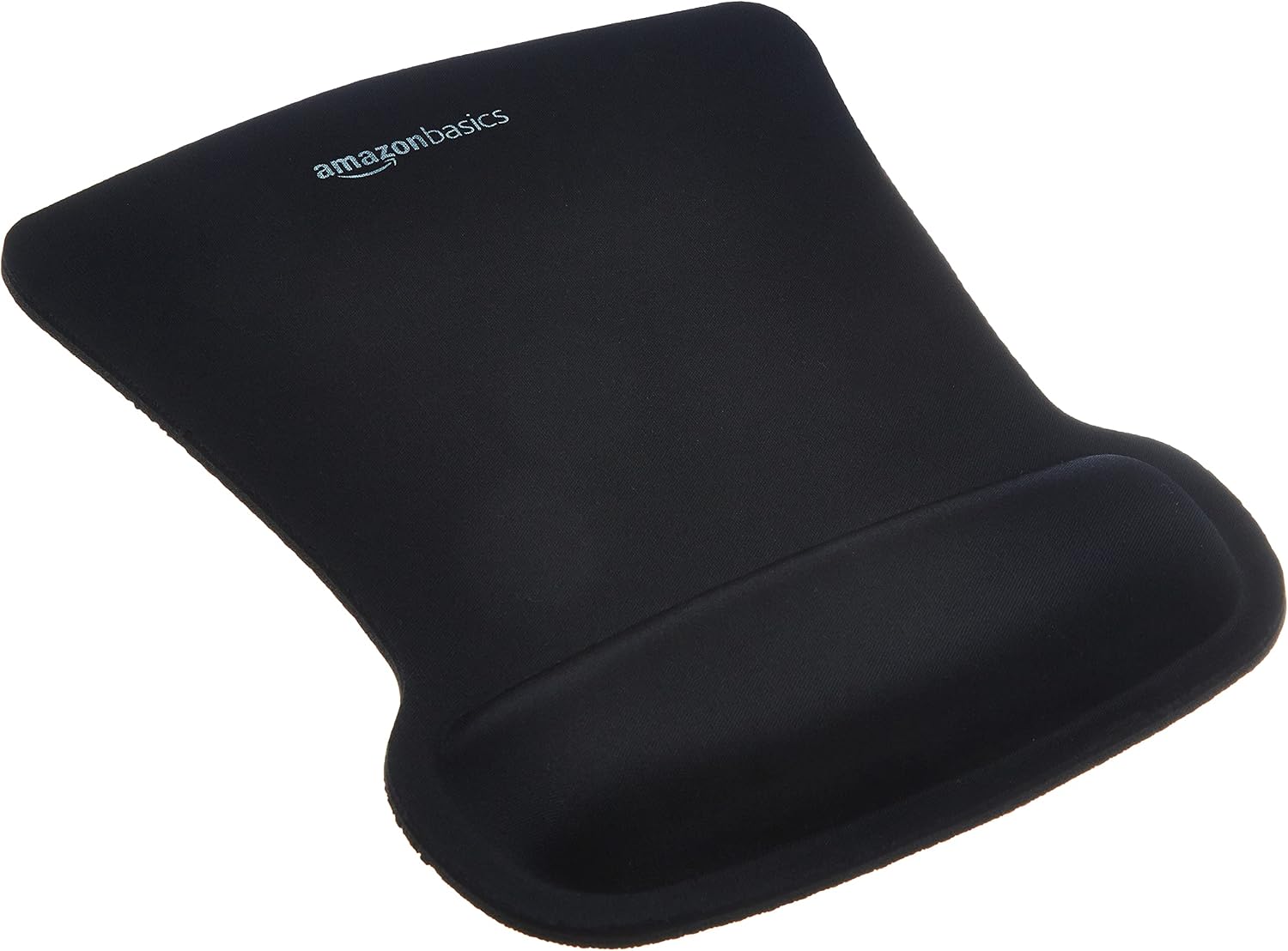 Amazon Basics Gel Mouse Pad
|
Premium | Gel-filled wrist cushion | Desktop users typing long hours | Check Price | ||
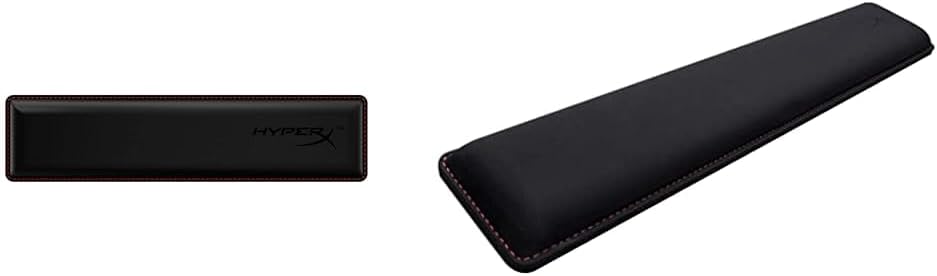 HyperX Cooling Wrist Rest
|
Budget | Cooling gel memory foam | Gamers & heavy typists | Check Price | ||
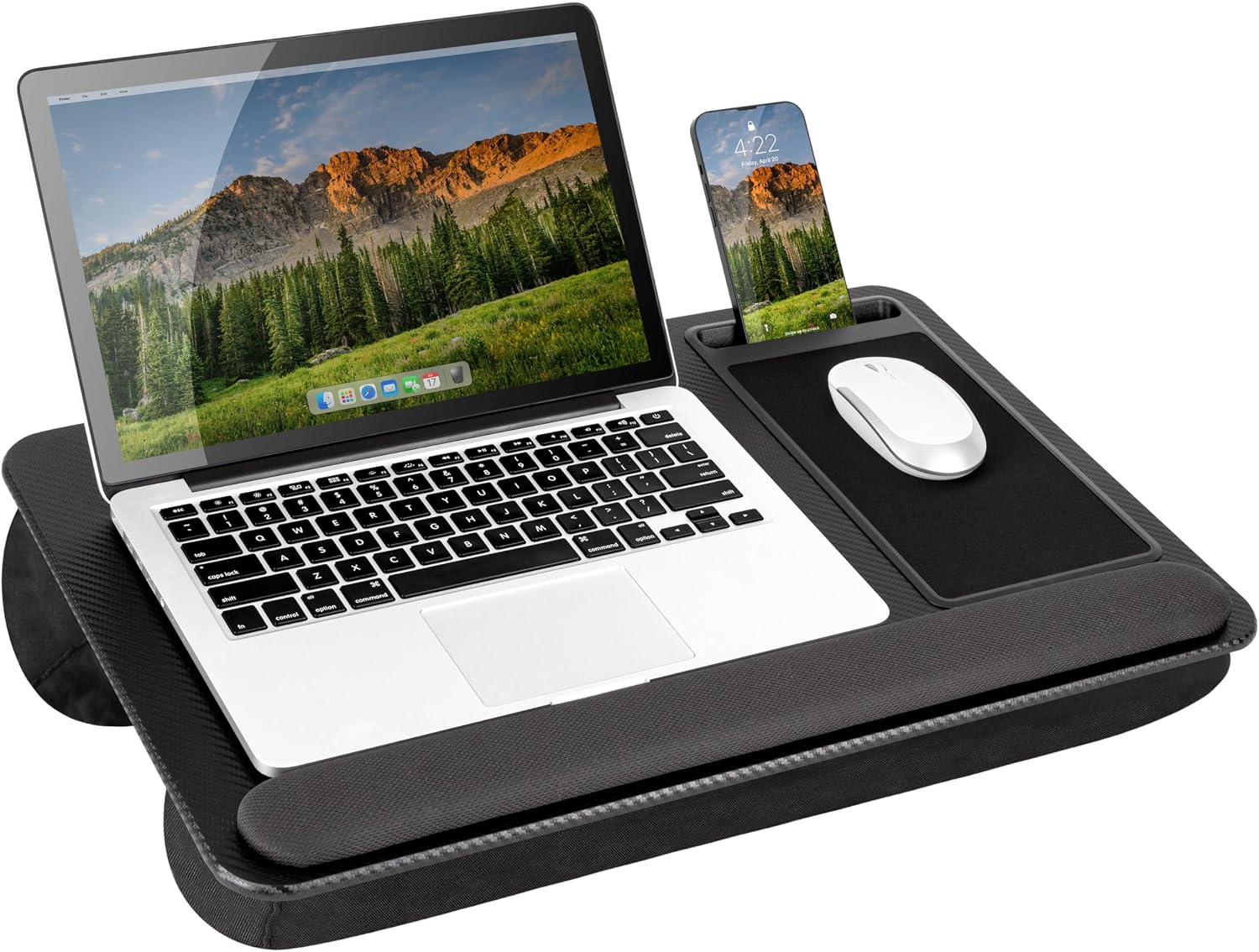 LapGear Home Lap Desk
|
Budget | Integrated wrist rest and mouse pad | Laptop users and remote workers | Check Price | ||
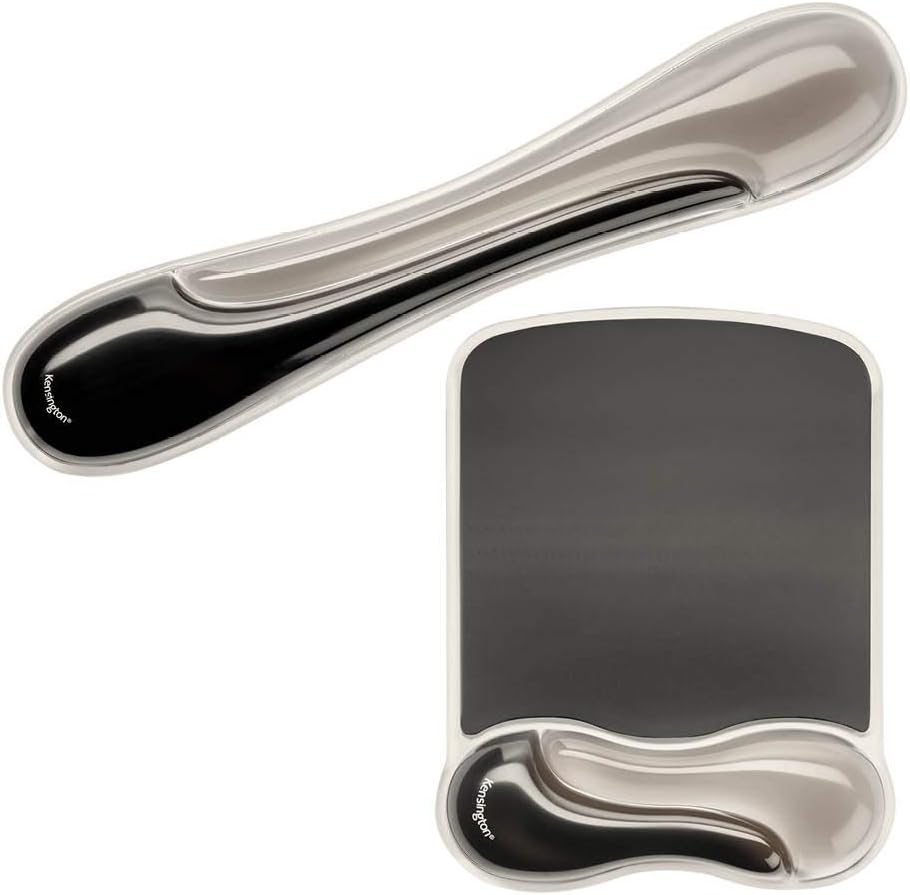 Kensington Duo Gel Set
|
Mid-Range | Ventilated duo gel support | Office workers needing cooling & contour | Check Price | ||
 Kensington ErgoSoft Slim Rest
|
Premium | Ergonomist-approved gel cushion | Slim-keyboard users & ergonomic setups | Check Price |
1. Amazon Basics Rectangular Gel Computer Mouse Pad with Wrist Support Rest, Small, Pack of 20, Black
A gel-filled mouse pad that conforms to your wrist, the Amazon Basics gel rest keeps the wrist in a neutral line with the hand and reduces pressure on tendons during long typing or mousing sessions. Its smooth tracking surface and rubber underside prevent the pad from sliding, helping you maintain consistent hand placement and limiting awkward wrist angles that cause strain.
Key Specs
- Gel-filled cushion conforms to wrists
- Smooth tracking surface for precise mouse control
- No-slip rubber undersurface
- Wave design for ergonomic wrist support
Pros
- Comfortable, conforms to wrist shape
- Good tracking surface for accurate mousing
- Non-slip base holds position during use
Cons
- Some users report edges can curl
- Feel and long-term durability receive mixed feedback
Best For: Desktop users typing long hours
Check Latest Price on Amazon2. HyperX Wrist Rests - Tenkeyless & Full Size - Cooling Gel Memory Foam - Anti-Slip
This pair of cooling gel-infused memory foam rests provides a low-profile, cushioned platform for both tenkeyless and full-size keyboards. The cooling properties reduce heat buildup on the hands, while the foam offers even support to keep the wrists from hyperextending — a common source of typing pain during marathon sessions.
Key Specs
- Cool gel-infused memory foam cushioning
- Textured anti-slip rubber underside
- Anti-fray stitched edges for durability
- Available sizes for tenkeyless and full keyboards
Pros
- Comfortable cushioning with cooling effect
- Good fabric feel for long sessions
- Available in multiple sizes to match keyboards
Cons
- Some reports of slipping on certain surfaces
- Fabric can feel loose or show wear over time
Best For: Gamers & heavy typists
Check Latest Price on Amazon3. LAPGEAR Home Office Pro Lap Desk with Wrist Rest, Mouse Pad, and Phone Holder - Black Carbon - Fits up to 15.6 Inch Laptops - Style No. 91598
The LapGear lap desk creates a stable, raised surface with an integrated cushioned wrist rest and mouse pad so your wrists sit at a gentler angle while using a laptop on your lap or couch. The dual bolster cushion distributes weight and keeps the laptop elevated to improve wrist alignment and airflow — useful for reducing awkward wrist positions when a desk isn't available.
Key Specs
- 21.1" x 14.1" workspace fits most laptops up to 15.6"
- Built-in 5 x 9" precision mouse pad
- Dual bolster cushion for stability and airflow
- Lightweight 2.8 lb design with phone slot
Pros
- Spacious and portable for working away from a desk
- Sturdy feel on the lap with good weight distribution
- Integrated mouse pad and wrist rest increase comfort
Cons
- Mouse pad area can be small for some users
- Some customers report mouse can slide off
Best For: Laptop users and remote workers
Check Latest Price on Amazon4. Kensington Mousepad and Wrist Rest, Gel, 11-2/5"Wx17-7/10"Lx1-7/10"H,GY (KMW52500) Each
The Kensington duo gel mouse and keyboard set molds to the wrist contours and includes ventilation channels to keep hands cool, helping to reduce pressure and friction that can lead to soreness. Its smooth, wipeable finish makes it easy to keep clean while maintaining a low-profile support that encourages a more neutral wrist posture throughout long typing sessions.
Key Specs
- Gel pillows that mold to the wrist
- Ventilation channel to reduce heat and sweat
- Soft, easy-to-clean finish
- Smooth mousing surface for precise pointer control
Pros
- Comfortable, contoured support reduces pressure points
- Ventilation helps keep hands dry
- Easy to clean surface
Cons
- Some users find the gel too firm
- Durability is mixed; occasional tearing reported
Best For: Office workers needing cooling & contour
Check Latest Price on Amazon5. Kensington ErgoSoft Wrist Rest for Slim Keyboards, Black (K52800WW) (Pack of 2)
Designed by ergonomists for slim keyboards, the ErgoSoft wrist rest combines a soft exterior with gel padding to maintain neutral wrist alignment and reduce tendon compression. Non-skid backing keeps it in place so your hands land consistently in the same position, which helps prevent repetitive strain across long work or study sessions.
Key Specs
- Ultra-soft exterior with gel-cushioned padding
- Ergonomist-approved design for proper alignment
- Non-skid rubber backing to prevent slipping
- Sized for slim keyboards (front height < 0.39in)
Pros
- High-quality construction with a premium feel
- Stays in place during typing
- Tailored height supports neutral wrist posture
Cons
- Some users perceive the rest as too firm
- Higher price compared with basic rests
Best For: Slim-keyboard users & ergonomic setups
Check Latest Price on AmazonWhich One Should You Choose?
If budget is tight → HyperX Wrist Rests (B0C4GCSFVX) for cooling comfort and solid value. If you need portable laptop support → LAPGEAR Home Office Pro Lap Desk (B07N9L5934). If premium materials and a gel cushion matter most → Amazon Basics Rectangular Gel Mouse Pad (B0B67QTW4T). If you want ventilated, easy-to-clean support → Kensington Duo Gel Set (B083TX7ZPJ). If you use a slim keyboard and want an ergonomist-designed rest → Kensington ErgoSoft (B0DHPHTVBP).
Best for Specific Scenarios
- Couch or bed work: LapGear Home Lap Desk (B07N9L5934) because it raises the laptop and provides integrated wrist cushioning for better wrist angles away from a desk.
- Long typing or gaming sessions: HyperX Wrist Rests (B0C4GCSFVX) because cooling memory foam reduces heat and delivers sustained cushioning for extended use.
- Permanent desk setup with focus on alignment: Kensington ErgoSoft (B0DHPHTVBP) or Amazon Basics gel pad (B0B67QTW4T) because their gel cushioning and non-slip bases promote consistent neutral wrist alignment.
Frequently Asked Questions
What commonly causes wrist pain from typing?
Wrist pain usually stems from repetitive strain, sustained wrist extension (bending the wrist upward), improper keyboard/mouse height, or pressure points from hard edges. Repeating the same motions without breaks or maintaining a poor posture amplifies tendon and nerve irritation.
What quick adjustments can reduce wrist strain right away?
Lower or raise your chair so your forearms sit roughly parallel to the floor, bring the mouse close to the keyboard to avoid reaching, use a low-profile wrist rest to keep your wrists neutral, and take short breaks every 20–30 minutes to stretch fingers and shake your hands.
Are wrist rests safe to use, or will they make my wrists weaker?
Used correctly, wrist rests are safe. They provide passive support that reduces pressure during typing and mousing. They should be used to support the palms and help maintain neutral alignment, not as a place to rest while holding tension. Combine rests with movement and stretching to avoid stiffness.
When should I see a doctor about wrist pain?
If wrist pain persists despite ergonomic fixes, if you experience numbness, tingling, weakness, or loss of function, or if pain is severe, consult a medical professional. Early assessment can prevent chronic issues and rule out conditions like carpal tunnel syndrome or tendonitis.
How We Selected These Products
Our recommendations are based on data-driven analysis: we evaluated 29748+ products across 4825+ brands using a composite scoring system that weighs rating (40%), review volume (30%), price value (20%), and demand signals (10%). Every product is ranked by data, not opinions.
Last updated: September 21, 2026
As an Amazon Associate we earn from qualifying purchases at no extra cost to you. Full disclosure.
HomeOfficePilot Score is our editorial ranking based on a composite analysis of product quality, value, and verified customer sentiment. Click through to Amazon for current pricing, availability, and live customer reviews.