As an Amazon Associate we earn from qualifying purchases. Learn more.
Label Rolls vs Label Sheets vs Continuous Labels for Markets (2026 Comparison)
If you run a farmers market booth, a pop-up shop, or a small retail operation, choosing the right label media matters: it affects how fast you can price and package products and how much waste you generate. This 2026 comparison looks at label rolls, label sheets, and continuous labels with a focus on which media type reduces waste and speeds up labeling. We tested and compared three popular sheet labels (listed below) to show how sheets perform against rolls and continuous formats. Products were selected for real-world market use, printer compatibility, and customer-reported durability, print quality, and value.
Quick Answer
For most market stalls and small retail operations, label sheets like the MBLABEL Round Corner Half Sheet (B0DSJ77WCG) deliver the best balance of speed and low waste. For very high-volume or automated labeling, roll or continuous labels with a thermal printer are faster and create less backing-paper waste — sheets win for convenience and compatibility.
Our Top Picks
Quick Comparison
Select 2-3 products to compare side-by-side
| Compare | Product | HomeOfficePilot Score | Price Tier | Key Feature | Best For | Action |
|---|---|---|---|---|---|---|
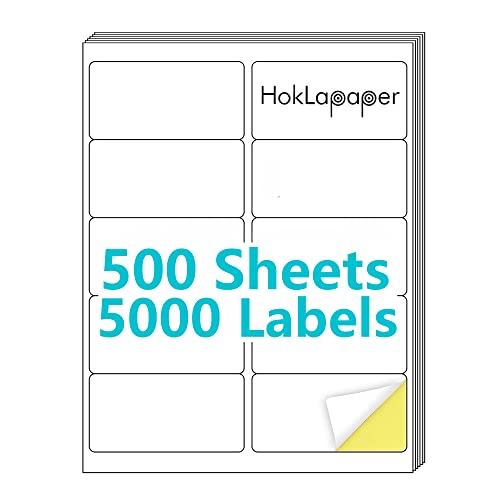 HokLapaper 2x4 Sheets
|
Budget | Bulk 500-sheet pack (5000 labels) | Cost-conscious bulk mailing and storage | Check Price | ||
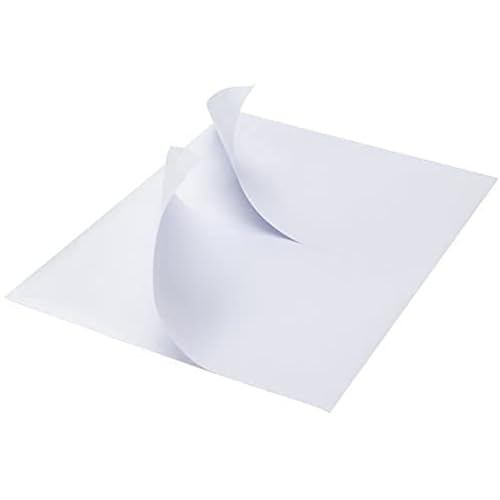 MBLABEL Half-Sheet
|
Premium | Half-sheet labels with rounded corners for easy peel | Retail shipping and market sellers needing fast peel-and-stick | Check Price | ||
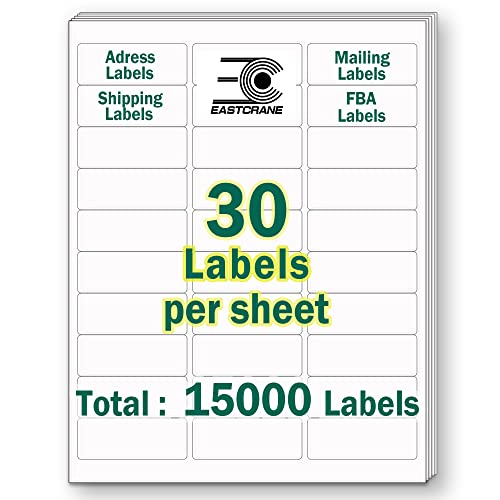 EastCrane Small Address
|
Budget | Massive count: 15,000 labels | High-volume address labeling and pricing stickers | Check Price |
1. 2" x 4" Shipping Labels,Printable White Mailing Labels for Laser/Inkjet Printer,Permanent Adhesive Sticker Labels(500 Sheets,5000 Labels)
A budget-focused sheet label with good print clarity and broad printer compatibility. Offers large volume at a low price point but has mixed feedback on adhesiveness and sheet sturdiness in heavy printer use.
Key Specs
- Label size: 2" x 4"
- Sheet size: 8.5" x 11" (10 labels per sheet)
- Quantity: 500 sheets / 5000 labels
- Permanent adhesive; compatible with laser and inkjet
Pros
- Great print quality and clarity compared with cheaper small-label packs
- Strong value per label vs premium sheet options
- Works reliably in most home/office lasers and inkjets
Cons
- Mixed adhesion — can stick too strongly or peel in some use cases
- Some customers report sheets tearing or folding more than MBLABEL
Best For: Cost-conscious bulk mailing and storage
Check Latest Price on Amazon2. Round Corner Half Sheet Shipping Labels for Laser and Inkjet Printers,8.5" x 5.5" Printable White Label Self Adhesive Mailing Label 2 per Sheet(3000 Sheets, 6000 Labels)
A well-engineered half-sheet label pack designed for fast application and clean presentation. Rounded corners and a robust adhesive make labels quicker to peel and stick, reducing time at the packing table; premium tier reflects stronger materials and finish.
Key Specs
- Label size: 8.5" x 5.5" (half sheet)
- Sheet size: 8.5" x 11" (2 labels per sheet)
- Quantity: 3000 sheets / 6000 labels
- Designed for laser and inkjet printers; rounded corners for easy peel
Pros
- Cleaner, easier peel than standard sheets — speeds up labeling vs small labels
- Strong adhesive and good stickiness on boxes and envelopes
- High print quality and compatibility with both printer types
Cons
- Premium price tier compared with bulk budget sheets
- Occasional reports of printer jams in certain office printers
Best For: Retail shipping and market sellers needing fast peel-and-stick
Check Latest Price on Amazon3. 1" x 2-5/8" Printable Mailing Address Labels,15,000 Sticker Labels(500 Sheets),White Blank Labels for Laser/Inkjet Printer,Permanent Adhesive Name Labels
An economy, very high-count option for repetitive address or barcode labeling. Great per-label cost and recyclable materials claims, but users report mixed functionality and occasional issues with flimsy backing or inconsistent adhesion.
Key Specs
- Label size: 1" x 2-5/8" (30 labels per sheet)
- Sheet size: 8.5" x 11"
- Quantity: 500 sheets / 15,000 labels
- Permanent adhesive; compatible with laser and inkjet
Pros
- Lowest per-label cost and massive quantity for repetitive tasks
- Advertised recyclable/BPA-free backing appeals to eco-aware users
- Generally compatible with common home/office printers
Cons
- Mixed reports on backing sturdiness and usability in some printers
- Functionality is hit-or-miss compared with MBLABEL's cleaner peel
Best For: High-volume address labeling and pricing stickers
Check Latest Price on AmazonWhich One Should You Choose?
If you want the fastest, easiest sheet-based labeling for market shipping and product tags → MBLABEL Round Corner Half Sheet (B0DSJ77WCG). Its half-sheet size and rounded corners make peeling and sticking quicker than many small sheets, so you save time and generate less handling waste at the packing table. If budget is tight and you need many labels for occasional shipping or storage → HokLapaper 2" x 4" (B0BKXVWRD5) offers the best per-label value while keeping good print quality. If you need massive quantities of small address or price labels (and want the lowest per-label cost) → EastCrane 1" x 2-5/8" (B0BB1P8JTY), but be ready to check compatibility with your printer and watch for backing/sturdiness issues.
Finally, if your priority is minimizing waste and maximizing speed at scale, consider switching to label rolls and a thermal roll printer — rolls reduce backing paper and pair with applicators for the fastest throughput.
Best for Specific Scenarios
- Pop-up market stalls (mixed SKUs): MBLABEL half-sheet because larger label area prints clear product info and peels quickly for fast application.
- Low-budget, occasional shipping: HokLapaper 2" x 4" for solid print quality at a low cost per label.
- High-volume address/price tagging: EastCrane small labels because of the massive label count and low per-label cost.
Frequently Asked Questions
Do label sheets or rolls create less waste?
Label rolls generally create less backing-paper waste and integrate better with applicators, so they reduce total waste for high-volume users. Sheets can be more wasteful per label in high-volume use, but they’re more flexible and produce less excess if you only print small batches.
Can I use these sheets with any printer?
All three sheet products are designed for laser and inkjet printers, but check your printer’s manual for recommended media thickness and avoid feeding large stacks in printers prone to jams. Half-sheet formats sometimes feed differently, so test a small batch first.
How do I reduce printer jams and label tears?
Use the correct tray and print settings for label/media, ensure sheets are flat and not curled, feed smaller stacks, and let freshly printed sheets cool before stacking. For heavy-duty labeling, a dedicated label printer and roll media will minimize jams and tearing.
How We Selected These Products
Our recommendations are based on data-driven analysis: we evaluated 29748+ products across 4825+ brands using a composite scoring system that weighs rating (40%), review volume (30%), price value (20%), and demand signals (10%). Every product is ranked by data, not opinions.
Last updated: June 16, 2026
As an Amazon Associate we earn from qualifying purchases at no extra cost to you. Full disclosure.
HomeOfficePilot Score is our editorial ranking based on a composite analysis of product quality, value, and verified customer sentiment. Click through to Amazon for current pricing, availability, and live customer reviews.