As an Amazon Associate we earn from qualifying purchases. Learn more.
Label Maker App vs Portable Thermal vs Desktop Thermal: Which to Use for Holiday Pop-Ups? (2026)
Holiday pop-ups and weekend markets demand fast, clear labeling — for prices, barcodes and quick organization. This guide helps booth sellers choose between label-maker apps (paired with portable printers), portable thermal printers, and desktop thermal setups by comparing speed, portability, media flexibility and ongoing cost. I examined compatible label media and common organizer options (brand compatibility, roll sizes and durability) and ranked products by practical value for market sellers—focusing on real-world speed, setup and per-label costs.
Quick Answer
For most weekend market sellers who prioritize speed and low per-label cost, use the L LIKED 2.25" x 1.25" Direct Thermal Labels (B0FF4M4JK1) with a desktop thermal printer. If you need handheld on-the-spot printing, pick a portable thermal printer and compatible rolls; for organization without printing, use Avery tab dividers.
Our Top Picks
Quick Comparison
Select 2-3 products to compare side-by-side
| Compare | Product | HomeOfficePilot Score | Price Tier | Key Feature | Best For | Action |
|---|---|---|---|---|---|---|
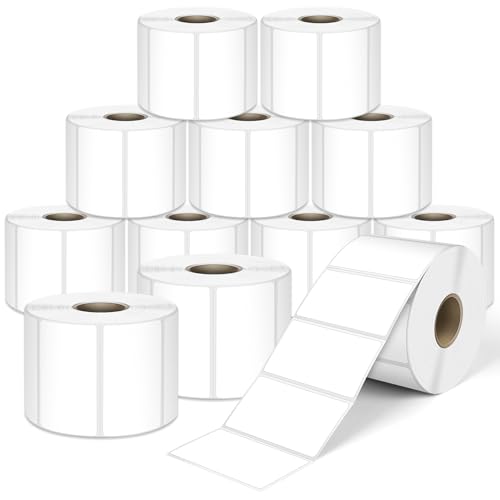 L LIKED 2.25x1.25 Labels
|
Mid-Range | 12 rolls of direct thermal labels | High-speed desktop printing at pop-ups | Check Price | ||
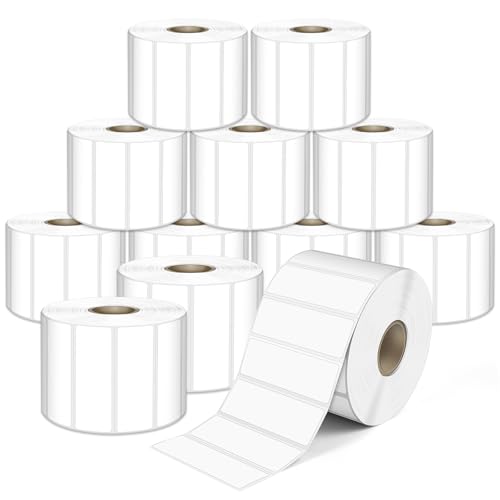 L LIKED 2.25x0.75 Labels
|
Premium | Narrow labels for tight price tags | Small price tags and barcode labels | Check Price | ||
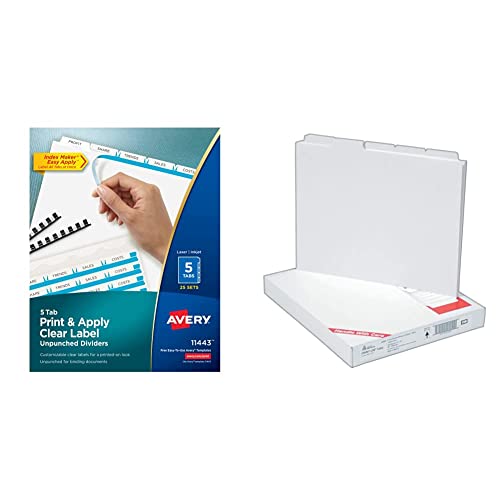 Avery 5 Tab Dividers
|
Premium | Customizable tab dividers with clear label strip | Organization and pre-event prep | Check Price |
1. L LIKED 2.25" x 1.25" Direct Thermal Labels, Permanent Adhesive Barcode Address Label & Compatible with Rollo, Zebra and Other Desktop Printers (12 Rolls, 12000 Labels)
A strong choice for sellers who use desktop thermal printers and need reliable, smudge-resistant barcode or price labels in bulk. The 2.25" x 1.25" size balances scanability and space for price or SKU info, and the 12-roll pack minimizes refill time over a weekend.
Key Specs
- Direct thermal material — prints without ribbon
- 2.25" x 1.25" label size
- Permanent adhesive, smudge-resistant
- Compatible with Rollo, Zebra and many desktop thermal printers
Pros
- High-volume value compared with single-roll options like B0FF4KDX92
- Better smudge-resistance and scan reliability than handwritten tags
- Works with common desktop thermal printers for fast batch printing
Cons
- Less portable than handheld thermal printers for on-the-spot labels
- Not helpful for non-printing organization tasks where tab dividers (Avery) excel
Best For: High-speed desktop printing at pop-ups
Check Latest Price on Amazon2. L LIKED 2.25" x 0.75" Direct Thermal Labels, Permanent Adhesive Address Barcode Label & Compatible with Rollo, Zebra and Other Desktop Printers (12 Roll, 20400 Labels)
Narrow direct thermal labels are ideal when you need compact price tags or barcode strips. They’re compatible with most desktop thermal printers and suit sellers who prefer many small labels per roll and tidy tag layouts.
Key Specs
- Direct thermal blank label paper
- 2.25" x 0.75" label size
- Permanent adhesive, fade-resistant prints
- Compatible with many desktop thermal printers (not Dymo)
Pros
- Better fit for narrow tags and small product labels than 2.25" x 1.25" rolls
- Compatible with common desktop printers like Rollo and Zebra
- Perforated rolls make separation easy during busy sales
Cons
- Smaller print area than 2.25" x 1.25" limits text space for prices or SKUs
- Less useful for on-the-spot handheld printing compared with portable thermal setups
Best For: Small price tags and barcode labels
Check Latest Price on Amazon3. Avery 5 Tab Unpunched Dividers for Use with Any Binding System, Easy Print & Apply Clear Label Strip, Index Maker Customizable White Tabs, 25 Sets (11443)
Avery tab dividers aren’t label rolls but are perfect for organizing price lists, inventory sheets and vendor binders. They let sellers pre-print neat section tabs and are durable enough for repeated market use.
Key Specs
- Unpunched edge for any binding system
- Works with free Avery templates and Index Maker label strip
- Durable, reinforced tab body (plastic or tear-resistant options)
- 25 sets per package
Pros
- Better at inventory organization than label rolls — perfect for pre-event prep
- Clear label strip gives a professional, printed-on look compared with handwritten tabs
- Durable reinforced tabs resist tearing more than basic paper dividers
Cons
- Not a substitute for on-demand price or barcode printing at the booth
- Less media flexibility — only useful for organizing documents and binders
Best For: Organization and pre-event prep
Check Latest Price on AmazonWhich One Should You Choose?
If budget is tight → Choose L LIKED 2.25" x 0.75" Direct Thermal Labels (B0FF4KDX92). Buying the right narrow-format rolls gives a lot of labels per purchase and keeps per-label cost low for simple price tags. If you need portable → Use a portable thermal printer with compact rolls and label-maker app integration (pair with direct thermal rolls similar to B0FF4M4JK1/B0FF4KDX92). Portable printing wins when you change prices or make labels on the fly. If premium quality and bulk speed matter → Use L LIKED 2.25" x 1.25" Direct Thermal Labels (B0FF4M4JK1) with a desktop thermal printer for fast, reliable batch printing and lower refill frequency.
Best for Specific Scenarios
- Busy weekend market with lots of SKUs: L LIKED 2.25" x 1.25" (B0FF4M4JK1) because desktop printing produces labels fast and reduces checkout delays.
- Small artisan booth that changes prices often: Portable thermal + small rolls because on-demand printing avoids reprinting batches and keeps inventory flexible.
- Pre-event inventory and cataloging: Avery 5 Tab Unpunched Dividers (B079Z46JK9) because they organize product lists, invoices and vendor notes more cleanly than loose sheets.
Frequently Asked Questions
Do direct thermal labels hold up outdoors at holiday markets?
Direct thermal labels are convenient and economical but are more sensitive to heat and sunlight than thermal transfer options. For outdoor markets, pick fade-resistant or permanent-adhesive direct thermal media and avoid leaving labels in direct sun for long periods; for maximum durability consider thermal transfer labels with a ribbon.
Can I use a label-maker app with desktop thermal rolls?
Yes. Most label-maker apps let you design layouts and export to desktop thermal printers as long as the printer supports the app’s connection method (USB, network or compatible driver). Make sure the roll width and label size match the printer settings in the app.
Are tab dividers useful at a pop-up or are printed labels enough?
Tab dividers excel for organizing paperwork, binders, price lists and vendor documents—things you prepare before the event. They don’t replace printed product labels at checkout but reduce errors and speed setup when combined with a label-printing workflow.
How We Selected These Products
Our recommendations are based on data-driven analysis: we evaluated 29748+ products across 4825+ brands using a composite scoring system that weighs rating (40%), review volume (30%), price value (20%), and demand signals (10%). Every product is ranked by data, not opinions.
Last updated: October 09, 2026
As an Amazon Associate we earn from qualifying purchases at no extra cost to you. Full disclosure.
HomeOfficePilot Score is our editorial ranking based on a composite analysis of product quality, value, and verified customer sentiment. Click through to Amazon for current pricing, availability, and live customer reviews.