As an Amazon Associate we earn from qualifying purchases. Learn more.
Best-Solution: How to Reduce Home Printing Costs for Photo Gifts (2026)
Printing photo gifts at home can quickly get expensive: color cartridges, wasted sheets, and frequent replacements drive up the per-photo cost. This guide is for hobbyists, small-scale gift makers, and parents who print photos often and want to lower costs without losing print quality. You’ll learn practical strategies (ink choices, printer types, print settings, and paper selection) and see four recommended low-cost ink options and replacement packs chosen for yield, photo quality, and real-world value. Products were selected for their efficiency, photo performance, and how well they solve the problem of high per-print costs.
Quick Answer
To cut home printing costs for photo gifts, use high-yield or XL cartridges and choose dye inks for color photos — our top pick is Canon CLI-281 XL (B09NN9VMBV) because XL color tanks plus an efficient pigment black reduce per-print cost while preserving photo vibrancy.
Our Top Picks
Quick Comparison
Select 2-3 products to compare side-by-side
| Compare | Product | HomeOfficePilot Score | Price Tier | Key Feature | Best For | Action |
|---|---|---|---|---|---|---|
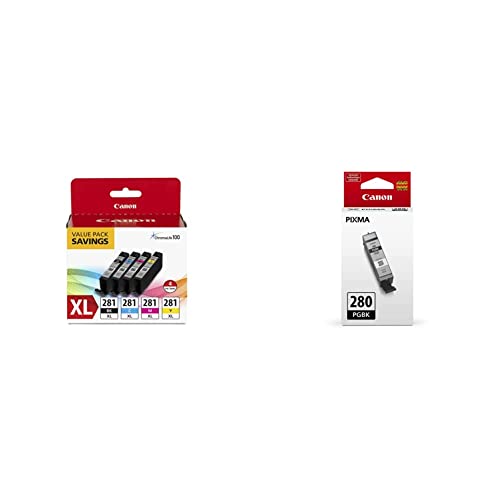 Canon CLI-281 XL 4-Pack
|
Premium | XL color tanks + pigment black | Frequent photo givers wanting quality and fewer replacements | Check Price | ||
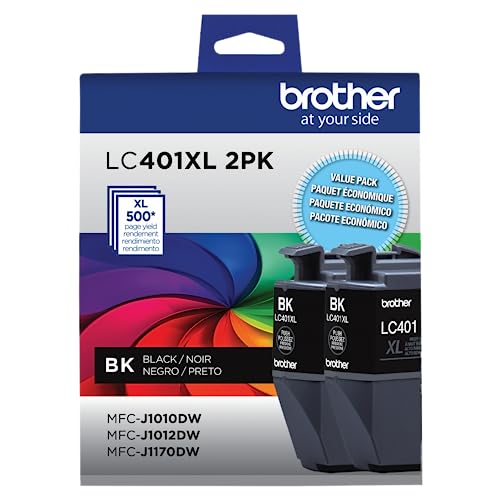 Brother LC401XL 2PK
|
Mid-Range | High-yield black multipack | Users who print photo gifts with lots of text/labels | Check Price | ||
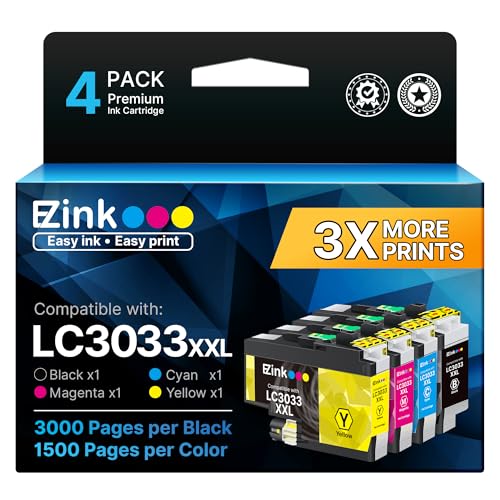 E‑Z Ink LC3033XXL
|
Budget | Super high-yield replacement set | Budget-focused home printers doing many photo prints | Check Price | ||
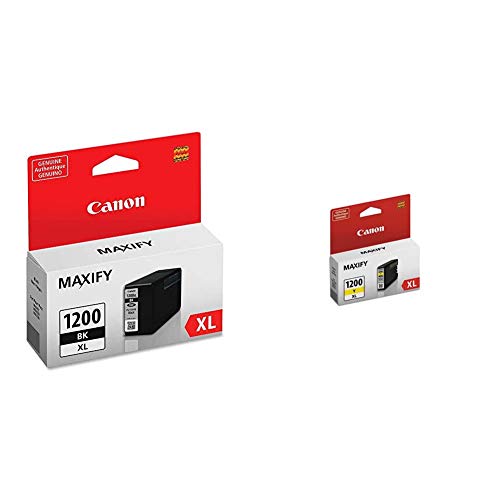 Canon PGI-1200XL BK/YL
|
Premium | Pigment black & high-density inks | Users needing sharp text and good color on plain paper | Check Price |
1. Canon CLI-281 XL Black, Cyan, Magenta and Yellow 4 Ink Pack PGI-280 Pigment Black Ink Tank Compatible Printers
This Canon XL 4-pack reduces per-photo cost by offering larger color tanks and an individual pigment black for crisp text. The dye-based color inks deliver vivid photos while XL capacities extend time between replacements, so you spend less on frequent cartridge swaps — a direct way to lower home photo gift costs without sacrificing color quality.
Key Specs
- XL ink tanks extend time between replacements (CLI-281)
- Pigment black (PGI-280) for crisp, smudge-resistant text
- Dye-based color inks designed for photos
- Compatible with Canon TR8520, TR7520, TS9120, TS8120, TS6120, TS9521C and more
Pros
- XL cartridges lower per-print cost by increasing yield
- Strong photo color quality with easy installation
- Individual tanks let you replace only the color that runs out
Cons
- Premium tier — higher upfront cost than aftermarket options
- Some users report mixed longevity under heavy photo workloads
Best For: Frequent photo givers wanting quality and fewer replacements
Check Latest Price on Amazon2. Brother Genuine LC401XL 2PK High Yield 2-Pack Black Ink Cartridges
Brother’s LC401XL black multipack lowers cost per monochrome page and reduces interruptions for text-heavy photo gifts (labels, captions, cards). Replacing black less frequently cuts overall supply trips and pairs well with photo color cartridges or an economical color set to balance costs.
Key Specs
- High yield up to ~500 pages per cartridge (manufacturer yield guidance)
- Multipack convenience lowers per-cartridge cost
- Engineered for Brother MFC-J1010DW, J1012DW, J1170DW
Pros
- Reliable, consistent black prints for text and packaging
- Multipack provides better value than single cartridges
- Easy to install and engineered to match Brother printers
Cons
- Only black ink — not a full photo solution by itself
- User reports vary on actual capacity versus stated yield
Best For: Users who print photo gifts with lots of text/labels
Check Latest Price on Amazon3. E-Z Ink LC3033XXL Replacement for Brother LC3033 XXL LC3035 Ink Cartridges Super High Yield to Use with Brother MFC-J995DW MFC-J805DW MFC-J815DW MFC-J995DW XL MFC-J805DW XL Printer (4 Pack)
E‑Z Ink’s super high-yield compatible set slashes per-photo costs by offering much larger page counts (3000 black / 1500 color yields by coverage estimates). For photo-heavy printing where per-print cost matters most, these compatibles lower operating expenses — ideal for gift makers who print in batches and want the lowest ink cost per photo.
Key Specs
- Super high yield: approx. 3000 pages black, 1500 pages color (5% coverage)
- 4-pack includes Black, Cyan, Magenta, Yellow
- Compatible with Brother MFC-J995DW, J805DW, J815DW series
- Smart chip replacement included
Pros
- Very low cost per page thanks to super high yield
- Budget-friendly alternative to OEM cartridges
- Includes full CMYK set for photo printing
Cons
- Compatible cartridges may display non-original ink indicators on some printers
- Color fidelity and long-term reliability can vary compared with OEM
Best For: Budget-focused home printers doing many photo prints
Check Latest Price on Amazon4. Canon PGI-1200XL Black and Yellow Ink Tanks Compatible with Printers MB2120, MB2720, MB5120, MB5420
Canon’s PGI-1200XL tanks combine pigment black for crisp, smudge-resistant text with high-density inks that improve color saturation. For mixed projects—photo gifts with text-heavy elements or plain-paper prints—these tanks reduce reprints and smudges, helping cut costs from wasted pages.
Key Specs
- Pigment-based black for dark text and smudge resistance
- High-density inks for bright colors on plain paper
- Compatible with MB2120, MB2720, MB5120, MB5420 series
- Made in Japan (Yellow tank country of origin listed)
Pros
- Pigment black prevents smudging and reduces reprints
- High-density inks increase color saturation on everyday stocks
- Easy installation and consistent output for mixed-use printing
Cons
- Premium cartridges — higher upfront cost than compatibles
- Dye color gamut may still be limited for glossy photo-grade prints
Best For: Users needing sharp text and good color on plain paper
Check Latest Price on AmazonWhich One Should You Choose?
If budget is tight → E‑Z Ink LC3033XXL (B0DMVR86ZJ) for the lowest cost per print. If you want the best balance of reliability and value → Brother LC401XL 2PK (B09CDV5BFT) for dependable black yields plus pairing with economical color cartridges. If premium photo quality plus reduced replacement frequency matters → Canon CLI-281 XL 4 Pack (B09NN9VMBV). If your projects combine lots of text with some color and you need smudge-free labels → Canon PGI-1200XL BK/YL (B08BPMNPKG).
Best for Specific Scenarios
- Batch holiday photo prints: E‑Z Ink LC3033XXL because super high yield minimizes cost per print when doing hundreds of photos.
- Photo cards with captions and labels: Canon CLI-281 XL because dye color inks deliver vibrant images while the pigment black keeps text sharp and smudge-free.
- Frequent labeling and packaging with occasional photos: Brother LC401XL 2PK because high-yield black cartridges reduce interruptions and pair well with separate color sets.
Frequently Asked Questions
Can I cut costs by switching to compatible (non-OEM) color cartridges?
Yes — compatibles often offer a much lower cost per print and higher yields than OEMs. The trade-offs are potential printer messages about non-original ink, slightly different color tones, and variable long-term reliability. For gift-quality photos, test a compatible set first on similar paper to confirm color accuracy before printing the entire batch.
Which ink type is better for photo gifts: dye or pigment?
For color photos, dye-based inks generally produce brighter, glossier images and wider color gamut on photo paper. Pigment inks excel for sharp, durable black text and resist smudging on plain paper. A mixed approach—dye color cartridges with a pigment black—gives vibrant photos and crisp captions, reducing waste from reprints.
How can I reduce paper and ink waste when printing proofs of photo gifts?
Use draft or standard print mode for proofs and print multiple thumbnails per page to check layout and colors. Reserve glossy photo paper and high-quality settings for the final print run. Also preview and crop in software to avoid unwanted margins and reprints.
Are high-yield (XL/XXL) cartridges worth the extra cost?
Yes for frequent printers. XL/XXL cartridges cost more upfront but typically lower the cost per print significantly and reduce the frequency of replacements. If you print photos regularly or in batches, high-yield cartridges are one of the fastest ways to lower ongoing costs.
How often should I run maintenance to avoid ink clogs and wasted prints?
Run a nozzle check and a short head cleaning if you haven't printed in 1–2 weeks. Frequent short runs of color images keep nozzles active. Avoid full deep cleans unless necessary — they use a lot of ink. Regular, light maintenance prevents failed prints that waste both paper and expensive photo ink.
How We Selected These Products
Our recommendations are based on data-driven analysis: we evaluated 29748+ products across 4825+ brands using a composite scoring system that weighs rating (40%), review volume (30%), price value (20%), and demand signals (10%). Every product is ranked by data, not opinions.
Last updated: June 05, 2026
As an Amazon Associate we earn from qualifying purchases at no extra cost to you. Full disclosure.
HomeOfficePilot Score is our editorial ranking based on a composite analysis of product quality, value, and verified customer sentiment. Click through to Amazon for current pricing, availability, and live customer reviews.