As an Amazon Associate we earn from qualifying purchases. Learn more.
Complete Label Printing Setup for Pop-Up Markets (2026)
Setting up a label printing station for pop-up or weekend markets means balancing portability, speed and tidy organization. This guide shows a complete 2026-ready kit: compact thermal printers, extra rolls and tapes, and paper/label organizers so you can print price tags, barcodes and jar labels from a stall. You’ll learn which compact printers and rolls work best for common market tasks, what accessories save time, and how to build a reliable kit for different budgets. Products below were chosen for portability, print quality, app connectivity, tape variety and real-world durability as reported by small-business users.
Quick Answer
For a complete weekend-market label printing kit combine a compact thermal printer with spare rolls and organization supplies. Top pick for organizing printed stock: Avery 5 Tab Dividers (B00006B8GI); best portable printer for on‑the‑go printing: Phomemo M250 (B0DJ2XPV1J).
Our Top Picks
Quick Comparison
Select 2-3 products to compare side-by-side
| Compare | Product | HomeOfficePilot Score | Price Tier | Key Feature | Best For | Action |
|---|---|---|---|---|---|---|
 Avery 5-Tab Dividers
|
Premium | Easy Apply label strip for 25 sets | Organizing printed paperwork | Check Price | ||
 Phomemo M250 3"
|
Premium | Long battery (2200mAh) & wide 20–75mm width | Mobile market printing and barcodes | Check Price | ||
 NIIMBOT B1 2"
|
Mid-Range | Includes 3 label rolls; 20–50mm width | Best value for small sellers | Check Price | ||
 Avery 8-Tab Dividers
|
Mid-Range | Easy Apply for 5 sets of 8 tabs | Detailed category organization | Check Price | ||
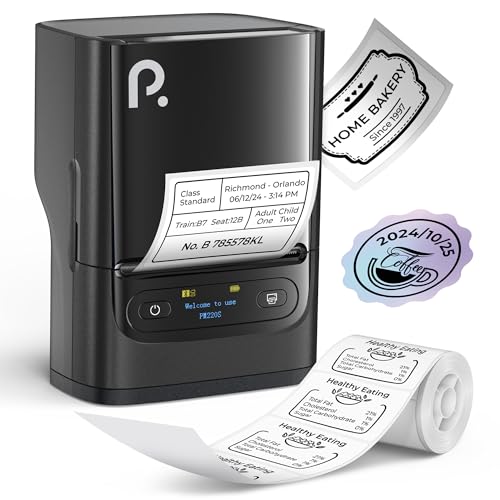 POLONO PM220S 2"
|
Mid-Range | 203 DPI thermal print; LED status screen | Clear, high-res small tags | Check Price |
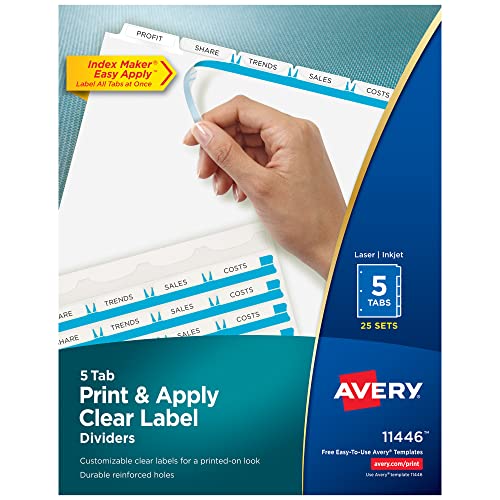
1. Avery 5 Tab Dividers for 3 Ring Binder, Easy Print & Apply Clear Label Strip, Index Maker Customizable White Tabs, 25 Sets (11446)
Avery’s 5-tab Index Maker dividers make it fast to organize printed price sheets, inventory lists and invoices for a pop-up market. The Easy Apply label strip and printable templates give a professional look, and the reinforced tabs hold up to repeated handling. These dividers are a simple, high-quality organizational companion for any label-printing kit.
Key Specs
- 25 sets of 5-tab dividers
- Works with inkjet and laser printers
- Easy Apply clear label strip included
- 3-hole punched; reinforced tabs and edges
Pros
- Creates professional, printed-on look
- Easy Apply strips speed up labeling
- Durable reinforced tabs resist tearing
Cons
- Paper dividers can feel thin under heavy use
- Some users report limited label sheet quantity per pack
Best For: Organizing printed paperwork
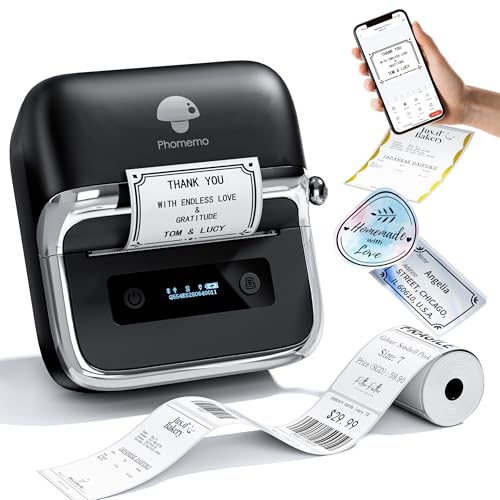
Check Latest Price on Amazon2. Phomemo M250 3 Inch Label Maker Machine with Tape, 2025 Upgrade Portable Barcode Label Printer for Business, Home, Logo Label, Thermal Address Label Maker with 100 Labels, 40x30mm
The Phomemo M250 is a powerful 3-inch portable thermal printer built for mobile sellers. It offers a long battery life, wide printable widths (20–75mm), fast print speeds and a multifunction app for QR codes, images and batch jobs. Its lightweight build and USB/Bluetooth options make it a strong core for a weekend market kit.
Key Specs
- 2200mAh battery — extended run time
- Print width: 20–75mm
- Print speed: 30–50mm/s
- Bluetooth & USB connectivity; Print Master app
Pros
- Very portable and lightweight (fits in a bag)
- Versatile app with templates and QR/barcode support
- Long battery life for full market days
Cons
- Requires app setup for advanced features
- Requires matching tape rolls for best results
Best For: Mobile market printing and barcodes
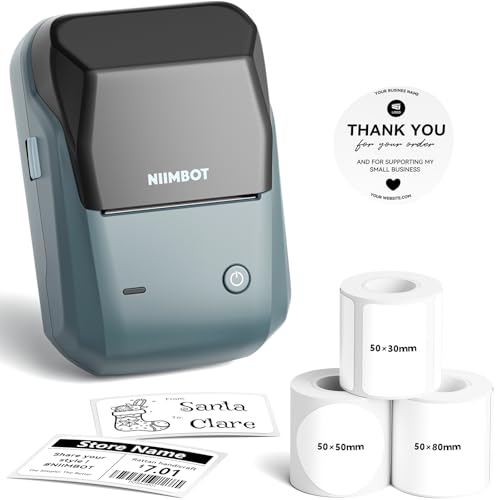
Check Latest Price on Amazon3. NIIMBOT 2Inch Label Maker Machine with 3 Tape, B1 Portable Sticker Printer for Small Businesses, Clothing, Logo, Jar, Address, Compatible with Phones & PC, Blue
NIIMBOT's B1 balances features and price, shipping with three different label rolls so you can print price tags, round jar labels and larger address tags right away. It supports Bluetooth and PC, offers thermal printing (no ink) and a user-friendly app with many templates—making it an efficient budget-to-mid-range option for weekend sellers.
Key Specs
- Print width: 20–50mm
- Includes 3 rolls: 50x30mm, 50x80mm, round 50x50mm
- Bluetooth and USB connectivity
- Built-in templates and batch printing support
Pros
- Great out-of-the-box value with multiple rolls
- Clear print quality for price tags and jars
- Supports batch printing and templates
Cons
- Instructions can be unclear for some users
- Smaller print width than some 3" models
Best For: Best value for small sellers
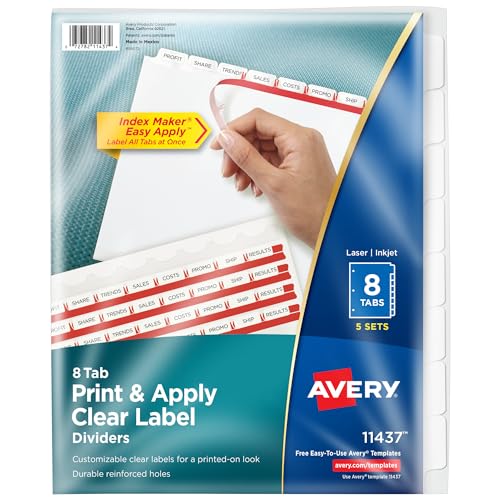
Check Latest Price on Amazon4. Avery 8 Tab Dividers for 3 Ring Binder, Easy Print & Apply Clear Label Strip, Index Maker Customizable White Tabs, 5 Sets (11437)
If you need finer organization—multiple price lists, vendor agreements and catalog sections—the 8-tab Avery dividers give more granularity than the 5-tab pack. They use the same Easy Apply label strips and printable templates for a clean, professional binder setup at markets or post-event bookkeeping.
Key Specs
- 5 sets of 8-tab dividers
- Easy Apply clear label strips
- Compatible with inkjet and laser printers
- Reinforced tabs and 3-hole punch
Pros
- More tabs for detailed sections
- Professional printed appearance
- Durable reinforced edges
Cons
- Paper feels thin under heavy handling
- Label supply per pack is limited for large teams
Best For: Detailed category organization
Check Latest Price on Amazon5. PM220S Label Maker Machine with Tape, 2 Inch Bluethooth Portable Thermal Label Printer for Small Business, Office, Home, Sticker Printer for Phone and PC, Black
POLONO’s PM220S is a compact 2-inch thermal printer with a clear LED status display and a robust app ecosystem. It produces crisp labels at 203 DPI and supports a range of templates—ideal for clothing tags, small price labels and inventory stickers at a market booth.
Key Specs
- 203 DPI thermal printing
- Supports label widths 23–54mm
- Bluetooth connectivity; PC drivers available
- LED display with battery and paper alerts
Pros
- Sharp print quality for small labels
- Handy LED screen for quick status checks
- Compact and easy to carry
Cons
- Requires specific label strips for optimal print
- Some setup needed for PC use
Best For: Clear, high-res small tags
Check Latest Price on AmazonWhich One Should You Choose?
If budget is tight → NIIMBOT B1 (B0F2T1MLSG) for great value and included label rolls. If you need the most portable, long-running printer → Phomemo M250 (B0DJ2XPV1J) for battery life and wide print width. If organized printed paperwork and professional presentation matter most → Avery 5 Tab Dividers (B00006B8GI) paired with any compact printer. For sharp small tags → POLONO PM220S (B0DJQMXWW6). Mix and match a printer with Avery dividers to cover both on‑stall printing and tidy record keeping.
Best for Specific Scenarios
- Weekend craft seller with jars and tags: NIIMBOT B1 (B0F2T1MLSG) because it includes multiple roll sizes for jar lids and price tags right out of the box.
- Busy outdoor market booth needing full-day power: Phomemo M250 (B0DJ2XPV1J) because of its larger battery and wider tape support for different tag sizes.
- Vendor who needs neat paperwork & product sheets: Avery 5 Tab Dividers (B00006B8GI) because Easy Apply strips and printable tabs keep pricing, inventory and receipts organized.
Frequently Asked Questions
What label widths should I stock for a pop-up market?
Start with a small set: 30–40mm for price tags and round jar labels, 50mm for larger stickers, and consider a 75mm (3") width if you plan shelf or bag labels. Pick waterproof or synthetic adhesive rolls for outdoor stalls.
Can these portable printers print barcodes and QR codes?
Yes—most modern thermal label makers reviewed here support barcodes and QR codes via their mobile apps or PC drivers. Check the app's template features and batch printing support to streamline barcode or QR label production.
How do I power a printer for a full market day?
Choose a model with a high-capacity internal battery (mAh specs matter) or bring a USB power bank that supports the printer’s voltage/current. Some vendors bring a small spare battery or a quick-charge USB-C bank to avoid downtime.
How We Selected These Products
Our recommendations are based on data-driven analysis: we evaluated 29748+ products across 4825+ brands using a composite scoring system that weighs rating (40%), review volume (30%), price value (20%), and demand signals (10%). Every product is ranked by data, not opinions.
Last updated: September 02, 2026
As an Amazon Associate we earn from qualifying purchases at no extra cost to you. Full disclosure.
HomeOfficePilot Score is our editorial ranking based on a composite analysis of product quality, value, and verified customer sentiment. Click through to Amazon for current pricing, availability, and live customer reviews.