As an Amazon Associate we earn from qualifying purchases. Learn more.
How to Choose a Standing Desk Converter for a Small Apartment Desk (2026)
Small desks in apartments create a double headache: limited surface area and wobble when you add a riser. This guide is for people who want to convert a cramped home desk into a sit-stand workstation without sacrificing stability, usable depth, or seasonal durability. You’ll learn practical measurements, what weight capacity you actually need, and which converters win for tiny footprints, sturdiness, and long-term use. The recommendations below were chosen for compact footprint, clear weight ratings, build materials, and how customers report real-world stability and durability.
Quick Answer
For most small apartments, the Mount-It! 25" Standing Desk Converter (ASIN B0765BQ7RN) is the best pick — it's compact, supports up to 33 lbs, and uses a wide steel base for steadiness. If you need a budget option, the Aconcept 28 x 14 (ASIN B0F13CNZBP) balances footprint and price while FLEXISPOT (ASIN B0DM1Y3RFJ) is best if you prioritize rigid X-frame construction.
Our Top Picks
Quick Comparison
Select 2-3 products to compare side-by-side
| Compare | Product | HomeOfficePilot Score | Price Tier | Key Feature | Best For | Action |
|---|---|---|---|---|---|---|
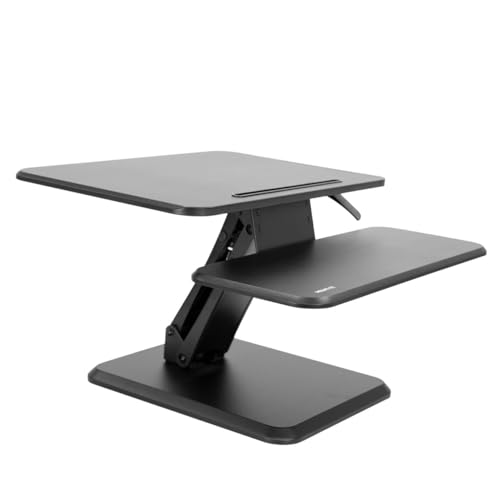 Mount-It! 25" Riser
|
Premium | Compact 25" footprint | Very tight desks and single-monitor setups | Check Price | ||
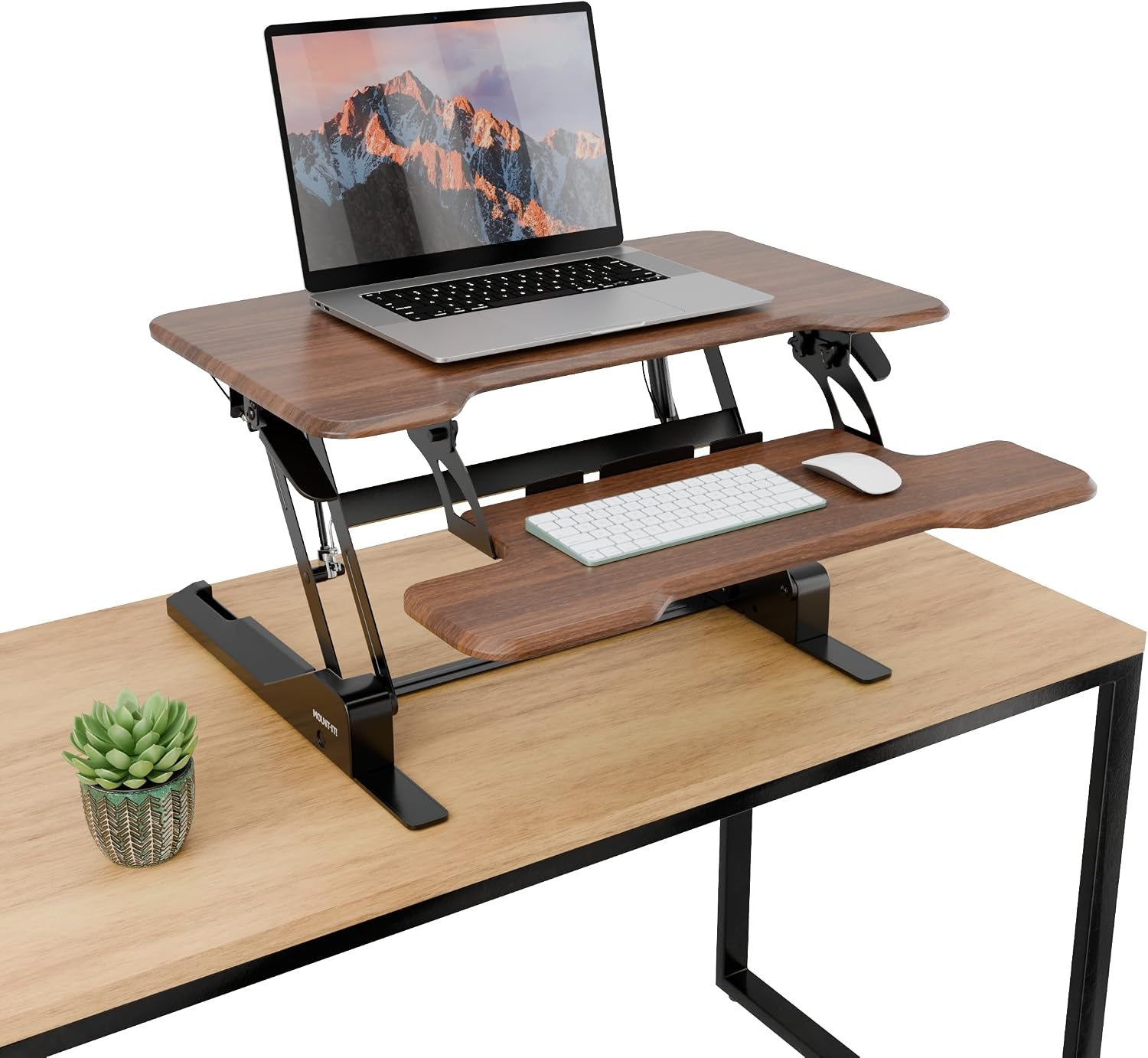 Mount-It! 30" Riser
|
Premium | 30" wide surface with taller reach | Wider desktops or dual-monitor shallow setups | Check Price | ||
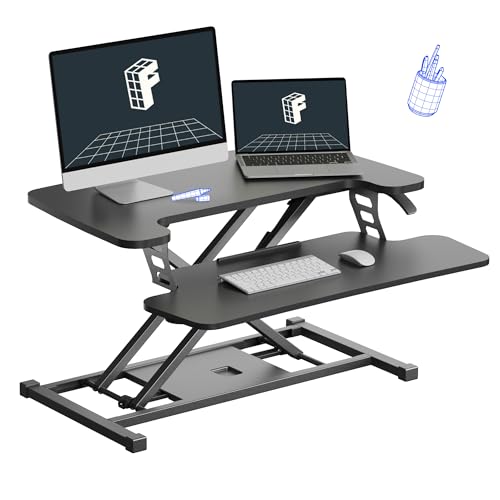 FLEXISPOT 28" Riser
|
Mid-Range | X-frame construction for rigidity | Users who prioritize stability and load capacity | Check Price | ||
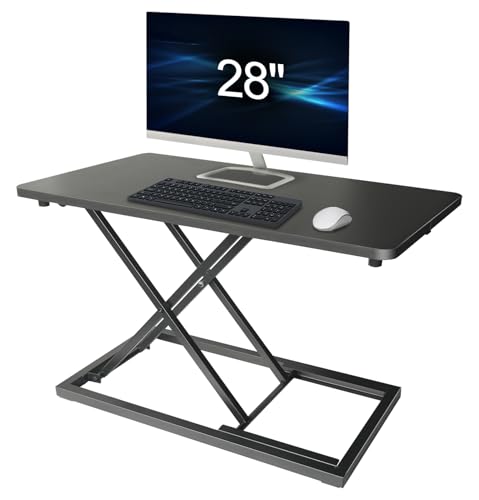 Aconcept 28 x 14
|
Budget | Slim 28 x 13.8" surface | Budget-minded users with compact desks | Check Price | ||
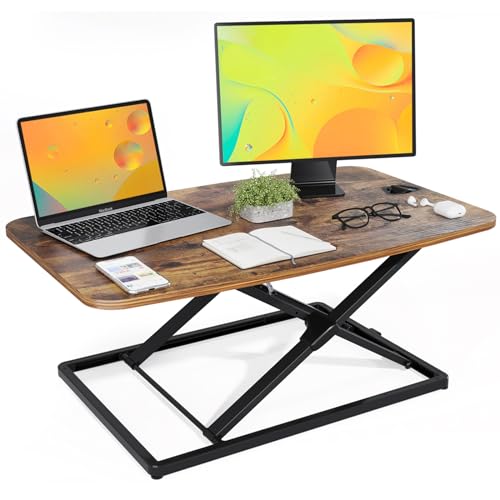 JOY worker 31" Riser
|
Budget | Ultra low profile and no assembly | Quick setup and low-profile desks | Check Price |
1. Mount-It! Standing Desk Converter, Compact 25" Sit Stand Desk Riser with Gas Spring Lift, Adjustable Height Desktop Riser for Laptop, Monitor, and Keyboard, Small Home Office Desk Converter
The Mount-It! 25" converter keeps a small apartment desk usable by minimizing desk takeover while still supporting larger peripherals. Its gas spring lift (5"–16") and steel frame let you raise a monitor to eye level without needing extra desk depth, and the wide base helps lock out wobble in daily use—ideal when space and stability matter most.
Key Specs
- 25" wide compact desktop
- Height range: 5" to 16"
- Supports up to 33 lbs
- Built-in 13" device slot and full keyboard tray
Pros
- Small footprint fits narrow desks
- Strong steel frame for steadier lifts
- Arrives nearly assembled for quick setup
Cons
- Some users report a slight wobble at full height
- Heavier/bulkier to move if you need to store it seasonally
Best For: Very tight desks and single-monitor setups
Check Latest Price on Amazon2. Mount-It! Height Adjustable Standing Desk Converter, Compact 30 Wide Tabletop Standing Desk Riser with Gas Spring, Desktop Stand Up Workstation with Keyboard Tray Fits Monitor or Laptop, Dark Walnut
This 30" Mount-It! adds usable width without demanding extra desk depth, so you can fit a monitor plus laptop. The gas spring handle adjusts from about 4.9" to 19.2", giving taller users more range. For apartments, it balances extra surface area with a compact base, though some buyers note mixed feedback on wobble at max height.
Key Specs
- 30" tabletop width
- Height range: 4.9" to 19.2"
- Gas spring lift with single-handle control
- Separate ergonomic keyboard tray
Pros
- Roomy top deck for multi-device setups
- Smooth single-handle height changes
- Attractive finishes for visible desks
Cons
- Can feel wobbly when fully extended for heavier setups
- Slightly larger footprint than compact 25" models
Best For: Wider desktops or dual-monitor shallow setups
Check Latest Price on Amazon3. FLEXISPOT Standing Desk Converter 28" Wide Height Adjustable Sit Stand Riser, Small Size Desktop Workstation with Keyboard Tray for Home and Office, Black
FLEXISPOT’s X-frame design distributes load and reduces wobble, a key benefit on lightweight apartment desks. It supports a combined weight of about 33 lbs on the upper deck plus 6.6 lbs on the tray, giving margin for a monitor, laptop and accessories. The slightly heavier unit is still manageable for seasonal storage but excels at day-to-day steadiness.
Key Specs
- 28" wide deck
- Upper deck supports up to 33 lbs; tray 6.6 lbs
- Height range: 4.7" to 16.6"
- X-frame sturdy construction
Pros
- Robust X-frame reduces wobble on light desks
- Good size for single or smaller dual-monitor setups
- Straightforward assembly
Cons
- Heavier to lift if you move or store it often
- May be bulkier on very shallow desks
Best For: Users who prioritize stability and load capacity
Check Latest Price on Amazon4. Aconcept Wider 28 x 14 Black Lift Standing Desk Converter, Manual Adjustable Height Sit Stand up Desk Riser, Compact for Monitor or Laptop Workstation
Aconcept's manual riser is a low-cost way to add standing capability to a small desk. The 28 x 13.8" deck balances usable surface with minimal depth, and the 7-position lift that reaches up to about 16" helps you dial in posture. It's a budget solution that solves the space problem without extra frills.
Key Specs
- Surface: 28 x 13.8 inches
- Adjustment range: 2.4" to 16" with 7 heights
- Manual vertical lift design
- Quick setup—place on top of existing desk
Pros
- Affordable and compact for small desks
- Solid-feeling construction for the price
- Easy to set up—no complex assembly
Cons
- Manual lift can feel less convenient than gas springs
- Movement ease varies by user—some report stiff adjustments
Best For: Budget-minded users with compact desks
Check Latest Price on Amazon5. JOY worker Standing Desk Converter, 31 Inch Compact Height Adjustable Stand up Desk Riser, Ultra Low Profile Sit to Stand Table for Laptop Riser Workstation, Rustic Brown
The JOY worker comes pre-assembled and lowers to just 1.8" thick, which helps on narrow desks and makes seasonal storage easy. Its gas spring has been tested for longevity and the double X-frame design evens out weight, though its rated capacity (about 22 lbs) is lower than some rivals—fine for laptop-first setups but limiting for heavy monitors.
Key Specs
- Work area: 31.3 x 19.7 inches
- Height range: 1.8" to 16" (low-profile)
- Load capacity: up to 22 lbs
- No assembly required; gas spring tested for cycles
Pros
- Comes ready to use—no assembly
- Very low profile when lowered for storage
- Smooth, easy adjustment
Cons
- Lower weight capacity limits heavier monitor setups
- Wider top deck may crowd narrow desks despite thin profile
Best For: Quick setup and low-profile desks
Check Latest Price on AmazonWhich One Should You Choose?
If you want the most compact, all-around dependable choice → Mount-It! 25" (B0765BQ7RN). If budget is tight and you need a slim surface → Aconcept 28 x 14 (B0F13CNZBP). If your priority is rigidity and you have a lightweight desk that wobbles → FLEXISPOT 28" (B0DM1Y3RFJ). If you want zero assembly and easy seasonal storage → JOY worker 31" (B0CSFDHZM8). For a wider, more polished desktop without losing too much depth → Mount-It! 30" (B0CKGL1M7P).
Best for Specific Scenarios
- Tight hallway desk or small console: Mount-It! 25" because its narrow footprint fits where others overhang.
- Stability on a hollow-core or folding desk: FLEXISPOT 28" because the X-frame spreads load and cuts down wobble.
- No-fuss setup or seasonal storage: JOY worker 31" because it arrives pre-assembled and collapses very thin for easy stowing.
Frequently Asked Questions
Can a standing desk converter fit on a very narrow apartment desk?
Yes — measure both the desk width and the usable depth from the front edge to any wall or backsplash. Choose converters with a shallow deck or a compact width (like 25") and a separate keyboard tray so the top surface doesn't push your monitor too far forward.
How much weight capacity do I actually need?
Add the weight of your monitor(s), laptop, dock and any peripherals, then choose a converter rated about 20–30% higher than that total. That margin keeps lifts smoother and reduces wobble at taller settings.
My apartment gets humid in summer — will that hurt a desk converter?
Metal frames and finished wood or laminate tops handle humidity and temperature swings better than thin plastics. If you’ll store the unit seasonally, keep it dry and avoid unventilated basements; a thin protective cover helps prevent moisture buildup.
What can I do if a converter wobbles on my desk?
First, confirm your desk is level and solid. Use anti-slip pads or a thin non-slip mat between the converter and desk, reposition heavier items toward the back, and if possible choose a converter with a wider base or X-frame to reduce rocking. If wobble persists, consider a sturdier desktop or clamp-style solutions if compatible.
How We Selected These Products
Our recommendations are based on data-driven analysis: we evaluated 29748+ products across 4825+ brands using a composite scoring system that weighs rating (40%), review volume (30%), price value (20%), and demand signals (10%). Every product is ranked by data, not opinions.
Last updated: September 04, 2026
As an Amazon Associate we earn from qualifying purchases at no extra cost to you. Full disclosure.
HomeOfficePilot Score is our editorial ranking based on a composite analysis of product quality, value, and verified customer sentiment. Click through to Amazon for current pricing, availability, and live customer reviews.