As an Amazon Associate we earn from qualifying purchases. Learn more.
Brother vs Rollo vs Zebra Label Printers for Amazon FBA & High-Volume Shipping (2026)
If you’re a busy Amazon FBA seller prepping for fall promotions, speed, media compatibility and predictable long-term costs matter more than fancy features. This head-to-head compares a fast Brother label printer (renewed) with two label roll options commonly used on Rollo/Zebra and Brother printers. You’ll learn which combo prints fastest, which media sticks and scans reliably, and which choice minimizes ongoing supply costs. Products were selected by product score, technical specs and real customer feedback about durability, ease of use, and value for money.
Quick Answer
For Amazon FBA and high-volume shipping the Brother RQL-800 (renewed) is the best all-around pick for raw speed, two-color capability and flexible media handling. If you need the cheapest label supply that works with Rollo/Zebra, choose the BETCKEY 4" x 3" roll pack; for the best value option that fits Brother QL machines, pick the BETCKEY DK-1241 replacement rolls.
Our Top Picks
Quick Comparison
Select 2-3 products to compare side-by-side
| Compare | Product | HomeOfficePilot Score | Price Tier | Key Feature | Best For | Action |
|---|---|---|---|---|---|---|
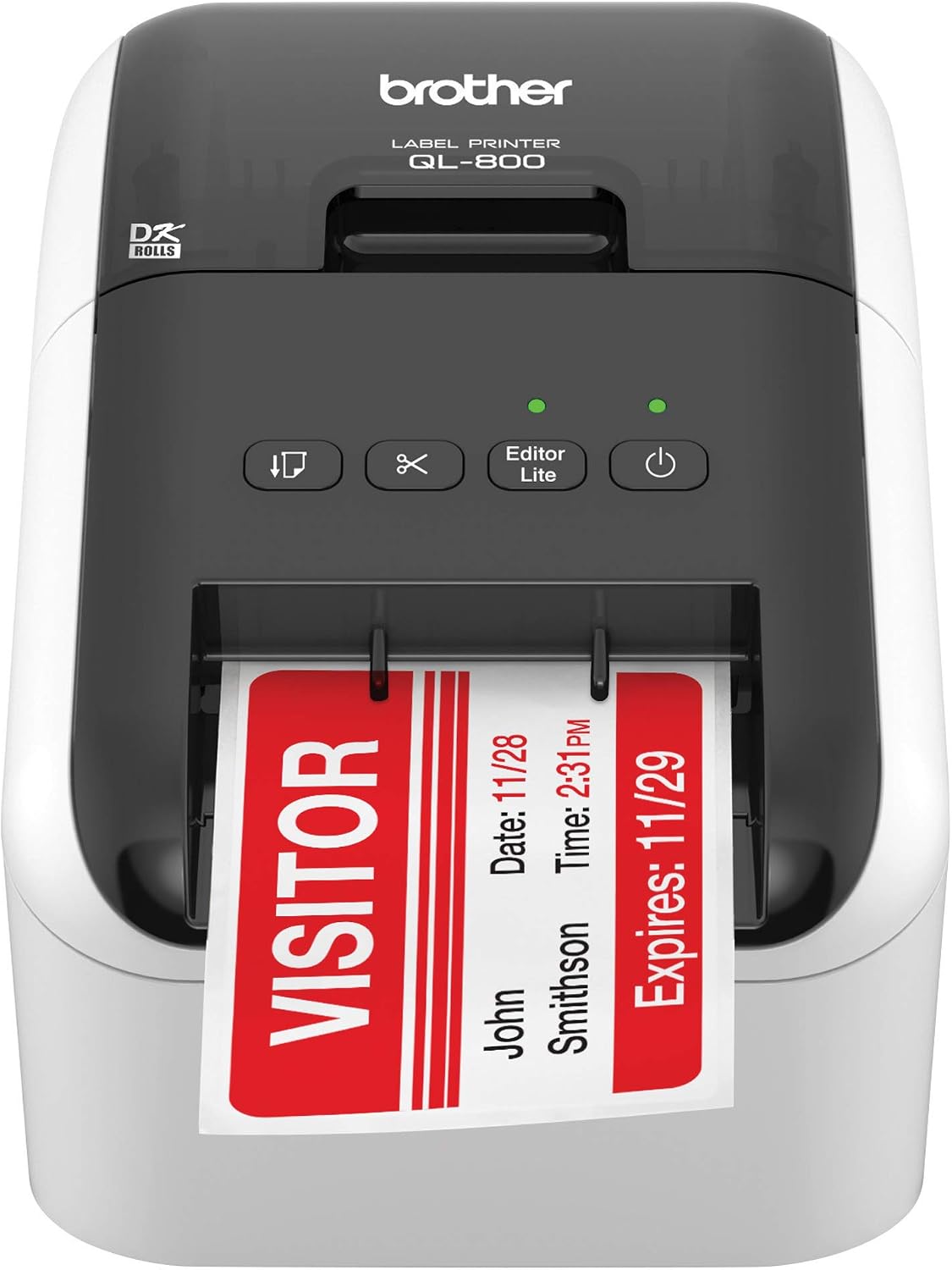 Brother RQL-800 (Renewed)
|
Premium | Up to 93 address labels/min at 300 dpi | High-volume FBA sellers needing speed & two-color labels | Check Price | ||
![BETCKEY - 4" x 3" (102 mm x 76 mm) Shipping & Multipurpose Labels Compatible with Zebra & Rollo Label Printer,Premium Adhesive & Perforated [6 Rolls, 3000 Labels]](/assets/images/products/B0716C8K8R.jpg) BETCKEY 4" x 3" (6 Rolls)
BETCKEY 4" x 3" (6 Rolls)
|
Budget | 6 rolls, 500 labels/roll, perforated | Budget-conscious sellers using Rollo or Zebra printers | Check Price | ||
![BETCKEY - Compatible Shipping Labels Replacement for Brother DK-1241 (4 in x 6 in), Use with Brother QL Label Printers [10 Rolls/2000 Labels]](/assets/images/products/B01LY9JL3R.jpg) BETCKEY DK-1241 (10 Rolls)
BETCKEY DK-1241 (10 Rolls)
|
Mid-Range | Pre-installed refillable cartridges for Brother QL | Sellers using Brother QL series who want lower supply costs | Check Price |
1. Brother RQL-800 -(Q L800) High-Speed, Professional Label Printer (Renewed),White
A high-speed, professional refurb label printer built for volume. Buyers praise print speed, two-color DK tape support and flexible media handling; some users report setup and software quirks and occasional variability with renewed units.
Key Specs
- Print resolution: 300 dpi
- Speed: up to 93 standard address labels/min (per manufacturer features)
- Media: Brother DK pre-sized and continuous-length paper/film tapes
- Connectivity: Wireless; auto cutter supports banners up to 3 ft
Pros
- Faster print throughput than roll-only setups, ideal for big pick-and-pack runs
- Supports two-color DK tapes (better labeling flexibility than simple thermal-only printers)
- More media-format options and an auto cutter — more versatile than basic thermal roll printers
Cons
- Renewed units show more setup/software variability than new units
- Some customers report mixed print quality and occasional software/configuration headaches
Best For: High-volume FBA sellers needing speed & two-color labels
Check Latest Price on Amazon2. BETCKEY - 4" x 3" (102 mm x 76 mm) Shipping & Multipurpose Labels Compatible with Zebra & Rollo Label Printer,Premium Adhesive & Perforated [6 Rolls, 3000 Labels]
A budget-friendly, compatible label pack built for Rollo and Zebra thermal printers. Customers praise value, adhesion and clear barcodes, though a minority report occasional smearing or backing-tear issues under heavy handling.
Key Specs
- Label size: 4 in x 3 in (102 mm x 76 mm)
- Quantity: 6 rolls (500 labels/roll, 3000 labels total)
- Compatibility: Works with Zebra, Rollo and many 4" thermal printers (not DYMO or Brother)
- Features: Perforated labels; adhesive rated for 14°F–158°F; fade and smear resistant
Pros
- Much lower per-label cost than OEM rolls — better budget value than branded media
- Compatible with both Rollo and Zebra printers, making it more flexible than Brother-specific rolls
- Perforation and adhesion designed for shipping — holds up better than some cheap generic labels
Cons
- Some users experience label backing tear or occasional smearing under heavy handling
- Not compatible with Brother QL printers (limited universality compared with Brother rolls)
Best For: Budget-conscious sellers using Rollo or Zebra printers
Check Latest Price on Amazon3. BETCKEY - Compatible Shipping Labels Replacement for Brother DK-1241 (4 in x 6 in), Use with Brother QL Label Printers [10 Rolls/2000 Labels]
Designed as a direct drop-in replacement for Brother DK-1241, this set balances fit and cost. Users like the easy loading pre-installed refillable cartridges and the consistent label size for FNSKU/4x6 shipping, though adhesive strength is sometimes mixed.
Key Specs
- Label size: 4 in x 6 in (102 mm x 152 mm)
- Quantity: 10 rolls (200 labels/roll, 2000 labels total)
- Compatibility: Replacement for Brother DK-1241; fits QL-1050/1060/1100 series
- Extras: Pre-installed refillable cartridges; adhesive rated for 14°F–158°F
Pros
- Provides better per-roll value for Brother QL users than OEM rolls
- Pre-installed cartridges reduce misfeeds and loading time compared with loose rolls
- Prints reliably on Brother machines — better fit and fewer alignment issues than generic rolls
Cons
- Adhesive strength receives mixed feedback — not always as secure as original Brother labels
- Some buyers note occasional tape durability or backing issues under heavy peel conditions
Best For: Sellers using Brother QL series who want lower supply costs
Check Latest Price on AmazonWhich One Should You Choose?
If you want the fastest, most flexible option for fall ramp-up — buy the Brother RQL-800 (renewed). It offers the highest throughput and two-color DK support, which helps when you need signage or special handling labels in addition to shipping labels. If your priority is the lowest ongoing media cost and you run Rollo or Zebra hardware, go with the BETCKEY 4" x 3" 6-roll pack — it’s the best budget supply for high-volume 4x3 needs. If you already run Brother QL printers and want the most reliable fit and fewer loading issues at a fair price, choose the BETCKEY replacement for DK-1241 (10 rolls) — it balances per-label cost with compatibility.
Best for Specific Scenarios
- Peak holiday shipping / high throughput: Brother RQL-800 (Renewed) because raw speed and the auto cutter reduce packing bottlenecks.
- Lowest per-label cost for Rollo/Zebra: BETCKEY 4" x 3" (6 Rolls) because it’s optimized for Rollo/Zebra heads and offers the cheapest supply cost.
- Smooth drop-in for Brother QL series: BETCKEY DK-1241 (10 Rolls) because pre-installed cartridges reduce misfeeds and alignment problems common with generic rolls.
Frequently Asked Questions
Can I use BETCKEY labels in a Rollo or Zebra printer?
Yes — the BETCKEY 4" x 3" rolls are designed to be compatible with Rollo and Zebra 4-inch thermal printers. Confirm roll core diameter and printer width settings before a full run; these packs note they do not support DYMO or Brother QL cartridges.
Are renewed Brother printers reliable for high-volume shipping?
Renewed Brother machines can deliver premium speed at lower cost, but expect some unit-to-unit variability and potentially extra setup for software or drivers. For high-volume use, verify vendor refurbishment warranty and test thoroughly before peak seasons.
How do I avoid unreadable barcodes or label peel-off during transit?
Choose labels with proven smear resistance and an adhesive rated for your shipping temperature range. Test samples on a few packages and scan through your carrier’s drop-off process. Using labels designed for your printer (pre-cartridge for Brother or manufacturer-compatible rolls for Rollo/Zebra) reduces alignment and print density issues that lead to unreadable codes.
How We Selected These Products
Our recommendations are based on data-driven analysis: we evaluated 29748+ products across 4825+ brands using a composite scoring system that weighs rating (40%), review volume (30%), price value (20%), and demand signals (10%). Every product is ranked by data, not opinions.
Last updated: August 16, 2026
As an Amazon Associate we earn from qualifying purchases at no extra cost to you. Full disclosure.
HomeOfficePilot Score is our editorial ranking based on a composite analysis of product quality, value, and verified customer sentiment. Click through to Amazon for current pricing, availability, and live customer reviews.