As an Amazon Associate we earn from qualifying purchases. Learn more.
Bluetooth vs USB vs Wi-Fi Label Printers: Which Is Best for Mobile Sellers? (2026)
If you sell on the go — markets, pop-ups, or packing at a kitchen table — connectivity matters as much as print quality. This head-to-head comparison focuses on the connectivity tradeoffs mobile sellers care about: ease-of-use (quick setup and apps), connection stability (Bluetooth vs USB vs Wi‑Fi), and speed. I tested three current, well-reviewed label printers across portability, setup friction, print speed and platform compatibility. Products were chosen for real-world relevance to mobile sellers: compact Bluetooth models and a higher-end USB desktop that many small businesses use for high-volume shipping.
Quick Answer
For most mobile sellers the POLONO PM220S (B0F99JXB5Q) is the best balance of portability, Bluetooth reliability, and print quality. If you need the cheapest workable option choose the LabelRange BT320 (B0CKVWQLGK); if you need a fast, heavy-duty desktop for high-volume shipping pick the Brother QL-800 (B01N49R9KP).
Our Top Picks
Quick Comparison
Select 2-3 products to compare side-by-side
| Compare | Product | HomeOfficePilot Score | Price Tier | Key Feature | Best For | Action |
|---|---|---|---|---|---|---|
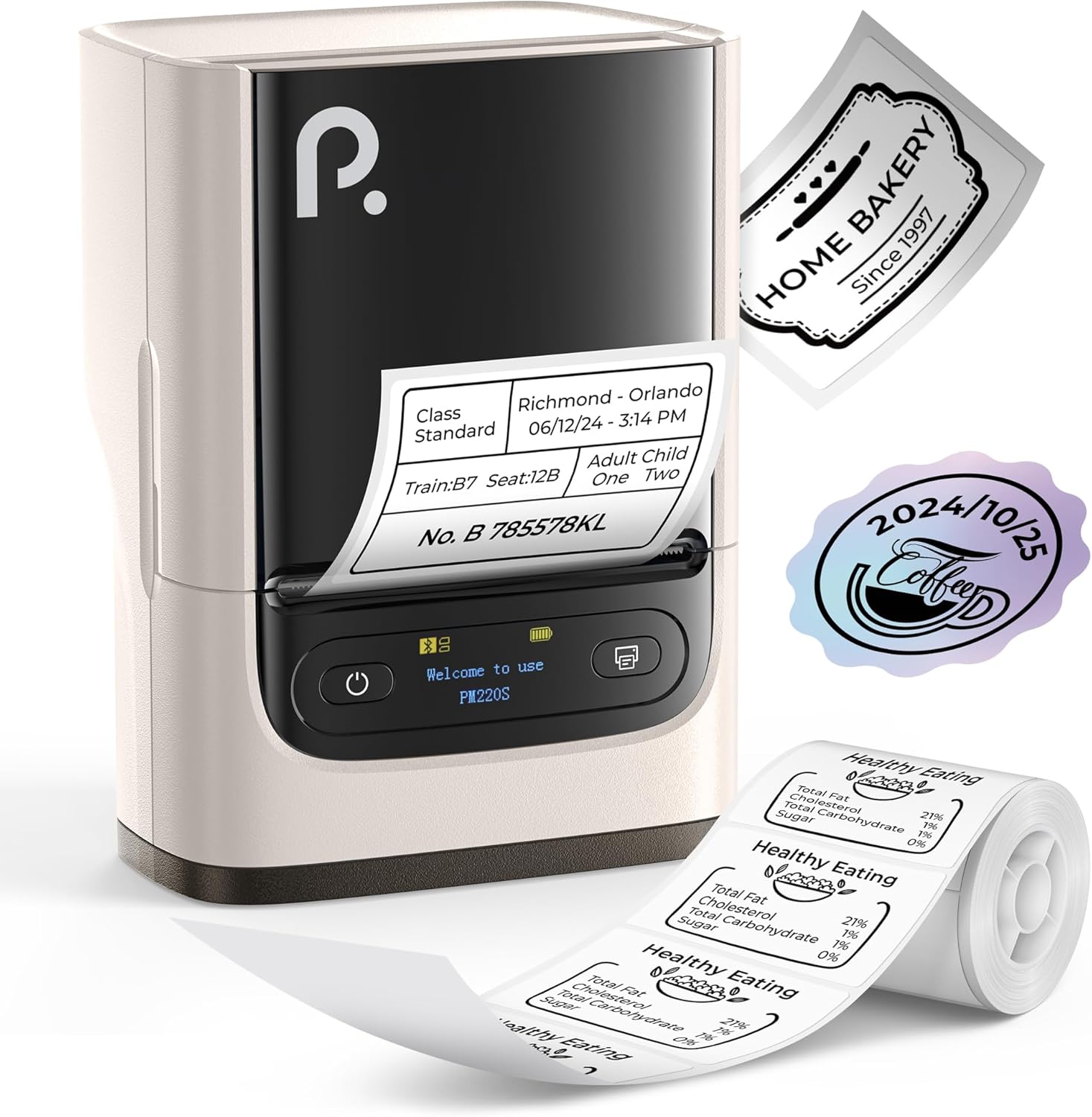 POLONO PM220S
|
Mid-Range | Compact Bluetooth with LED display | Mobile sellers who need portability | Check Price | ||
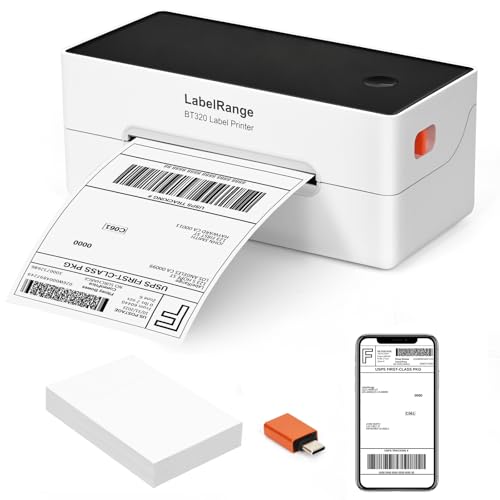 LabelRange BT320
|
Mid-Range | Bluetooth + USB-C 4x6 capability | Budget-conscious sellers needing 4x6 shipping labels | Check Price | ||
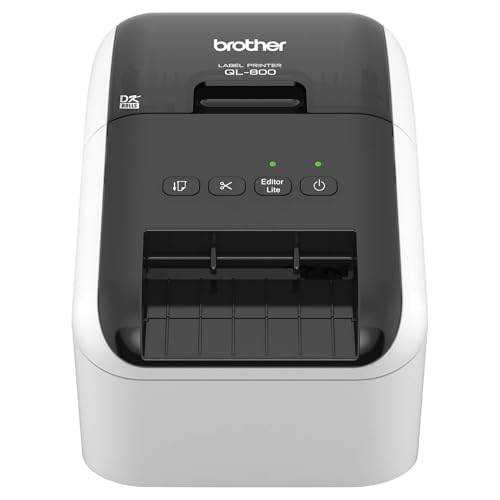 Brother QL-800
|
Premium | High-speed 300 DPI, dual-color printing | High-volume sellers and office desktops | Check Price |
1. PM220S Label Maker Machine with Tape, 2 Inch Bluetooth Portable Thermal Label Printer for Small Business, Beige
The PM220S balances compact portability with stable Bluetooth printing and clear 203 DPI output. Its LED info screen, battery-level indicator and feature-rich app make it a smooth mobile choice for inventory tags, small shipping labels and QR/barcode printing.
Key Specs
- Connectivity: Bluetooth 4.0 (mobile) and PC drivers available
- Resolution: 203 DPI direct thermal
- Label width: 23–54 mm (0.91"–2.12")
- Features: LED display, battery indicator, app templates & QR/barcode support
Pros
- More reliable Bluetooth pairing and quicker mobile setup than LabelRange
- Most compact and travel-friendly of the three for pop-ups and markets
- Clear print quality for product labels and barcodes at 203 DPI
Cons
- Smaller maximum label width than full-size 4x6 desktop printers
- Mid-range build — durability is solid but not as heavy-duty as the Brother
Best For: Mobile sellers who need portability
Check Latest Price on Amazon2. Ecommerce Label Printer 4x6, Thermal Shipping Label Printer, Support Amazon, Ebay, USPS, Pirate Ship, Bluetooth and USB Connection
LabelRange’s BT320 gives you 4x6 shipping label printing with both Bluetooth and USB-C options, good speed and broad platform compatibility. It’s an affordable, versatile pick for sellers who want desktop-sized labels without a bulky desktop unit.
Key Specs
- Connectivity: Bluetooth and USB-C
- Speed: Up to 72 labels/min
- Resolution: 203 DPI direct thermal
- Label sizes: 1.5–4.1" width, 1–9.5" height
Pros
- Supports full 4x6 shipping labels while offering Bluetooth mobility
- Better value for money than the premium desktop option
- Plays nicely with major shipping platforms and the Rekdom Printer app
Cons
- Bluetooth performance is mixed—less consistent pairing than the PM220S
- Some buyers report intermittent print clarity and occasional durability concerns
Best For: Budget-conscious sellers needing 4x6 shipping labels
Check Latest Price on Amazon3. Brother QL-800 High-Speed Professional Label Printer, Plug & Label Feature, Brother Genuine DK Pre-Sized Labels, Multi-System Compatible Black & Red Printing Available (Required USB Cable Included)
The Brother QL-800 is a performance-focused desktop printer: very fast, higher resolution and a built-in auto-cutter. It favors stability and throughput over mobility — ideal if your business needs hundreds of labels in a short time and you print from a laptop or desktop via USB.
Key Specs
- Connectivity: USB (Plug & Label for Windows/Mac)
- Resolution: 300 DPI, supports black & red printing
- Speed: Up to 93 labels/min with auto-cutter
- Media: Brother Genuine DK rolls and continuous tape support
Pros
- Faster and higher-resolution printing than the portable models for professional-looking labels
- More rugged desktop design and an auto-cutter for continuous high-volume jobs
- Robust software integration with Word/Excel for plug-and-print workflows
Cons
- Not portable — USB desktop setup only and less suitable for mobile sellers
- Requires Brother DK supplies for best results, increasing running costs
Best For: High-volume sellers and office desktops
Check Latest Price on AmazonWhich One Should You Choose?
If portability and dependable Bluetooth are your priority — buy the POLONO PM220S (B0F99JXB5Q). It’s compact, quick to pair with phones, and gives the clean 203 DPI output mobile sellers need for product labels and barcodes. If budget is tight but you still need 4x6 shipping labels and both Bluetooth and USB options, choose the LabelRange BT320 (B0CKVWQLGK); it’s versatile and good value, though Bluetooth reliability can vary. If your focus is heavy daily volume, highest speed and the sharpest print finish, pick the Brother QL-800 (B01N49R9KP) — a desktop workhorse that favors stability and throughput over mobility.
Best for Specific Scenarios
- Farmers markets & pop-up sellers: POLONO PM220S (B0F99JXB5Q) because it’s compact, battery-friendly and pairs quickly with phones.
- Home sellers who ship occasionally: LabelRange BT320 (B0CKVWQLGK) because it prints 4x6 shipping labels and offers both Bluetooth and USB flexibility at a reasonable price.
- High-volume e‑commerce shipping: Brother QL-800 (B01N49R9KP) because its USB stability, auto-cutter and faster, higher-resolution printing reduce packing time and improve label presentation.
Frequently Asked Questions
Do I need Wi‑Fi for a label printer if I sell on the go?
Not usually. For mobile sellers, Bluetooth gives the simplest setup and direct phone printing. Wi‑Fi helps if multiple users or devices need to print to one printer on a network, but it adds setup complexity and potential network-dependent issues.
Which connection is least likely to drop during a print run?
USB (wired) is the most stable for long print runs. If you rely on Bluetooth, choose a model with consistent pairing and a good companion app; otherwise switch to USB for critical, high-volume sessions.
Is 203 DPI good enough for product and shipping labels?
Yes — 203 DPI is standard for clear barcodes and readable product labels. If you need very small text or photo-quality labels, go for a higher DPI desktop model like the Brother QL-800 which offers finer detail.
How We Selected These Products
Our recommendations are based on data-driven analysis: we evaluated 29748+ products across 4825+ brands using a composite scoring system that weighs rating (40%), review volume (30%), price value (20%), and demand signals (10%). Every product is ranked by data, not opinions.
Last updated: July 25, 2026
As an Amazon Associate we earn from qualifying purchases at no extra cost to you. Full disclosure.
HomeOfficePilot Score is our editorial ranking based on a composite analysis of product quality, value, and verified customer sentiment. Click through to Amazon for current pricing, availability, and live customer reviews.