As an Amazon Associate we earn from qualifying purchases. Learn more.
Best Return-Address Label Sheets for Laser & Inkjet (2026)
If you print return-address labels at home—occasional holiday mailings, small-business shipping, or bulk postcards—you need label sheets that feed reliably and deliver crisp text without jams or smears. This guide tests and compares popular Avery label sheets focused on printer compatibility, feed reliability, print clarity, peel-and-apply speed, and overall value. Products were selected for Sure Feed or similar anti-jam features, print-optimized paper, and consistent customer praise for quality and stickiness. Read on to find the best pick for your printer size, mailing volume, and budget, plus practical buying tips for avoiding jams and alignment headaches.
Quick Answer
For most home users the Avery Easy Peel Printable Address Labels with Sure Feed (ASIN B06Y2BBP6X) are the best choice — they combine Sure Feed technology for reliable printer feeding with Easy Peel edges for fast application. If you need an economical bulk option choose the 15,000-count Avery (ASIN B001E6A8WY); for a low-cost small pack choose the Avery 5642 (ASIN B08WRCWY5L).
Our Top Picks
Quick Comparison
Select 2-3 products to compare side-by-side
| Compare | Product | HomeOfficePilot Score | Price Tier | Key Feature | Best For | Action |
|---|---|---|---|---|---|---|
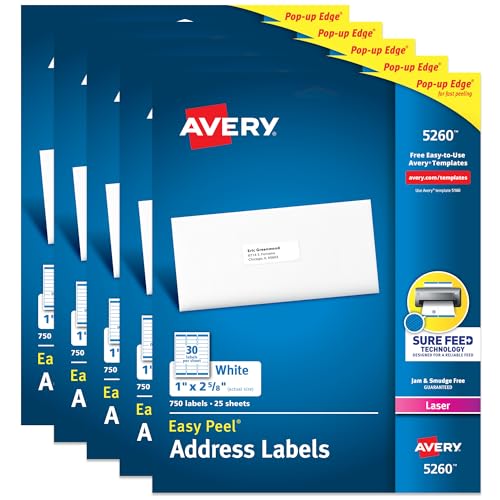 Avery 5260 Easy Peel
|
Mid-Range | Sure Feed technology for reliable printing | Regular home mailing and small business use | Check Price | ||
 Avery 5160 Bulk Pack
|
Premium | Large bulk count for high-volume printing | High-volume mailers and small shops | Check Price | ||
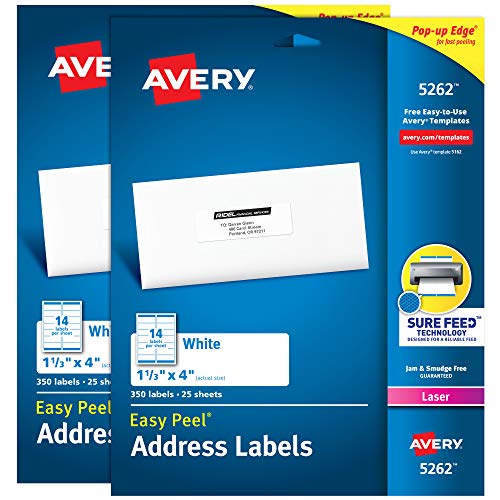 Avery 5642 2-Pack
|
Budget | Larger 1-1/3" x 4" label size | Wider return-address labels and lower-volume users | Check Price |
1. Avery Easy Peel Printable Address Labels with Sure Feed, 1" x 2-5/8" Customizable Stickers, White, 3,750 Blank Mailing Labels, Great for Mailing, Shipping, and More (5-Pack of 5260)
These Avery 5260 labels balance reliable printer feeding and easy application. The patented Sure Feed reduces misalignments and jams, while Easy Peel pop-up edges make applying return-address labels quick; customers consistently praise print clarity and adhesive strength.
Key Specs
- Label size: 1" x 2-5/8"
- Pack: 3,750 labels (multiple sheets)
- Printer optimization: laser printers, Sure Feed technology
- Adhesive: Ultrahold permanent adhesive
Pros
- Sure Feed reduces printer jams and alignment issues
- Easy Peel with pop-up edge speeds application
- Bright white stock prints crisp, smudge-resistant text
Cons
- Mid-range cost may be overkill for very light users
- Thicker adhesive paper can feel stiff in some desktop trays
Best For: Regular home mailing and small business use
Check Latest Price on Amazon2. Avery Easy Peel Printable Address Labels with Sure Feed, 1" x 2-5/8" Customizable Stickers, White, 15,000, Great for Mailing, Shipping, and More (5-Pack of 5160)
The 5160 bulk pack is ideal if you print lots of labels — it uses the same Sure Feed and Easy Peel design found on smaller packs so sheets feed reliably while delivering crisp output. Customers find the larger pack worth the investment for frequent use and bulk mailing.
Key Specs
- Label size: 1" x 2-5/8"
- Pack: 15,000 labels (multiple packs included)
- Printer optimization: laser printers, Sure Feed technology
- Adhesive: Ultrahold permanent adhesive; Easy Peel pop-up edge
Pros
- Outstanding value per label for high-volume printing
- Sure Feed reduces misalignments and jams in home printers
- Consistent print quality and strong adhesion
Cons
- Premium purchase upfront may not suit occasional users
- Large quantity takes storage space
Best For: High-volume mailers and small shops
Check Latest Price on Amazon3. Avery Printable Easy Peel Address Labels, 1-1/3" x 4", Sure Feed, White, 2 Pack, 700 Labels Total (5642)
The Avery 5642 is a budget-friendly pick with larger 1-1/3" x 4" labels and the same Easy Peel and Sure Feed design that improves feed reliability. It’s a good option for occasional mailers who want readable, well-adhering address labels without buying in bulk.
Key Specs
- Label size: 1-1/3" x 4"
- Pack: 700 labels (2 packs total)
- Printer optimization: laser printers, Sure Feed technology
- Features: Easy Peel pop-up edge, permanent adhesive
Pros
- Larger label area for clearer address blocks or logos
- Affordable for small-volume users
- Prints cleanly on laser printers with minimal smudging
Cons
- Smaller overall pack size means more frequent repurchase
- Some users note paper feels thin compared with premium sheets
Best For: Wider return-address labels and lower-volume users
Check Latest Price on AmazonWhich One Should You Choose?
If budget is tight → choose the Avery 5642 2-Pack (ASIN B08WRCWY5L) for good print clarity and a lower upfront cost. If you need bulk value and print a lot of mail → go with the Avery 5160 15,000-count pack (ASIN B001E6A8WY). If you want the best balance of reliable feeding and easy-peel application for regular home or small-business use → pick the Avery 5260 Easy Peel (ASIN B06Y2BBP6X).
Best for Specific Scenarios
- Holiday card senders: Avery 5642 because the larger 1-1/3" x 4" labels make return addresses easy to read and quick to apply.
- Small e-commerce sellers: Avery 5160 Bulk Pack because the huge quantity lowers cost per label and the Sure Feed design helps prevent jams during batch printing.
- Regular home office use: Avery 5260 Easy Peel because it balances feed reliability, crisp laser printing, and quick peel-and-apply for frequent mailings.
Frequently Asked Questions
Will these label sheets work in my home laser printer?
Yes — the three Avery sheets reviewed are optimized for laser printers and include Sure Feed technology to reduce misfeeds. Still, check your printer manual for maximum media weight and load the sheets according to the manufacturer’s guidance (usually face-up in tray or rear feed).
Can I use these labels in an inkjet printer?
These specific Avery sheets are optimized for laser printing; while some users print them on inkjets, ink may not dry as quickly or could smear. For consistent inkjet results, choose labels specified for inkjet use or test a sheet first to confirm compatibility.
How do I avoid alignment and feeding problems when printing labels?
Use the printer’s manual feed or single-sheet tray when possible, let the printer warm up, and print a test page on plain paper using the same layout to verify alignment. Keep label sheets flat and store them in a cool, dry place to prevent curling that leads to jams.
How We Selected These Products
Our recommendations are based on data-driven analysis: we evaluated 29748+ products across 4825+ brands using a composite scoring system that weighs rating (40%), review volume (30%), price value (20%), and demand signals (10%). Every product is ranked by data, not opinions.
Last updated: August 08, 2026
As an Amazon Associate we earn from qualifying purchases at no extra cost to you. Full disclosure.
HomeOfficePilot Score is our editorial ranking based on a composite analysis of product quality, value, and verified customer sentiment. Click through to Amazon for current pricing, availability, and live customer reviews.