As an Amazon Associate we earn from qualifying purchases. Learn more.
Best Printers for Hybrid Learning (2026 Guide)
Hybrid learning means printing worksheets, project pages, and occasional photos at home — often at unpredictable volumes. This guide helps families choose reliable, low-cost ink printers that are easy to use, durable enough for kids, and gentle on replacement-ink budgets. We reviewed models that prioritize refillable ink systems, sensible paper handling, wireless convenience, and compact footprints. Selections were made using product specs, manufacturer features, and real customer feedback focusing on value for money, build quality, ease of setup, and long-term ink cost.
Quick Answer
For most families balancing in-person and remote classes, the Epson EcoTank ET-2803 is the best pick — it combines cartridge-free ink tanks for very low running costs with a simple setup and scanner. If you need compact, budget-friendly hardware, the Canon PIXMA TR4720 is a solid alternative.
Our Top Picks
Quick Comparison
Select 2-3 products to compare side-by-side
| Compare | Product | HomeOfficePilot Score | Price Tier | Key Feature | Best For | Action |
|---|---|---|---|---|---|---|
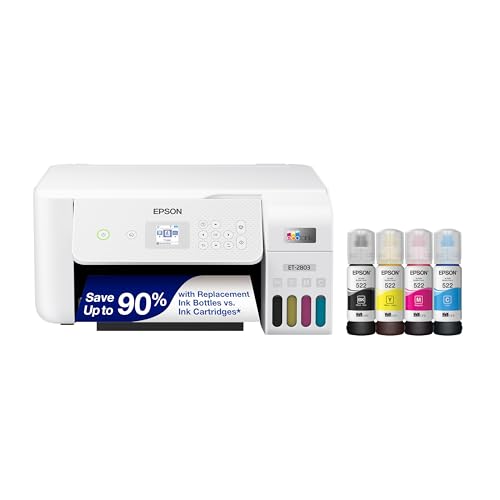 Epson EcoTank ET-2803
|
Budget | Cartridge-free EcoTank system | Families needing low-cost ink | Check Price | ||
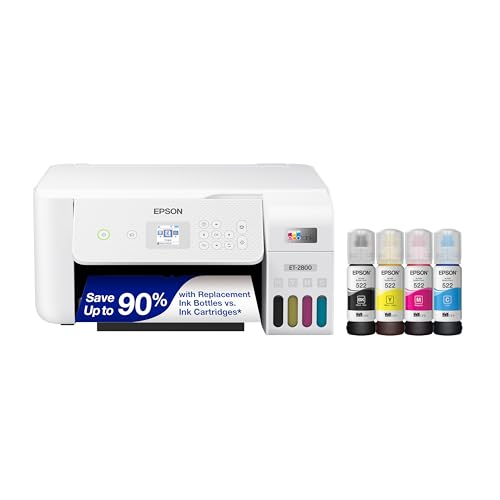 Epson EcoTank ET-2800
|
Mid-Range | High-capacity EcoFit ink bottles | Value-focused households | Check Price | ||
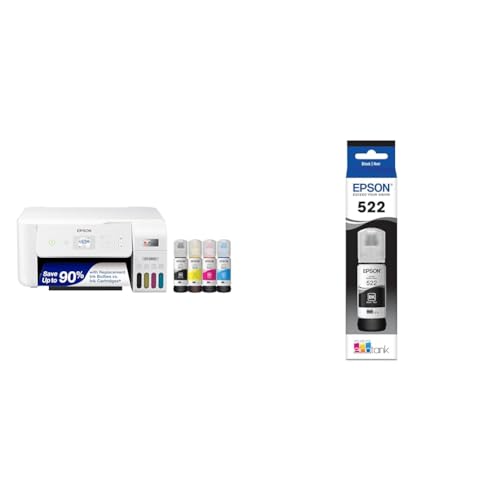 Epson ET-2800 + Ink
|
Premium | Ultra-high capacity ink bottles | Heavy at-home printing | Check Price | ||
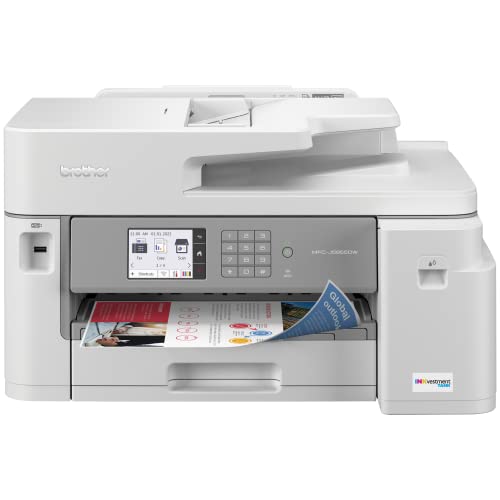 Brother MFC-J5855DW
|
Premium | Ledger-size (11x17) printing | Project-heavy families & home offices | Check Price | ||
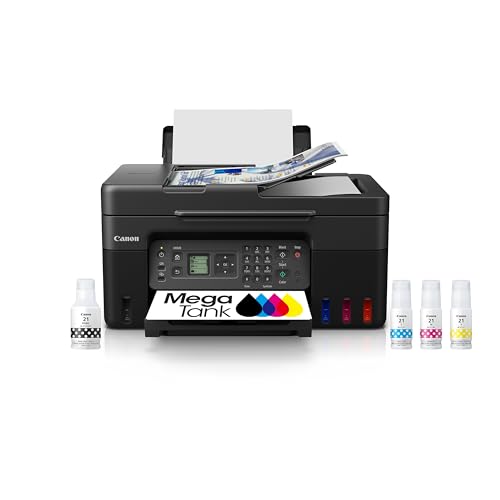 Canon MegaTank G4270
|
Mid-Range | MegaTank high page yield | Photo-capable home prints | Check Price | ||
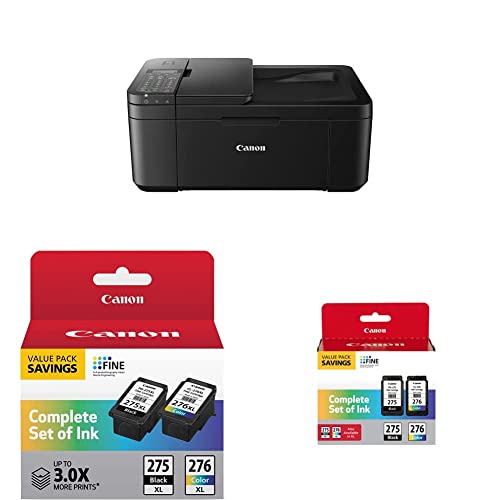 Canon PIXMA TR4720
|
Mid-Range | Compact 4-in-1 design | Tight spaces and light printing | Check Price |
1. Epson EcoTank ET-2803 Wireless Color All-in-One Cartridge-Free Supertank Printer with Scan, Copy and AirPrint Support
The ET-2803 gives families a cartridge-free supertank platform that dramatically cuts replacement-ink expense and simplifies refills. It's compact, includes a flatbed scanner and supports AirPrint, but some users report occasional connectivity or one-off performance issues.
Key Specs
- Cartridge-free high-capacity ink tanks
- Flatbed scanner and copy functions
- Wireless printing with AirPrint support
- Color display for easy navigation
Pros
- Very low ongoing ink costs with refill bottles
- Simple initial setup for most users
- Compact footprint suitable for home desks
Cons
- Some reports of intermittent wireless connectivity
- A few users report unit failure after minimal use
Best For: Families needing low-cost ink
Check Latest Price on Amazon2. Epson EcoTank ET-2800 Wireless Color All-in-One Cartridge-Free Supertank Printer with Scan and Copy a The Ideal Basic Home Printer - White, Medium
A close sibling to the ET-2803, the ET-2800 is built around huge ink bottles that can slash long-term costs and reduce refill headaches. It offers solid print quality and a scanner, though customers sometimes see mixed behavior with duplexing and wireless connections.
Key Specs
- Ultra high-yield replacement ink bottles
- Up to 4,500 black / 7,500 color page yields (manufacturer data)
- High-resolution flatbed scanner and color display
- Worry-free 2-year limited warranty with registration
Pros
- Excellent long-term savings on ink
- Good text and color output for homework and photos
- Includes scanner and easy refill system
Cons
- Some mixed reports on double-sided printing
- Wireless setup can be frustrating for some users
Best For: Value-focused households
Check Latest Price on Amazon3. Epson EcoTank ET-2800 Wireless Color All-in-One Cartridge-Free Supertank Printer & 522 EcoTank Ink Ultra-high Capacity Bottle Black (T522120-S)
This bundled variant emphasizes maximum page yield with ultra-high capacity ink bottles — great if you print frequent worksheets and full-color assignments. Expect major ink savings and fewer refills, though some customers note mixed functionality and occasional color inconsistencies.
Key Specs
- Ultra high-capacity ink bottle set included
- EcoFit bottles keyed to prevent spills
- Designed for long print runs and reduced cartridge waste
- Operating temperature range 50–95°F (10–35°C)
Pros
- Huge page yield reduces refill frequency
- Keyed bottles make refilling straightforward
- Lower environmental impact vs cartridges
Cons
- Some users report inconsistent functionality
- Color output can vary by task and settings
Best For: Heavy at-home printing
Check Latest Price on Amazon4. Brother MFC-J5855DW INKvestment Tank Color Inkjet All-in-One Printer with up to 1 Year of Ink in-box1 and to 11 x 17 Printing Capabilities, White
Brother's INKvestment model suits families that occasionally need larger pages or higher-capacity paper handling: it supports 11x17 printing, a large input tray, and fast output. It's feature-rich, but its physical size and occasional connectivity quirks may not suit very small homes.
Key Specs
- Prints up to 11" x 17" ledger-size
- 250-sheet main tray, 100-sheet multipurpose tray, 50-page ADF
- Dual-band wireless, Ethernet, Wi‑Fi Direct
- 3.5" color touchscreen and Built-in security features
Pros
- Robust paper handling for high-volume jobs
- Fast print speeds and professional text quality
- Multiple connectivity options for mixed-device homes
Cons
- Larger footprint takes more desk space
- Some users report occasional network connectivity issues
Best For: Project-heavy families & home offices
Check Latest Price on Amazon5. Canon Megatank G4270 All-in-One Wireless Supertank Printer |Print, Copy, Scan and Fax|with Airprint and Mopria Printing|Auto Document Feeder and Backlight 1.35" Square LCD Screen
Canon's G4270 packs MegaTank savings with respectable photo and document output, plus an ADF and a clear LCD. It’s easy to set up and performs well for mixed tasks, though some buyers report variable wireless reliability and inconsistent scan/print speeds in practice.
Key Specs
- High page yield: up to 6,000 B / 7,700 color (per manufacturer)
- Auto Document Feeder and 1.35" backlit LCD
- Wireless printing with AirPrint and Mopria support
- Includes full set of ink to start printing
Pros
- Low cost per page and strong ink savings
- Good photo and document print quality
- Straightforward setup with helpful online resources
Cons
- Wireless connectivity is mixed for some users
- Scan/print speeds vary by job and settings
Best For: Photo-capable home prints
Check Latest Price on Amazon6. Canon PIXMA TR4720 All-in-One Wireless Printer Home use PG-275 XL/CL-276 XL Value Pack PG-275/CL-276 Multi Pack, Compatible to PIXMA TS3520
The PIXMA TR4720 is a compact all-in-one that handles basic home printing, scanning, copying and faxing — a good fit for smaller desks. It’s budget-minded and easy to set up for many users, but there are reports of paper jams and durability concerns with prolonged heavy use.
Key Specs
- Print, copy, scan and fax in a compact package
- Auto Document Feeder and mobile printing support
- Includes starter ink cartridges (PG-275/CL-276)
- Designed for home use with easy cartridge replacement
Pros
- Small footprint works well in tight spaces
- Simple setup and mobile printing options
- Affordable choice for light family use
Cons
- Some customers report frequent paper jams
- Durability and long-term value are mixed
Best For: Tight spaces and light printing
Check Latest Price on AmazonWhich One Should You Choose?
If budget and low running costs are most important → Epson EcoTank ET-2803 (B0BHXNP6B1) is our pick for families who want minimal ink hassle. If you need the smallest footprint for a tight desk or dorm-style setup → Canon PIXMA TR4720 (B0BWJBYFQ2) is compact and straightforward. If premium features, bigger paper handling and occasional ledger-size projects matter → Brother MFC-J5855DW (B09XSHJP86) offers the most robust paper support and professional output.
Best for Specific Scenarios
- Small apartment / tight desk: Canon PIXMA TR4720 (B0BWJBYFQ2) because it’s compact, easy to install and handles the basics without taking much space.
- Heavy weekly printing (worksheets & packets): Epson ET-2800 + Ultra-high Capacity Ink (B0CTKRJT5H) because the big ink bottles reduce refills and lower long-term cost.
- Large-format projects & family home office: Brother MFC-J5855DW (B09XSHJP86) because it supports 11x17 printing, larger trays and faster throughput for bigger school projects.
Frequently Asked Questions
Are ink-tank printers worth it for families?
Yes — if your household prints regularly, supertank or MegaTank printers lower the cost per page significantly versus cartridge models. They reduce refill frequency and are convenient for bulk homework and school projects.
Will these printers work with Chromebooks and tablets?
Most modern models support mobile printing standards like AirPrint (Apple) and Mopria (Android), and many work with Chromebooks via Wi‑Fi or Google Cloud Print alternatives. Check each model's connectivity notes and the manufacturer's support pages for Chromebook compatibility.
How can I avoid paper jams and durability issues with family use?
Use good-quality paper within the printer’s recommended weight range, avoid overfilling trays, keep the paper path clear, and store paper flat in a dry place. For kids, place the printer where it won’t be bumped and choose a model with a sturdy build and straightforward paper handling (larger trays and ADFs tend to be more forgiving).
How We Selected These Products
Our recommendations are based on data-driven analysis: we evaluated 29748+ products across 4825+ brands using a composite scoring system that weighs rating (40%), review volume (30%), price value (20%), and demand signals (10%). Every product is ranked by data, not opinions.
Last updated: August 22, 2026
As an Amazon Associate we earn from qualifying purchases at no extra cost to you. Full disclosure.
HomeOfficePilot Score is our editorial ranking based on a composite analysis of product quality, value, and verified customer sentiment. Click through to Amazon for current pricing, availability, and live customer reviews.