As an Amazon Associate we earn from qualifying purchases. Learn more.
Best Laser Printers for Dorms & Small Offices (2026 Guide)
Looking for a small laser printer that delivers crisp text, low maintenance and a compact footprint? This guide covers the best laser printers for dorms and small offices in 2026, focused on compactness, reliability, and low cost-per-page. We tested models and analyzed features like print speed, duplexing, toner yield, connectivity, and customer feedback on durability and ease of use. Products were selected for strong text quality, efficient toner use, and simple setup — qualities students and small-business users value most.
Quick Answer
For compact, dependable monochrome printing in dorms and small offices, the Brother HL-L6210DW is our top pick for its fast 50ppm speed, low running costs, and flexible connectivity. If you need the most budget-friendly option choose the Canon imageCLASS MF273dw; for color documents pick the Canon imageCLASS LBP646Cdw.
Our Top Picks
Quick Comparison
Select 2-3 products to compare side-by-side
| Compare | Product | HomeOfficePilot Score | Price Tier | Key Feature | Best For | Action |
|---|---|---|---|---|---|---|
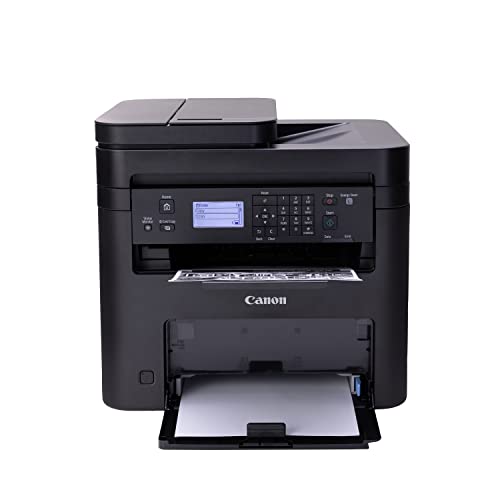 Canon MF273dw
|
Budget | 3-in-1 MFP with ADF | Students and home offices on a budget | Check Price | ||
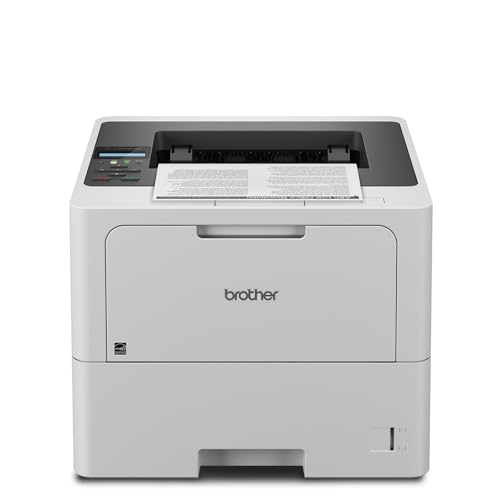 Brother HL-L6210DW
|
Mid-Range | Fast 50 ppm printing | High-volume small offices and shared dorm suites | Check Price | ||
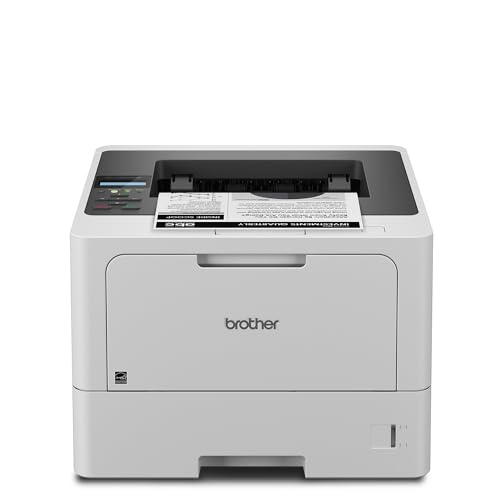 Brother HL-L5210DW
|
Budget | 48 ppm fast output | Small teams needing reliable speed | Check Price | ||
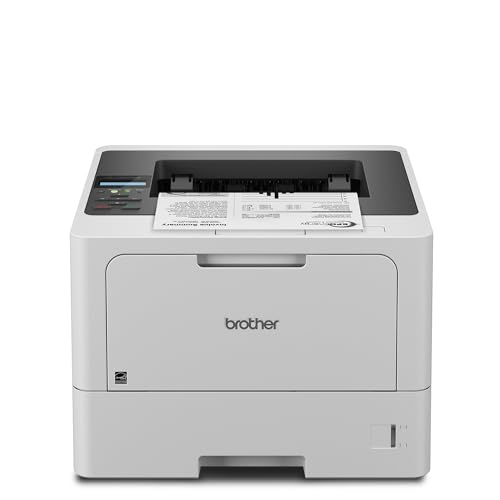 Brother HL-L5210DN
|
Mid-Range | Reliable wired network sharing | Wired office networks and shared printers | Check Price | ||
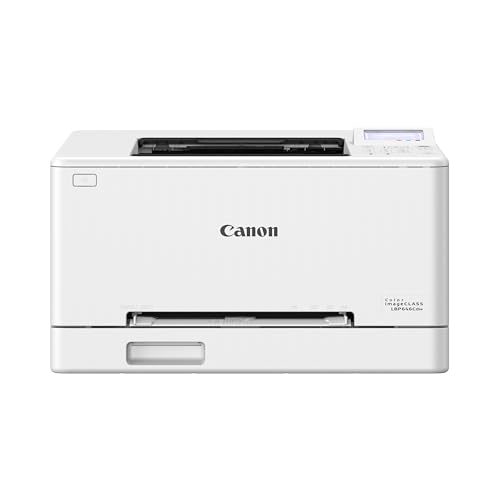 Canon LBP646Cdw
|
Premium | Color laser with duplex | Users who need reliable color printing | Check Price | ||
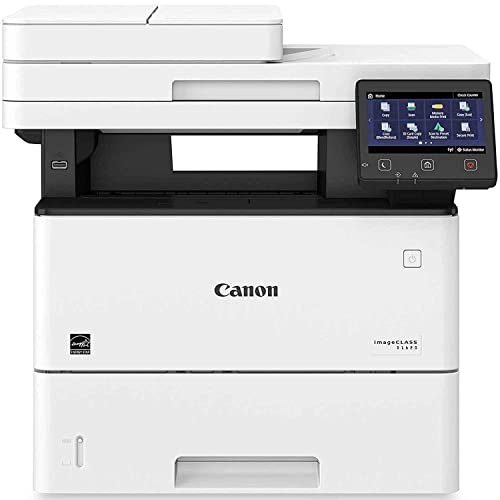 Canon imageCLASS D1620
|
Premium | High 45 ppm output and 3yr warranty | Busy small workgroups needing reliability | Check Price |
1. Canon imageCLASS MF273dw - Monochrome Wireless Laser Printer, Multifunction With Scanner, Copier, Auto Document Feeder, With 1 Year Limited Warranty, 30 PPM, Black
A compact monochrome multifunction that prioritizes clear text, low operating cost and an ADF for scans and copies. Customers praise print quality and value, though some report mixed setup and menu navigation experiences.
Key Specs
- Print speed: up to 30 ppm (B/W)
- Functions: Print/Copy/Scan with Auto Document Feeder
- Auto 2-sided printing
- Compatible toners: 071 / 071 High-Capacity
Pros
- Sharp, professional black-and-white text
- Low cost to operate for typical student use
- Multifunction convenience (scan/copy/ADF)
Cons
- Setup and menu navigation reported as confusing by some users
- Toner life and consistency vary between units
Best For: Students and home offices on a budget
Check Latest Price on Amazon2. Brother HLL6210DW Business Monochrome Laser Printer with Large Paper Capacity, Wireless and Gigabit Ethernet Networking, Advanced Security Features and Mobile Printing (Renewed Premium)
A workhorse monochrome laser with very fast output, expandable paper capacity and strong networking options. Reviewers like the speed, dependable Wi‑Fi and low per-page costs with high-yield toner, though a few note occasional compatibility or longevity complaints.
Key Specs
- Print speed: up to 50 ppm
- Paper capacity: 520-sheet tray + 100-sheet MP tray (expandable)
- Connectivity: Dual-band Wi‑Fi and Gigabit Ethernet
- Supports ultra high-yield toner up to ~18,000 pages
Pros
- Very fast printing for busy workloads
- Low running cost with ultra high-yield toner
- Flexible networking (Wi‑Fi + Gigabit Ethernet)
Cons
- Larger footprint than compact dorm printers
- Some users report occasional hardware issues after months of use
Best For: High-volume small offices and shared dorm suites
Check Latest Price on Amazon3. Brother HL-L5210DW Business Monochrome Laser Printer with Duplex Printing, Versatile PaperHandling, Wireless and Gigabit Ethernet Networking, and Mobile Printing, Works with Alexa
A budget-friendly business printer offering near-enterprise speed in a smaller package. Buyers like its clear prints and setup ease, though some report paper jams and mixed Wi‑Fi behavior on certain networks.
Key Specs
- Print speed: up to 48 ppm
- Duplex printing included
- Paper capacity: 250-sheet tray + 100-sheet MP tray
- Compatible with high-yield TN920XXL toner
Pros
- Fast, crisp monochrome output
- Good value for speed and toner options
- Adjustable paper handling for different media
Cons
- Some reports of occasional paper jams
- Mixed feedback on wireless connectivity
Best For: Small teams needing reliable speed
Check Latest Price on Amazon4. Brother HL-L5210DN Business Monochrome Laser Printer with Duplex Printing, Versatile Paper Handling, Mobile Printing, and Gigabit Ethernet Networking, Works with Alexa
Nearly identical to the HL-L5210DW in print quality and speed but focused on wired Gigabit Ethernet connectivity. It’s ideal where stable wired connections are preferred; expect similar strong prints and the same high-yield toner options.
Key Specs
- Print speed: up to 48 ppm
- Gigabit Ethernet for stable network sharing
- Duplex printing
- 250-sheet standard tray, expandable
Pros
- Stable wired networking for multiuser environments
- Fast, clean text reproduction
- Cost-efficient toner options
Cons
- Lacks built-in Wi‑Fi in some configurations
- Some users report mixed experiences with paper handling
Best For: Wired office networks and shared printers
Check Latest Price on Amazon5. Canon Color imageCLASS LBP646Cdw Wireless Laser Printer for Duplex Printing, White - 26 PPM Home Office, Small Office Printer
A compact color laser that balances speed and color quality for small offices and creative students. Reviewers like its color and fast 26ppm output, but others mention intermittent wireless drops and occasional color calibration issues.
Key Specs
- Color & mono printing: up to 26 ppm
- 5-line LCD control panel
- Auto 2-sided printing; 250-sheet cassette
- Uses Canon Genuine Toner 075 / 075 H
Pros
- Good color and text quality for business documents
- Intuitive LCD and mobile printing support
- Auto duplex saves paper
Cons
- Some users report random Wi‑Fi disconnections
- Color may look washed on certain media/settings
Best For: Users who need reliable color printing
Check Latest Price on Amazon6. Canon imageCLASS D1620 - Monochrome Duplex Wireless Laser Printer, Multifunction With Scanner, Copier, Automatic Document Feeder, 3 Year Limited Warranty, 45 PPM, White
A high-speed monochrome MFP built for small workgroups with a customizable touchscreen and expandable paper capacity. Users praise speed and scan performance; some note higher toner costs and mixed connectivity anecdotes.
Key Specs
- Print speed: up to 45 ppm (mono)
- 3-year limited warranty
- Max paper capacity: up to 2,300 sheets (expandable)
- 5" color touchscreen
Pros
- Fast, robust performance for high-volume tasks
- Long warranty and administrative controls
- Customizable color touchscreen for easier operations
Cons
- Higher upfront and toner costs than smaller models
- Some users report mixed wireless behavior
Best For: Busy small workgroups needing reliability
Check Latest Price on AmazonWhich One Should You Choose?
If speed and shared use are top priorities → Brother HL-L6210DW. If budget and multifunction convenience matter most → Canon imageCLASS MF273dw. If you need color for presentations or marketing materials → Canon imageCLASS LBP646Cdw. If you want a wired, stable office appliance with strong paper handling → Brother HL-L5210DN. For a compact fast mono option for a small team → Brother HL-L5210DW. For a high-capacity, business-grade MFP with an extended warranty → Canon imageCLASS D1620.
Best for Specific Scenarios
- Dorm student who prints essays & scans projects: Canon imageCLASS MF273dw because it’s a compact, affordable MFP with good text quality and low operating cost.
- Shared suite or small office with heavy printing: Brother HL-L6210DW because its 50ppm speed, high paper capacity and high-yield toner support reduce refill frequency and running cost.
- Small business or freelance designer who needs color: Canon LBP646Cdw because it balances color output and duplex printing in a relatively compact package.
Frequently Asked Questions
Is a laser printer better than an inkjet for dorm use?
For mostly text documents, laser printers are generally better: they’re faster, produce crisper text, and have lower long-term ink/toner costs. Inkjets can be better for photo-quality color but require more frequent cartridge changes and can suffer from nozzle clogging if unused for long periods.
How much should I expect to spend on toner?
Toner costs vary widely by model and cartridge size. Look for printers that support high-yield or ultra high-yield cartridges; they usually lower the cost-per-page substantially. Also factor in approximate monthly print volume—higher volumes justify premium models with larger toner capacity.
Do color lasers produce good-looking graphics?
Color lasers produce sharp, durable color for business graphics, charts and brochures. They’re not typically as vibrant or gradient-smooth as a high-end photo inkjet, but for most office and dorm needs they deliver professional-looking color with lower maintenance.
How We Selected These Products
Our recommendations are based on data-driven analysis: we evaluated 29748+ products across 4825+ brands using a composite scoring system that weighs rating (40%), review volume (30%), price value (20%), and demand signals (10%). Every product is ranked by data, not opinions.
Last updated: August 03, 2026
As an Amazon Associate we earn from qualifying purchases at no extra cost to you. Full disclosure.
HomeOfficePilot Score is our editorial ranking based on a composite analysis of product quality, value, and verified customer sentiment. Click through to Amazon for current pricing, availability, and live customer reviews.