As an Amazon Associate we earn from qualifying purchases. Learn more.
Best Label Printers for Handmade Jewelry Sellers (2026 Guide)
If you sell handmade jewelry, your packaging is part of the product — tiny price tags, elegant clear stickers, and delicate labels must look professional without damaging soft packaging like velvet pouches or paper jewelry cards. This 2026 guide evaluates compact, small-format label printers that prioritize thin, gentle-adhesive labels and easy customization. You'll learn which models print fine, narrow labels, how they handle delicate materials, and which features (app templates, pre-cut widths, waterproof finishes) matter most. Products were chosen for small-format capability, gentle adhesives or thin thermal tapes, compact size, and user-friendly mobile apps.
Quick Answer
For handmade jewelry sellers who need tiny, gentle-adhesive labels and a compact footprint, the Memoking D30 Mini Label Maker is the top pick — it prints thin, waterproof thermal stickers and offers phone-based customization for small tags and pricing stickers.
Our Top Picks
Quick Comparison
Select 2-3 products to compare side-by-side
| Compare | Product | HomeOfficePilot Score | Price Tier | Key Feature | Best For | Action |
|---|---|---|---|---|---|---|
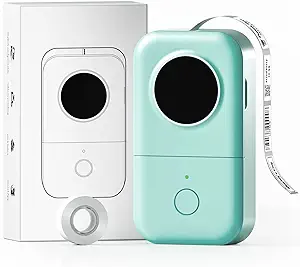 Memoking D30 |
Budget | Phone app customization & waterproof labels | Small-batch jewelry sellers on a budget | Check Price | ||
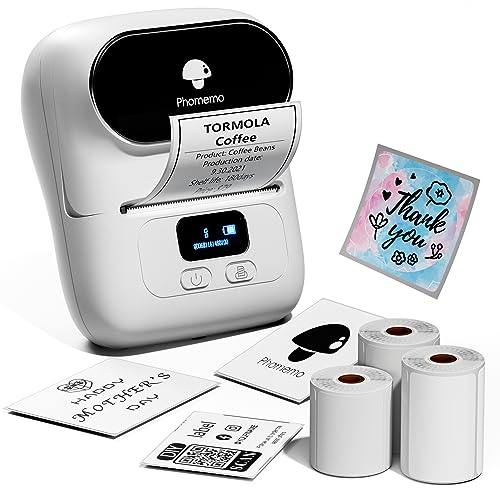 Phomemo M110 Upgraded |
Premium | Works with pre-cut and clear labels | Sellers who want pre-cut, polished-looking stickers | Check Price | ||
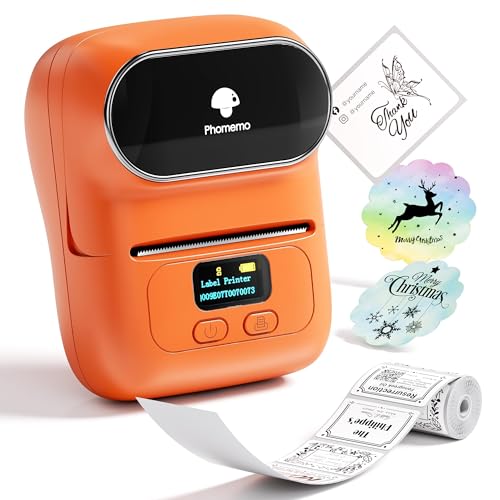 Phomemo M110 Barcode |
Mid-Range | Adjustable paper holder & auto label detection | Sellers who need batch printing and barcode support | Check Price |
1. Label Makers - D30 Mini Label Maker Machine, Inkless Bluetooth Label Printer, Thermal Sticker Maker Machine for Kitchen, File, Cable, Clothes, Price, Jewelry, Medicine, Barcode, Green
The Memoking D30 is a tiny, app-driven thermal sticker maker that excels at small-format labels for jewelry tags and price stickers. It prints thin thermal labels (waterproof and oil-proof), offers dozens of decorative frames and fonts, and supports Excel batch printing — a strong budget choice for makers who want delicate, attractive labels without a large footprint.
Key Specs
- Bluetooth control via Print Master-style app
- Thermal (inkless) printing — sample 12 x 40 mm labels included
- Waterproof, oil-proof, anti-scratch label media
- App customization: 180+ fonts, 500+ icons, 60+ frames
- Supports Excel batch printing and voice input
Pros
- Excellent small-format and decorative label options for jewelry
- Waterproof and thin thermal labels that sit well on delicate packaging
- Very compact and lightweight — easy to stash in a craft desk
Cons
- App-dependent setup may be fiddly for some users
- Limited to small widths — not suitable for larger shipping labels
Best For: Small-batch jewelry sellers on a budget
Check Latest Price on Amazon2. Phomemo Label Maker Machine- M110 Upgraded Bluetooth Label Printer for Barcode, Clothing, Jewelry, Retail, Mailing, Business, Compatible with Android & iOS, with 3 Label, White
Phomemo's upgraded M110 is a compact thermal printer that supports pre-cut and transparent labels — ideal for jewelers who prefer peel-and-stick clear stickers or consistent pre-cut price tags. It connects via Bluetooth and includes multiple label sizes in the box, making it convenient for polished on-product branding and price labeling.
Key Specs
- Compatible with pre-cut and transparent label rolls
- Print width range: 20–50 mm (works up to ~48 mm printable)
- Bluetooth 4.0 mobile connection and Print Master app
- Includes multiple sample label sizes and USB charging cable
- Thermal (inkless) printing
Pros
- Pre-cut and clear label support for neat, decorative stickers
- Easy mobile editing with templates — fast single-tap printing
- Compact design with included sample label sizes
Cons
- Some users report mixed print consistency on certain media
- Bluetooth pairing can be intermittent on a few devices
Best For: Sellers who want pre-cut, polished-looking stickers
Check Latest Price on Amazon3. Phomemo Barcode Printer - M110 Label Maker Machine Wireless Bluetooth Themal Label Printer for Small Business, School, Barcode, Address, Jewelry, Clothing, Organizing, Orange
This Phomemo M110 variant focuses on reliability for repeated label runs — adjustable paper holder, automatic label identification, and app templates make it useful for inventory and barcode printing. Its compact build suits small worktables and pop-up markets, although print texture can vary by label stock.
Key Specs
- Label width range: 20–50 mm (max printable ~48 mm)
- Adjustable paper holder and automatic label detection to reduce jams
- Bluetooth 4.0 connectivity with mobile app templates
- Supports Excel batch printing for bulk label production
- Thermal (inkless) printing
Pros
- Good workflow for batch price tags and inventory labels
- Compact and portable — easy for craft fair setups
- Adjustable holder reduces paper jams and misalignment
Cons
- Print quality can be inconsistent depending on label stock
- Some users report occasional connectivity or functionality hiccups
Best For: Sellers who need batch printing and barcode support
Check Latest Price on AmazonWhich One Should You Choose?
If budget is tight → Memoking D30 (B0BYT4LM5G). It covers small-format labels, waterproof options, and rich app customization without a big price tag. If you need portable and polished, pre-cut clear stickers for on-product branding → Phomemo M110 Upgraded (B08XYNWZ3M). If your priority is batch printing, barcode/Excel workflow, and fewer jams during repeated runs → Phomemo M110 Barcode (B07YN4XHG6).
Best for Specific Scenarios
- Etsy listings & product cards: Memoking D30 because its small-format templates and thin thermal labels sit cleanly on 2" x 3" jewelry cards.
- Pop-up markets & price stickers: Phomemo M110 Barcode because its adjustable holder and Excel batch printing speed up printing dozens of consistent price tags.
- Luxury clear stickers for jewellery boxes: Phomemo M110 Upgraded because it supports pre-cut transparent labels and glossy finishes that look polished on gift boxes and clear pouch seals.
Frequently Asked Questions
Are thermal label printers safe for delicate jewelry packaging?
Yes — thermal printers typically produce thin, inkless stickers that are less likely to damage delicate papers or fabrics than heavy adhesive vinyl. Still, test a sample label on your specific materials (velvet, coated paper, leather) to confirm adhesive strength and finish.
Can I print barcodes and batch price tags from my phone?
Most compact thermal labelers reviewed here connect via Bluetooth and provide mobile apps with templates and Excel/CSV import for batch printing. This makes barcode and price tag production fast from a phone or tablet; check that the model supports the label width and barcode format you need.
Will labels peel off velvet pouches or coated cards?
That depends on the adhesive and surface finish. Thin thermal labels with gentler adhesives usually perform well on coated cards, but textured fabrics like velvet may require testing. If you worry about residue or tearing, try clear tags on the box exterior or use a hang tag rather than sticking directly to delicate fabric.
How We Selected These Products
Our recommendations are based on data-driven analysis: we evaluated 29748+ products across 4825+ brands using a composite scoring system that weighs rating (40%), review volume (30%), price value (20%), and demand signals (10%). Every product is ranked by data, not opinions.
Last updated: November 16, 2026
As an Amazon Associate we earn from qualifying purchases at no extra cost to you. Full disclosure.
HomeOfficePilot Score is our editorial ranking based on a composite analysis of product quality, value, and verified customer sentiment. Click through to Amazon for current pricing, availability, and live customer reviews.