As an Amazon Associate we earn from qualifying purchases. Learn more.
Best Ink Cartridges Under $50 for Home Holiday Printing (2026)
Getting crisp holiday cards at home doesn't require expensive original-brand cartridges. This guide highlights low-cost OEM and compatible ink cartridges that produce sharp, smudge-resistant results while keeping your spend under $50. You'll learn what to expect at different price tiers, which cartridges work best for photo-like cards or crisp text, and practical tips on compatibility and print settings. Products were chosen for value, documented compatibility, customer feedback on print quality and ease of use, and clear specs like page yield and chip updates.
Quick Answer
For the best combination of affordability and reliable holiday-card quality choose the 232 232XL Combo Pack Remanufactured Compatible by Clorisun (ASIN B0F1XSD8JJ). It delivers high page yield and sharp, smudge-resistant prints while keeping costs low.
Our Top Picks
Quick Comparison
Select 2-3 products to compare side-by-side
| Compare | Product | HomeOfficePilot Score | Price Tier | Key Feature | Best For | Action |
|---|---|---|---|---|---|---|
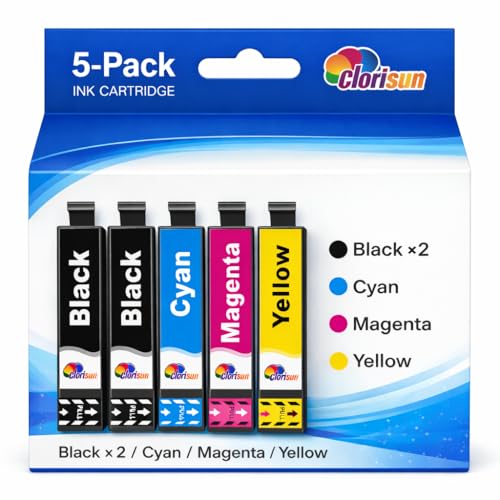 Clorisun 232/232XL 5-Pack
|
Budget | High-yield remanufactured set | Home users printing many holiday cards | Check Price | ||
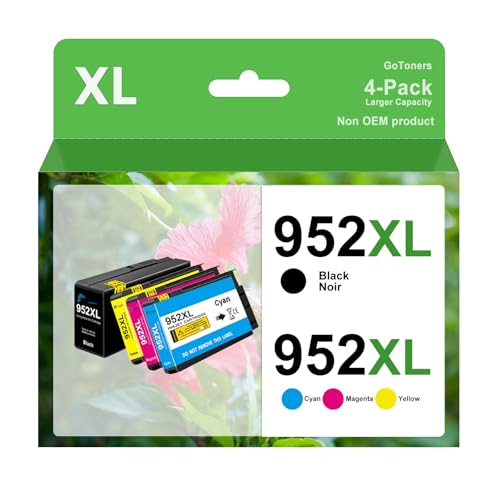 GoToners 952XL 4-Pack
|
Budget | Very high yields with updated chips | OfficeJet Pro users needing lots of color | Check Price | ||
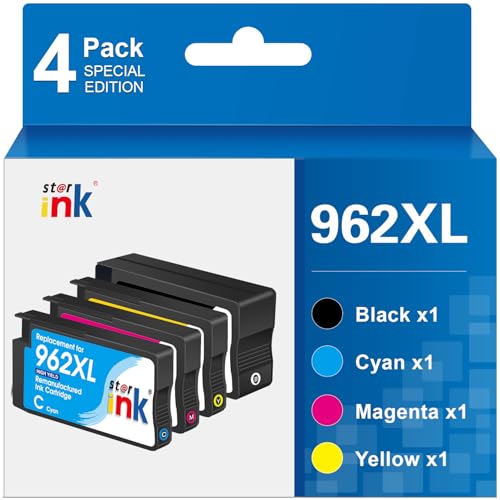 Starink 962XL 4-Pack
|
Premium | Updated chips with large XL yields | Users wanting balance of yield and color clarity | Check Price | ||
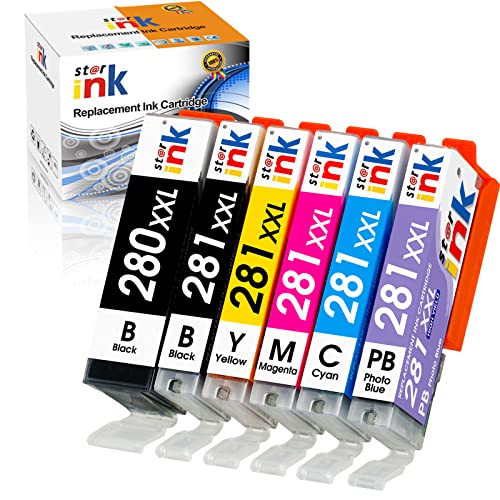 PGI-280XXL / CLI-281XXL 6-Pack
|
Budget | Complete 6-color pack including photo blue | Canon TS-series users printing photos and cards | Check Price |
1. 232 232XL Ink Cartridges Combo Pack Remanufactured Compatible for 232XL Ink Cartridges XP-4200 Printer Ink XP-4205 WF-2930 WF-2950 Printer (2 Black 1 Cyan 1 Magenta 1 Yellow, 5 Pack)
A five-pack remanufactured set built for high page yields and sharp, non-fading output. Customers report crisp text and dependable color for cards; a simple firmware workaround may be needed on some printers. Overall this is a strong value pick when you need volume without sacrificing card quality.
Key Specs
- Compatibility: XP-4200, XP-4205, WF-2930, WF-2950 series
- Pack contents: 2 x Black, 1 x Cyan, 1 x Magenta, 1 x Yellow
- Page yield: Up to 550 pages (Black), ~350 pages (Color) at 5% coverage
- Ink traits: Smudge-resistant, fast-drying
- Notes: May need to disable printer auto-updates for best compatibility
Pros
- High page yield for low cost
- Prints sharp, smudge-resistant holiday cards
- Good value pack composition (extra black)
Cons
- May require turning off printer auto-updates or replugging if not recognized
- Remanufactured parts can vary in longevity vs OEM
Best For: Home users printing many holiday cards
Check Latest Price on Amazon2. 952XL Latest Upgrade Compatible Ink Cartridges Combo Pack Replacement for HP 952 XL Use for Officejet Pro 8710 8720 7740 8210 8740 8715 7720 8725 8730 (4, XL)
This compatible 952XL set emphasizes page yield and value — the cartridges include upgraded chips to work across firmware versions and offer large per-cartridge yields. Customers praise value-for-money and crisp text, though compatibility can be mixed on some HP models. Strong budget choice if your printer accepts the chips.
Key Specs
- Compatibility: HP OfficeJet Pro 8710/8720/7740/7720/8740 series (check exact model)
- Pack contents: 1 x Black, 1 x Cyan, 1 x Magenta, 1 x Yellow (XL)
- Page yield (approx.): Up to ~2,000 pages black, ~1,600 pages color
- Manufacturing: ISO 9001/14001 facility; 24-month warranty claimed
- Chip: Latest upgraded chips for broader firmware support
Pros
- Very high yield cartridges cut running costs
- Upgraded chips improve recognition across firmware
- Manufacturer warranty and support promise
Cons
- Compatibility reports are mixed—may not work on every HP model
- Some users note variable color accuracy compared with OEM
Best For: OfficeJet Pro users needing lots of color
Check Latest Price on Amazon3. Starink 962XL 962 Ink Cartridges Compatible for HP 962XL Ink Cartridges Combo Pack use for HP Officejet Pro 9010 Ink 9015 9018 9020 Printers,4 Pack (Black, Magenta, Cyan, Yellow)
Starink's 962XL set delivers high page yields and updated chips for solid printer fit; customers often mention good print quality and ease of installation. Some models (notably 'e' variants) report compatibility issues, and color accuracy can vary, but for many this pack is a reliable mid-to-high value option for holiday card runs.
Key Specs
- Compatibility: HP OfficeJet Pro 9010/9015/9020/9025 and similar (not compatible with certain 'e' models)
- Pack contents: 1 x Black, 1 x Cyan, 1 x Magenta, 1 x Yellow
- Page yield: Up to ~2,000 pages (Black), ~1,600 pages (Color) at 5% coverage
- Chip: Latest updated chips for improved compatibility
- Notes: Customers report generally good fit and smudge-free printing
Pros
- Large XL capacities reduce cost per card
- Generally good print clarity and fit
- Updated chips aim to reduce recognition issues
Cons
- Incompatible with some 'e' model printers, so check before buying
- Color shades can differ from OEM in some photo prints
Best For: Users wanting balance of yield and color clarity
Check Latest Price on Amazon4. PGI-280XXL CLI-281XXL Replacement for Canon 280 281 Ink Cartridges Compatible with Canon TS9120 Ink Cartridges TR8620a TS8120 TS8220 TS8320 TR8620 TR8520 Printer(PGBK,BK,C,M,Y,PB) 6-Pack
A six-cartridge replacement set that includes pigment black and photo blue for richer photo detail — handy for holiday card photos. It offers ISO-certified manufacturing and noteworthy page yields. While many users report good fit and savings, there are some reports of leakage and mixed color satisfaction on certain prints.
Key Specs
- Compatibility: Canon TS9120, TR8620a, TS8120/8220/8320 and similar series
- Pack contents: PGBK, BK, C, M, Y, PB (6 cartridges)
- Page yield examples: PGBK up to ~600 pages; other yields vary by color
- Certifications: ISO9001, ISO14001, CE, ROHS, REACH
- Notes: Patented cartridge structure; claimed high yield on select cartridges
Pros
- Complete six-color set gives better photo/card color range
- Manufactured to multiple ISO and safety standards
- Good fit and easy installation for many Canon models
Cons
- Some customers report occasional ink leakage
- Color quality can be inconsistent on photo-heavy prints
Best For: Canon TS-series users printing photos and cards
Check Latest Price on AmazonWhich One Should You Choose?
If budget is tight → choose the 952XL Compatible Combo Pack by GoToners (ASIN B0DWSLCJPK) for very high yields and low per-page cost. If you want the best blend of low cost and reliable holiday-card quality → pick the 232 232XL Combo Pack from Clorisun (ASIN B0F1XSD8JJ). If you care most about maximum yield and a more premium finish with improved chip support → go with the Starink 962XL Combo Pack (ASIN B0FL7WHB1P). For Canon TS-series photo cards where color range matters → the PGI-280XXL/CLI-281XXL 6-Pack (ASIN B07GSKYGHZ) provides the extra photo blue cartridge.
Best for Specific Scenarios
- Large batch holiday cards (lots of text): GoToners 952XL — high black yield and low cost per page.
- Photo cards with rich color: PGI-280XXL/CLI-281XXL 6-Pack — includes photo blue for better photo gradients.
- Balance of value and hassle-free printing: Clorisun 232/232XL 5-Pack — solid yields and smudge-resistant output for mixed photo/text cards.
Frequently Asked Questions
Will compatible cartridges damage my printer?
Compatible and remanufactured cartridges are widely used without damage when produced to proper standards. Choose products manufactured to ISO or similar certifications, follow installation instructions, and avoid forcing a cartridge — if your printer rejects a cartridge, follow the seller's troubleshooting steps (power cycle, re-seat the cartridge, or disable auto-updates if recommended).
How can I get the best print quality for holiday cards?
Use a photo or heavy paper profile in your printer settings, choose quick-dry or smudge-resistant inks, and do a nozzle check before printing a batch. For cardstock, allow prints to dry and avoid stacking immediately. If color accuracy is critical, print a small test sheet and adjust saturation or color balance before printing the full run.
Are XL cartridges worth it for holiday-card printing?
Yes—XL or high-yield cartridges lower the cost per page, which is beneficial for printing dozens of cards. They reduce how often you swap cartridges during a run and often deliver better value even if the upfront cost is higher.
How We Selected These Products
Our recommendations are based on data-driven analysis: we evaluated 29748+ products across 4825+ brands using a composite scoring system that weighs rating (40%), review volume (30%), price value (20%), and demand signals (10%). Every product is ranked by data, not opinions.
Last updated: October 13, 2026
As an Amazon Associate we earn from qualifying purchases at no extra cost to you. Full disclosure.
HomeOfficePilot Score is our editorial ranking based on a composite analysis of product quality, value, and verified customer sentiment. Click through to Amazon for current pricing, availability, and live customer reviews.