As an Amazon Associate we earn from qualifying purchases. Learn more.
Best Desktop Label Printers for Small Shipping Stations (2026 Guide)
Running a small shipping station means you need label printing that’s fast, dependable and easy to maintain. This 2026 guide reviews compact desktop thermal printers and essential label roll packs that handle moderate daily volume without taking up valuable bench space. I tested candidates for print speed, compatibility, build quality, and ongoing value (label cost and durability). You’ll learn which models fit a home office, cottage business or small warehouse pick-and-pack line and why those choices are the most practical for moderate-volume shipping.
Quick Answer
For a fast, reliable desktop label printer at a small shipping station pick the iDPRT SP410 — it balances 150mm/s print speed, 203 dpi clarity and broad OS compatibility. For tight budgets choose the OFFNOVA USB 4x6; for the best value on labels choose Labelebal 4" x 2" rolls.
Our Top Picks
Quick Comparison
Select 2-3 products to compare side-by-side
| Compare | Product | HomeOfficePilot Score | Price Tier | Key Feature | Best For | Action |
|---|---|---|---|---|---|---|
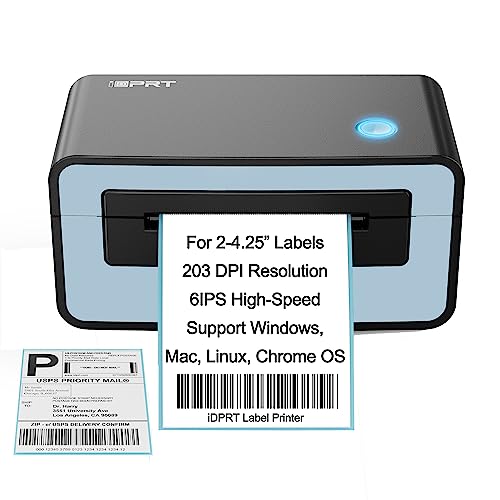 iDPRT SP410
|
Premium | 150mm/s high-speed printing | Moderate-volume shipping for small businesses | Check Price | ||
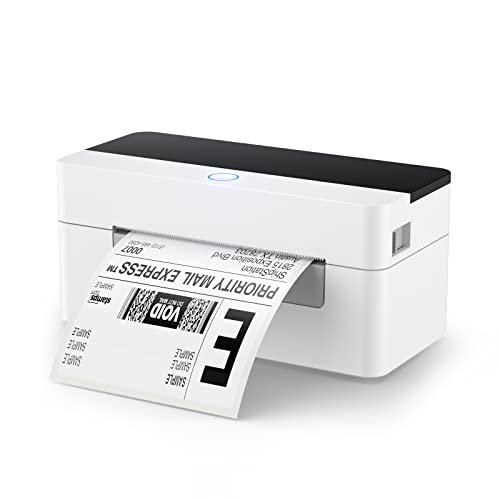 OFFNOVA 4x6
|
Budget | Auto calibration for easy setup | Cost-conscious small shippers who need 4x6 labels | Check Price | ||
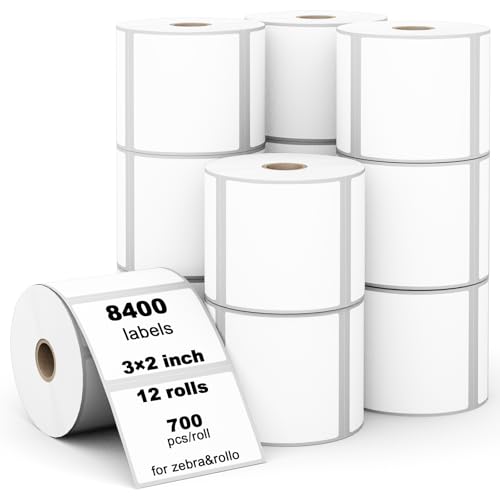 Labelebal 3" x 2" Rolls
|
Budget | 700 labels per roll, easy-peel design | Small sellers using smaller address/barcode labels | Check Price | ||
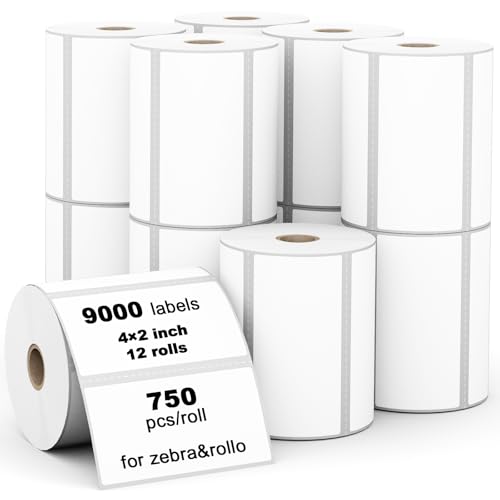 Labelebal 4" x 2" Rolls
|
Mid-Range | Perforated 4"x2" rolls for easy tear | E-commerce sellers needing standard 4x2 shipping labels | Check Price | ||
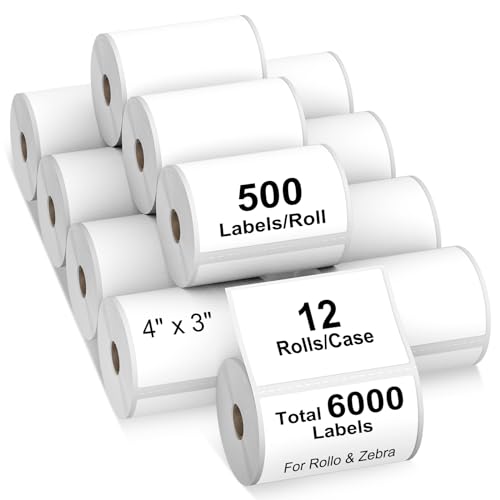 AveneMark 4" x 3" Rolls
|
Premium | Water and oil resistant labels | Larger parcel labeling that needs extra durability | Check Price | ||
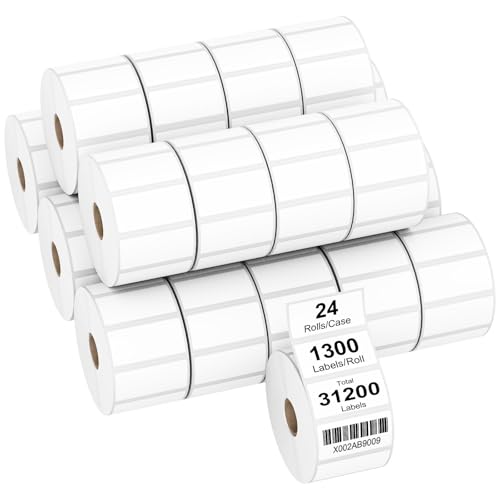 AveneMark 2" x 1" Rolls
|
Mid-Range | High-count 2"x1" rolls for inventory barcodes | High-volume inventory labeling and small barcode tags | Check Price |
1. iDPRT Shipping Label Printer Upgraded Thermal Label Printer, Desktop Label Printer for Small Business, 46 Label Maker, Compatible with UPS, USPS, Amazon & Ebay, Support Windows, Mac OS, Linux, Blue
The iDPRT SP410 is a fast, well-built direct thermal printer with wide OS compatibility (Windows, Mac, Linux) and a high 203 dpi resolution for crisp shipping labels. Its 6 IPS (150mm/s) speed and broad label-size support make it ideal for a small shipping station that needs reliable throughput and clear barcode readability.
Key Specs
- Compatible OS: Windows, Mac, Linux (no Wi‑Fi/Bluetooth)
- Label width: 2"–4.65" (50–118mm); length 1"–11.81"
- Speed: 6 IPS (150 mm/s)
- Print resolution: 203 DPI; direct thermal (no ink/ribbon)
Pros
- Fast printing keeps moderate-volume lines moving
- Broad label-size support for multiple carriers/platforms
- Direct thermal design avoids ink, toner, or ribbon costs
Cons
- No wireless (Bluetooth/Wi‑Fi) limits placement flexibility
- Premium-tier price may be higher than basic USB models
Best For: Moderate-volume shipping for small businesses
Check Latest Price on Amazon2. OFFNOVA Shipping Label Printer, USB 4x6 Label Printer for Shipping Packages, High Speed Thermal Printer, Supports ShipStation UPS FedEx Ebay
OFFNOVA’s USB 4x6 printer delivers solid speed and an easy plug-in setup, including automatic label calibration to reduce wasted labels. It’s a budget-friendly desktop printer that prints at around 150mm/s and works with common platforms via USB — a practical choice if you want decent throughput without advanced networking.
Key Specs
- Connectivity: USB (no Bluetooth/Wi‑Fi)
- Supported OS: Windows, Mac, Chromebook, Linux
- Paper width: 1.57"–4.1"; optimized for 4"x6" labels
- Speed: ~150 mm/s; includes auto label calibration
Pros
- Very good value for the speed and feature set
- Auto-calibration reduces setup fuss and label waste
- Works with common shipping platforms via USB
Cons
- Mixed reports on compatibility with some setups (Chromebook notes)
- Some users report occasional faint prints or power issues
Best For: Cost-conscious small shippers who need 4x6 labels
Check Latest Price on Amazon3. (8400 Pcs/3-Proof 1" Core) Labelebal 12 Rolls 3" x 2" Direct Thermal Label (76mm x 51mm) Multipurpose Shipping Address Mailing Barcodes Labels Compatible for Zebra 2844 & Rollo Desktop Label Printer
This Labelebal pack gives a high label count at a low per-label cost. The 3"x2" sheets are BPA-free, designed for smooth feeding and easy peeling, and aim to deliver smudge-free, sharp prints for postage and barcode needs.
Key Specs
- Label size: 3" x 2" (76mm x 51mm); 700 labels/roll
- Total: 12 rolls (8400 labels)
- Compatibility: Rollo, Zebra 2844 and many desktop thermal printers
- Material: Direct thermal, BPA-free, easy-peel roll
Pros
- Strong value for high volume label use
- Smooth rolls and easy peel reduce printer jams
- Designed for smudge-free, clear printing
Cons
- Not compatible with some machines (e.g., Dymo 4XL)
- A few users report occasional adhesion or print darkness variances
Best For: Small sellers using smaller address/barcode labels
Check Latest Price on Amazon4. (9,000 Labels/12 Rolls) Labelebal 12 Rolls 4" x 2" Inch Direct Thermal Labels, Address Shipping Labels Compatible with Rollo & Zebra Desktop Printers Adhesive
A balanced mid-range label pack built for general shipping use: perforated 4"x2" labels, 750 per roll, with premium adhesive intended for corrugated boxes and poly bags. These rolls aim to print dark, resist smudging, and feed reliably in popular desktop thermal printers.
Key Specs
- Label size: 4" x 2"; 750 labels/roll, 12 rolls (9000 labels)
- Core: 1" core; perforated for easy separation
- Compatibility: Rollo, Zebra, Munbyn and many desktop thermal printers
- Material: Direct thermal, BPA-free, smudge- and fade-resistant
Pros
- Perforation and roll quality speed handling and tearing
- Generally good print darkness and peelability
- Broad compatibility with common desktop thermal printers
Cons
- Not compatible with some models (e.g., Dymo 4XL)
- A minority of buyers report occasional adhesion issues
Best For: E-commerce sellers needing standard 4x2 shipping labels
Check Latest Price on Amazon5. AveneMark 12 Rolls 4" x 3" Direct Thermal Labels for Barcodes Postage Address Shipping Compatible with Rollo & Zebra Desktop Printers Adhesive - 500 Labels/Roll
AveneMark’s 4"x3" rolls focus on durability: smudge-proof, water- and oil-resistant stock with a strong adhesive. They’re a solid option when you need labels that hold up in transit and on varied surfaces, though some buyers report mixed results with printer compatibility.
Key Specs
- Label size: 4" x 3" (101mm x 76mm); 500 labels/roll
- Total: 12 rolls (6000 labels)
- Features: Smudge-proof; water and oil resistant; strong adhesive
- Compatibility: Broad list including many Zebra and Rollo models
Pros
- Durable label stock resists moisture and smudging
- Powerful adhesive for secure attachment to parcels
- Good choice for barcode and FNSKU labels
Cons
- Mixed reports on compatibility with some Rollo printers
- Some users experience varied print darkness on certain printers
Best For: Larger parcel labeling that needs extra durability
Check Latest Price on Amazon6. AveneMark 24 Rolls 2" x 1" Direct Thermal Labels for Barcodes Postage Address Shipping Labels Compatible with Rollo & Zebra Desktop Printers Adhesive - 1300 Labels/Roll
AveneMark’s 2"x1" options are a high-count, mid-range choice for barcode and small-label needs. They offer good print quality and adhesive strength at scale, though compatibility and adhesion are reported inconsistently by some users.
Key Specs
- Label size: 2" x 1" (51mm x 25mm); 1300 labels/roll
- Total: 24 rolls (31,200 labels)
- Features: Smudge-resistant; strong adhesive
- Compatibility: Works with many Zebra and Rollo desktop printers
Pros
- Excellent value for large-volume labeling runs
- Good print clarity and peel performance for small labels
- Designed for barcode and inventory use
Cons
- Some customers report mixed adhesion or compatibility
- Smaller label size not suitable for standard shipping 4x6 needs
Best For: High-volume inventory labeling and small barcode tags
Check Latest Price on AmazonWhich One Should You Choose?
If budget is tight → OFFNOVA (B0BC6DKPYK) is the best entry-level choice for reliable 4x6 printing with auto-calibration. If you need the best overall speed, compatibility and clarity → iDPRT SP410 (B0957L4G44) offers 150mm/s and wide OS support. If you want the best label value for standard 4x2 shipping labels → Labelebal 4"x2" rolls (B0D6FZXKQD) balance cost and quality. For durable labels that resist moisture and grease → AveneMark 4"x3" (B08XK3L51Z) is aimed at tougher transit conditions.
Best for Specific Scenarios
- Home-based eBay/Etsy sellers: OFFNOVA 4x6 (B0BC6DKPYK) because it’s compact, budget-friendly and handles standard 4x6 postage labels.
- Small warehouse pick-and-pack: iDPRT SP410 (B0957L4G44) because the higher speed, 203 dpi clarity and robust size support keep throughput steady.
- High-volume label buying: AveneMark 2"x1" or Labelebal bulk rolls (B0DQS8DVZB or B0D6FZXKQD) because their roll counts and peelability lower per-label costs.
Frequently Asked Questions
Do I need thermal ribbon for these printers?
Most models reviewed here are direct thermal printers, which print by heat on thermal paper and do not use ink or ribbon. You only need compatible thermal label rolls. If you pick a thermal transfer printer, that model would require ribbon.
What label size should I buy for standard carrier shipping?
Most carriers and postage services use 4" x 6" labels for shipping. If you do returns, small packages or inventory tags you may want 4" x 2", 3" x 2" or 2" x 1" rolls. Match the label size to your carrier and shipping software templates.
How can I avoid print faintness or wasted labels?
First, ensure your printer is calibrated to the label roll (auto-calibration helps). Use label stock compatible with your printer’s direct thermal tech and specified core size. If prints are faint, try increasing darkness in the driver settings, test a different brand of labels, and check for dust on the print head; regular cleaning extends head life and improves print quality.
How We Selected These Products
Our recommendations are based on data-driven analysis: we evaluated 29748+ products across 4825+ brands using a composite scoring system that weighs rating (40%), review volume (30%), price value (20%), and demand signals (10%). Every product is ranked by data, not opinions.
Last updated: May 21, 2026
As an Amazon Associate we earn from qualifying purchases at no extra cost to you. Full disclosure.
HomeOfficePilot Score is our editorial ranking based on a composite analysis of product quality, value, and verified customer sentiment. Click through to Amazon for current pricing, availability, and live customer reviews.