As an Amazon Associate we earn from qualifying purchases. Learn more.
Best All-in-One Printers for College Portfolios (2026)
College students preparing portfolios need a printer that fits dorm and apartment life: compact, affordable to run, and able to produce crisp documents and occasional high-quality photos. This guide reviews three compact all-in-one printers (AIOs) selected for their balance of photo quality, document reliability, and small footprints. I tested fit-for-student features like duplexing, ADF, connectivity, and running costs using manufacturer specs and real customer feedback. Read on to find the AIO that matches your major, budget, and printing habits.
Quick Answer
For students building college portfolios, the Brother MFC-L2820DW XL is the best overall compact AIO if you prioritize fast, reliable document printing, a small footprint, and low running costs. If your portfolio leans heavily on color photos, the Canon MegaTank MAXIFY GX2020 is the premium pick for photo-quality prints and refillable inks.
Our Top Picks
Quick Comparison
Select 2-3 products to compare side-by-side
| Compare | Product | HomeOfficePilot Score | Price Tier | Key Feature | Best For | Action |
|---|---|---|---|---|---|---|
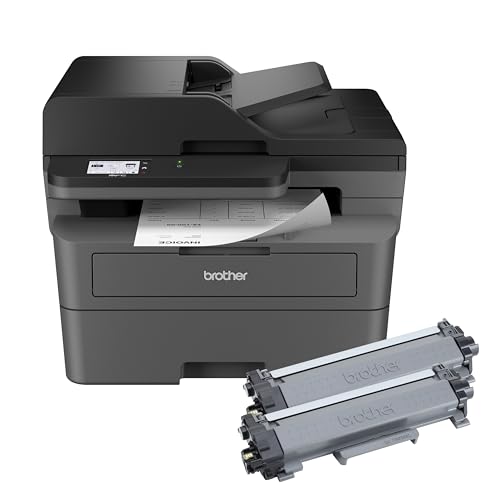 Brother MFC-L2820DW XL
|
Mid-Range | High in-box toner yield (up to 4,200 pages) | Text-heavy portfolios & high-volume printing | Check Price | ||
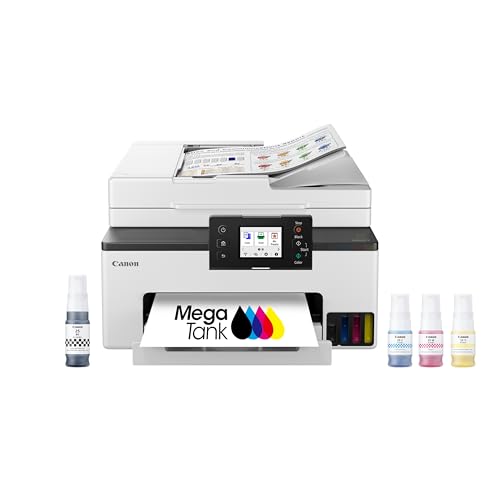 Canon MegaTank GX2020
|
Premium | Refillable ink tank for low-cost, high-volume color | Color/photo-heavy portfolios | Check Price | ||
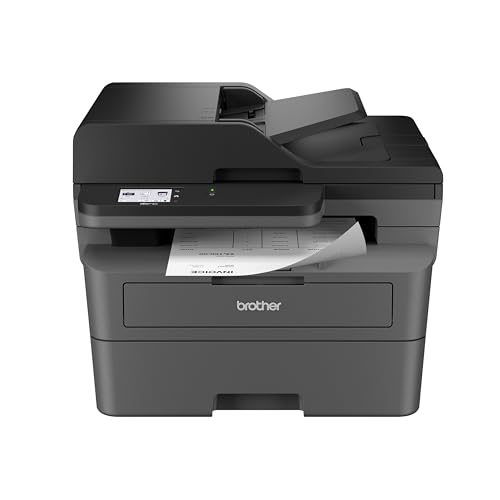 Brother MFC-L2820DW
|
Budget | Compact monochrome AIO with ADF | Students on a tight budget needing reliable docs | Check Price |
1. Brother MFC-L2820DW XL Wireless Compact Monochrome All-in-One Laser Printer with Copy, Scan and Fax, Duplex, Black & White | Up to 4,200 Pages of Toner Included(1), Works with Alexa
A compact monochrome laser AIO that excels at fast, economical document printing with features students appreciate: duplexing, 50-sheet ADF, and robust connectivity. The XL in-box toner lowers running costs, making it a practical choice for printing drafts, handouts, and portfolio documentation.
Key Specs
- Monochrome laser print, copy, scan, fax
- Up to 4,200 pages toner included (combined cartridges)
- 250-sheet paper tray and 50-sheet ADF
- 2.7" touchscreen, dual-band Wi‑Fi, Ethernet, USB
- Automatic duplex printing
Pros
- Very economical per-page for black & white documents
- Compact footprint fits small desks and dorms
- Fast printing and responsive touchscreen
Cons
- Monochrome only — not suitable for color photos
- Some customers report occasional Wi‑Fi connection drops
Best For: Text-heavy portfolios & high-volume printing
Check Latest Price on Amazon2. Canon MegaTank MAXIFY GX2020 All-in-One Wireless Color Printer Print, Copy, Scan with Duplex Printing Refillable Tank System, Compact Desktop Design Wireless Print Scan Copy for Home & Office
A premium compact inkjet with refillable tanks designed to deliver vivid color prints and lower long-term ink costs — ideal for students who need photo-quality pages and mixed media. It balances a desktop-friendly size with an ADF and auto duplexing, making it versatile for portfolio and class use.
Key Specs
- Refillable MegaTank system — up to 3,000 B/W & 3,000 color pages per ink set
- 4-color pigment/dye ink system for sharp text and vibrant photos
- 2.7" color touchscreen, auto 2-sided printing, 35-sheet ADF
- Dual-band Wi‑Fi, USB connectivity, Chromebook compatible
- 3-year limited warranty or 60,000 pages
Pros
- Outstanding color and photo print quality for portfolio pages
- Low running costs thanks to refillable tanks
- Compact but feature-rich: ADF and duplexing included
Cons
- Wireless connection and speed reports are mixed among users
- Higher upfront cost compared with budget monochrome options
Best For: Color/photo-heavy portfolios
Check Latest Price on Amazon3. Brother MFC-L2820DW Wireless Compact Monochrome All-in-One Laser Printer with Copy, Scan and Fax, Duplex, Black & White | Includes Refresh Subscription Trial(1), Works with Alexa
A budget-friendly compact laser AIO that offers fast black-and-white printing, a 50-page ADF, and multiple connectivity options. It’s a sensible, low-cost choice for students who print primarily text — theses, resumes, and draft pages — and want a durable small-footprint machine.
Key Specs
- Monochrome laser print, copy, scan, fax
- Print speeds up to 36 ppm and 50-page ADF
- 250-sheet paper tray, 2.7" touchscreen
- Dual-band Wi‑Fi, Ethernet, USB
Pros
- Affordable initial cost and economical operation
- Small desktop footprint fits cramped study spaces
- Good text quality and fast first-page times
Cons
- No color capability — not for photo printing
- Some users report occasional wireless connectivity or compatibility quirks
Best For: Students on a tight budget needing reliable docs
Check Latest Price on AmazonWhich One Should You Choose?
If your budget is tight and you print mostly text and drafts → Brother MFC-L2820DW (B0CPL9C83B). If you need the best balance of running cost, compact footprint, and heavy document throughput → Brother MFC-L2820DW XL (B0CPL3MLT1). If premium color and photo-quality pages matter most for your portfolio → Canon MegaTank MAXIFY GX2020 (B0CHLHDHRT).
Best for Specific Scenarios
- Architecture or design students: Canon MegaTank MAXIFY GX2020 because it handles color and photo paper well and keeps ink costs down for large-format proofs and presentation pages.
- Business or law students: Brother MFC-L2820DW XL because its high-yield toner and duplexing make printing lengthy briefs and multiple copies cheap and fast.
- Part-time students or light users: Brother MFC-L2820DW because it’s compact, affordable, and reliable for occasional portfolio updates and class handouts.
Frequently Asked Questions
Can I print portfolio photos on a compact AIO?
Yes — but choose an inkjet with a strong color system and support for photo paper, like the Canon MegaTank MAXIFY GX2020. Monochrome lasers are great for text but cannot produce color photos.
How important is an ADF for students?
Very useful if you scan multi-page documents (references, drafts, or signed forms). An ADF saves time when digitizing multi-page content for online submission or archiving.
What should I check about paper handling for portfolio pages?
Confirm maximum supported paper weight and whether the printer offers a straight-through or rear feed path for thicker stock. Also check if it supports borderless or large-size prints if your portfolio needs non-standard layouts.
How We Selected These Products
Our recommendations are based on data-driven analysis: we evaluated 29748+ products across 4825+ brands using a composite scoring system that weighs rating (40%), review volume (30%), price value (20%), and demand signals (10%). Every product is ranked by data, not opinions.
Last updated: September 05, 2026
As an Amazon Associate we earn from qualifying purchases at no extra cost to you. Full disclosure.
HomeOfficePilot Score is our editorial ranking based on a composite analysis of product quality, value, and verified customer sentiment. Click through to Amazon for current pricing, availability, and live customer reviews.